18
f. MAIN MODE COMMANDS
1. PRIME
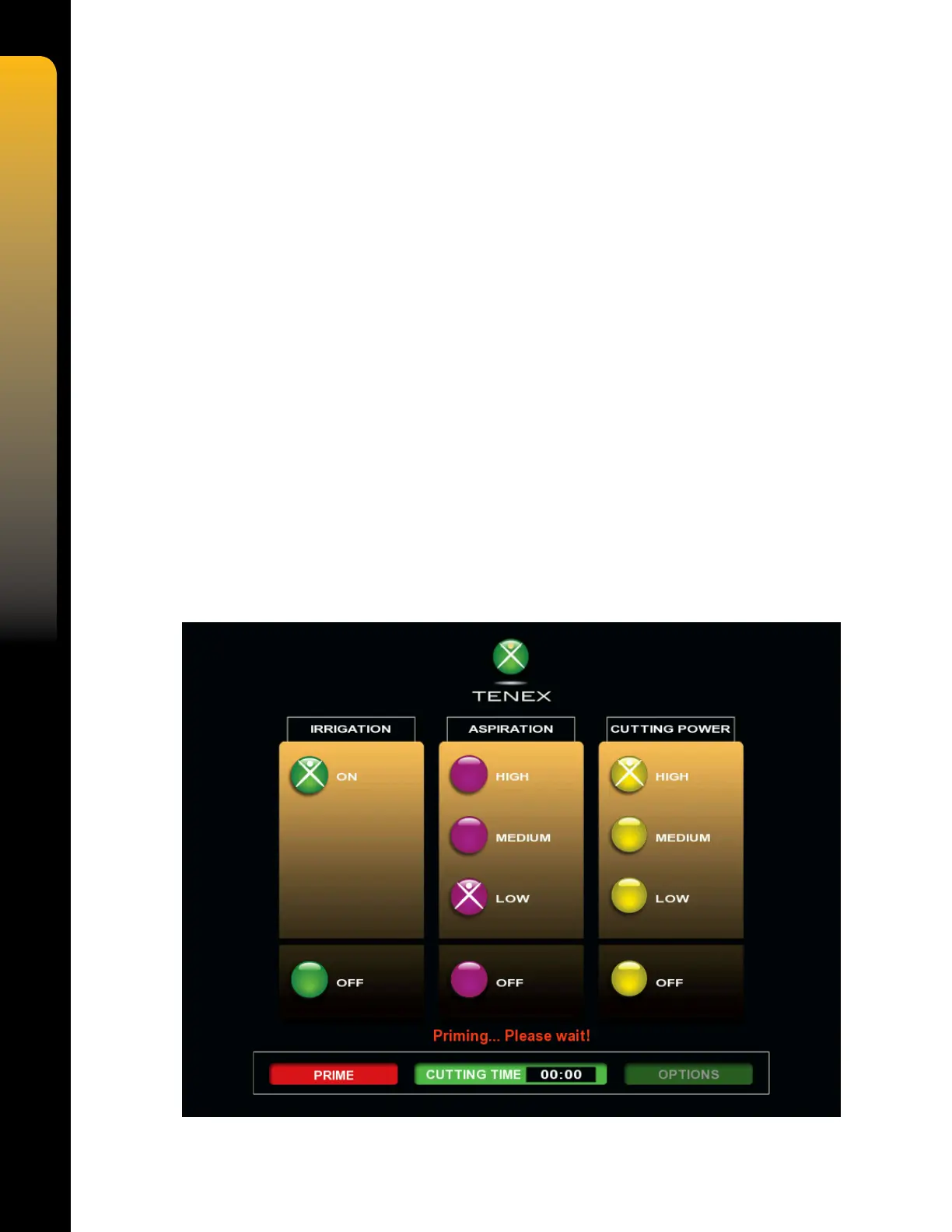
The PRIME command will initiate the priming cycle when the command soft key is pressed,
which lls the tube set with liquid, tests the valves, and tests the peristaltic pump. The priming
cycle will be indicated by the screen going dark, the PRIME soft key turning RED, and the
message "Priming …Please Wait!" displayed on the screen. The aspiration pump will run for
approximately 60 seconds. The prime cycle may be stopped at any time by depressing the
PRIME soft key.
A successful priming cycle will be indicated by the message "Priming successful!" and an
audible tone, followed by the IRRIGATION panel being highlighted, indicating that the system is
ready for parameter settings.
A failed priming cycle will be indicated by the message "Fluid path blocked! Prime again!" or
"Vacuum test failed! Prime again!" and an audible TONE. Refer to the troubleshooting section
for instructions.
2. CUTTING TIME
The CUTTING TIME command indicates the total time in minutes and seconds that the cutting
function is active. Whenever the Foot Pedal is depressed in CUTTING POWER, the clock will
run. Pressing the CUTTING TIME Soft key at any time will reset the clock to zero.
3. OPTIONS
The OPTIONS command will access the Options Mode and display the three Option functions
when the OPTIONS command Soft key is pressed.


 To Next Page