19
g. OPTIONS MODE FUNCTIONS
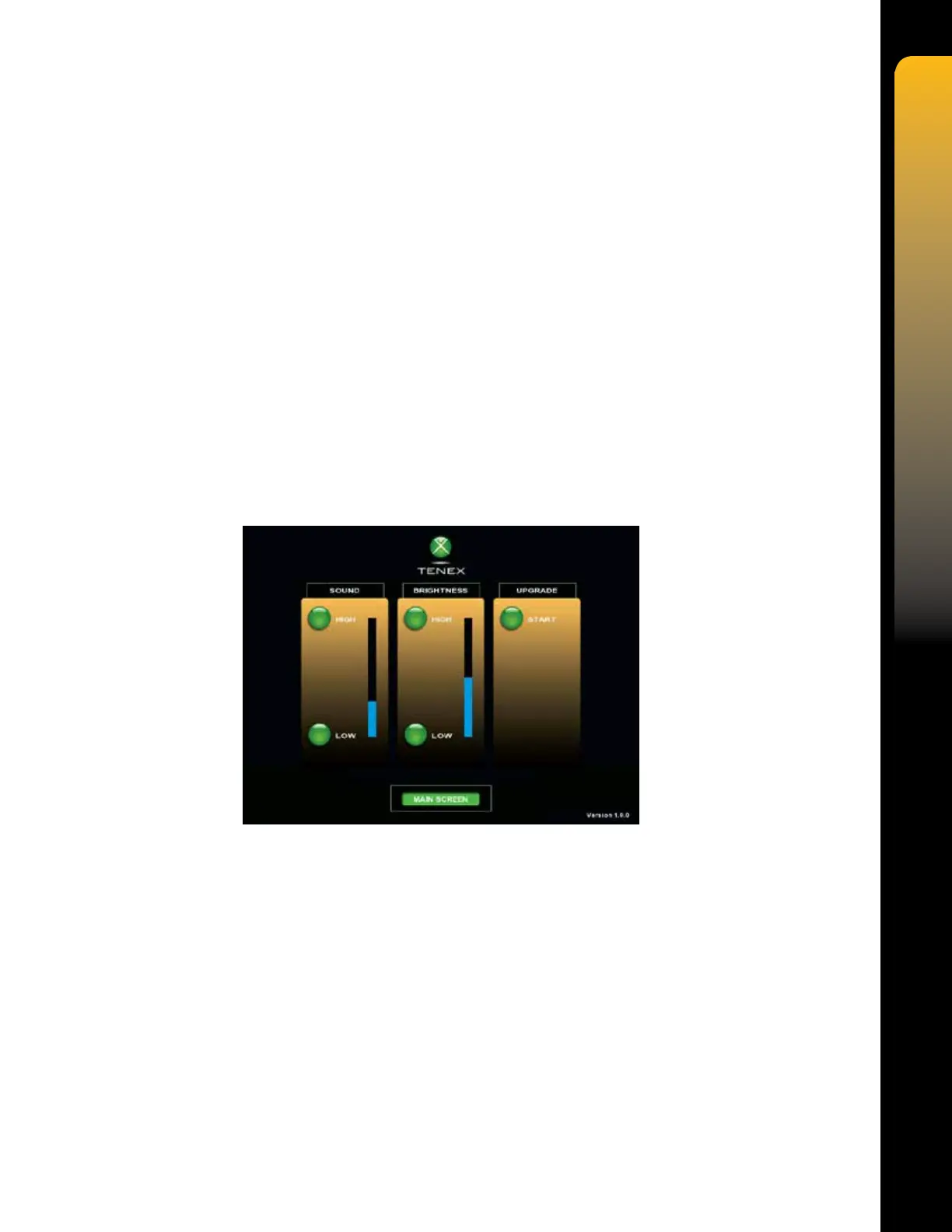
1. SOUND
The SOUND function allows the volume for Audible Indicators to be adjusted by depressing the
HIGH Soft key to raise the volume or depressing the LOW Soft key to lower the volume. The
volume will adjust incrementally with each press of a Soft key, or if a Soft key is pressed and
held. The volume can also be adjusted by dragging your nger along the volume indicator bar
or pressing anywhere on the bar.
2. BRIGHTNESS
The BRIGHTNESS function allows the brightness of the screen to be adjusted by depressing
the HIGH Soft key to raise the brightness or depressing the LOW Soft key to lower the
brightness. The brightness will adjust incrementally with each press of a Soft key, or if a Soft
key is pressed and held. The brightness can also be adjusted by dragging your nger along the
brightness indicator bar or pressing anywhere on the bar.
3. UPGRADE
The UPGRADE function is used by factory personnel to perform upgrades to the system
software, should they become available.


 To Next Page