33
c. IRRIGATION FUNCTION
The IRRIGATION Panel provides access to the parameter settings for the Irrigation function.
Controlled by depressing the Foot Pedal, irrigation is intended to deliver uid to the target site.
When IRRIGATION is selected ON, the irrigation pinch valve will open when the Foot Pedal is
depressed allowing uid to ow. When the Foot Pedal is released, the pinch valve will close and
the uid will stop owing. If IRRIGATION is selected to OFF, the Foot Pedal will have no effect
on irrigation ow.
IRRIGATION may be used independently, or together with ASPIRATION or CUTTING.
IRRIGATION will automatically be selected ON when CUTTING POWER is enabled.
b. MAIN MODE
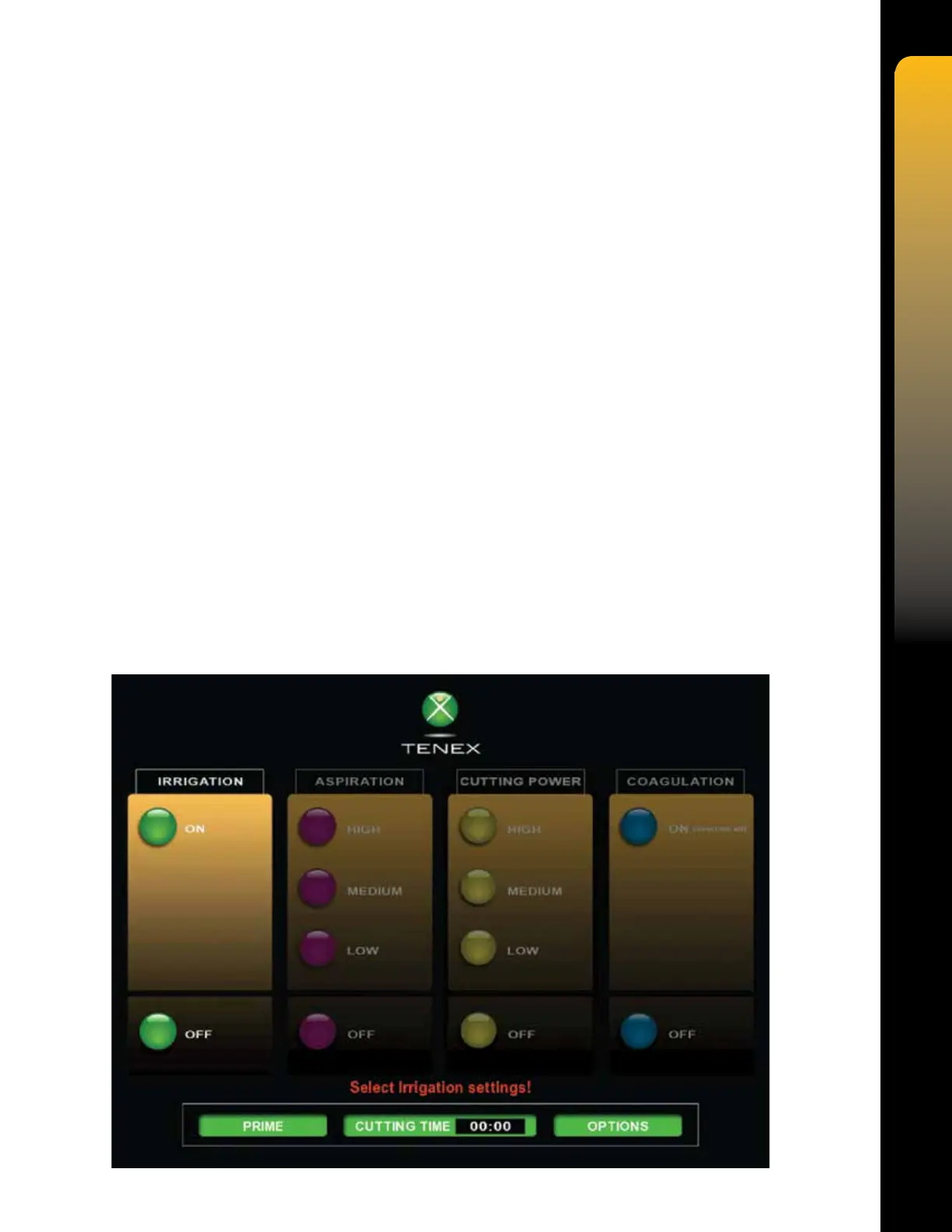
The Main Mode displays four (4) panels, which provide access to the parameter settings for the
available system functions. Each function is activated by simply pressing a soft key in the panel
labeled with the name of that function. This will be indicated by the function being highlighted.
When the TX Console is rst powered ON, the initialization screen will momentarily display the
Tenex Health logo, followed by the Main Mode screen.
The four (4) user functions are Irrigation, Aspiration, Cutting Power and Coagulation. The
parameter settings for each function are only available sequentially from left to right at power
up. The system is not ready for use until parameter settings are made for all four (4) functions.
The Main Mode also contains the Prime, Cutting Time, and Options commands. The PRIME
command soft key will initiate the priming cycle when pressed, which lls the tube set with liquid,
tests the valves, and tests the peristaltic pump. The CUTTING TIME command soft key resets
the cutting timer when pressed. The OPTIONS command soft key will access the Options Mode
when pressed, providing access to the Sound, Brightness, and Software Upgrade functions.
Note that the software upgrade function is for factory use only.


 To Next Page