Teradek, LLC 2020. All rights reserved. v1.3-0620
RECEIVER DISPLAY/OSD OPERATION
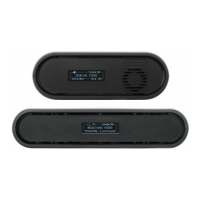
Bolt 4K’s configuration menus can be accessed from either the receiver's front panel
display or from the Bolt app. When enabled, the receiver’s configuration menus are
also displayed via On-Screen Display (OSD) on a connected monitor.
RECEIVER STATUS SCREENS
● MAIN STATUS - Displays the status of the wireless receiver, along with
the current video resolution, frequency, and link
quality (if connected).
● TIME CODE - Displays the current time code if received from the
transmitter.
● INFO - Displays the current voltage and internal temperature
of the unit.
● TX INFO
- Displays the name of the transmitter it is paired to.
● HDMI STATUS
- Displays the current HDMI color output
Press the menu joystick (G) to cycle through the status screens or to return from the
menu.
CONFIGURATION OPTIONS
Most of the options listed in this section can also be configured using the Bolt app.
Use the Menu joystick (G) to navigate the configuration menus.
SWITCH TX
Bolt 4K receivers can pair with up to four transmitters at a time. Switch TX allows
you to quickly switch from one paired transmitter's camera feed to another paired
transmitter. This feature is especially useful in multi-camera situations when you
need to switch to a dierent camera's view mid-shoot, without having to perform the
pairing process every time.
NOTE: The transmitter(s) need to first be paired with the receiver.
The transmitter's Wireless Settings menu contains several configurable options to
optimize your receiver's range, quality, and reliability.
WIRELESS SETTINGS
WIRELESS SETTINGS - ENABLE FIXED FREQUENCY
Fixed Frequency Mode bypasses any automatic frequency switching logic, allowing
your Bolt 4K system to always attempt to connect on a specified frequency. Once
a frequency is selected, the transmitter will only use that frequency. This allows
your transmitter to link/reconnect to the receiver much faster. After enabling Fixed
15



 To Next Page