5. Setting up Control Unit and analyser box measurement system
34
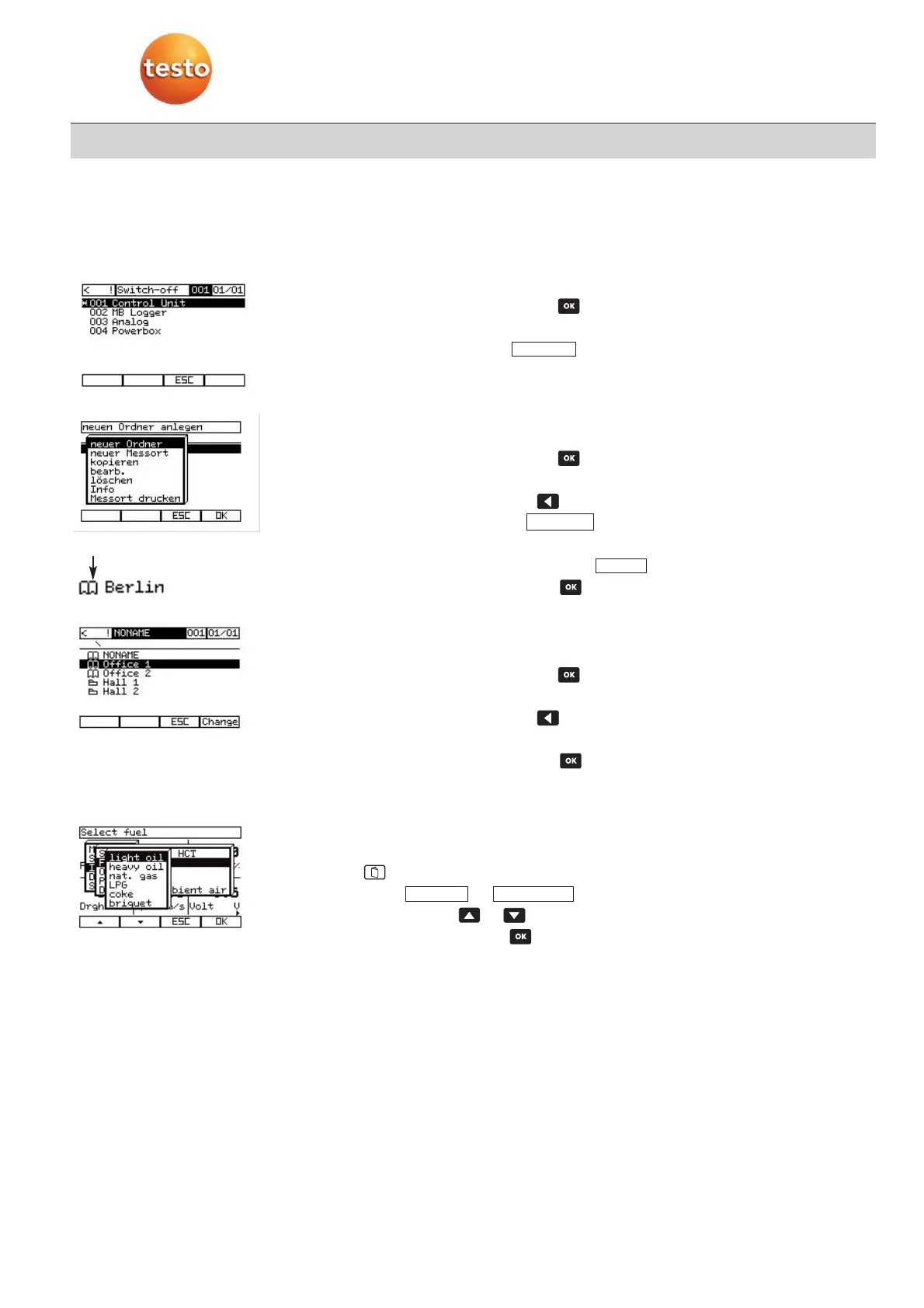
5.6 Renaming system components
-
Measurement menu is activated.
1
Open system configuration with .
2
Select required components.
3
Open setting mode with .
4
Change name of the component in the input dialogue box.
5.7 Setting up new location
·
Measurement menu is activated.
1
Open system configuration with .
-
System configuration is shown.
2
Open location selection with .
3
Activate setting mode with .
4
Select new location.
5
Enter location name and confirm with .
6
Select location and confirm with .
5.8 Selecting location
·
Measurement menu of required instrument is activated.
1
Open system configuration with .
-
System configuration is shown.
2
Open location selection with .
-
You will receive an overview of the stored locations and folders.
3
Select location and confirm with .
-
The new location appears in the system bar.
5.9 Setting fuel
·
Measurement menu is activated.
1
Open main menu.
2
Select –> .
3
Select fuel with or .
4
Value takes effect when is activated.
-
Automatically return to reading display.
FuelInput
End
Edit
Edit
Location



 To Next Page