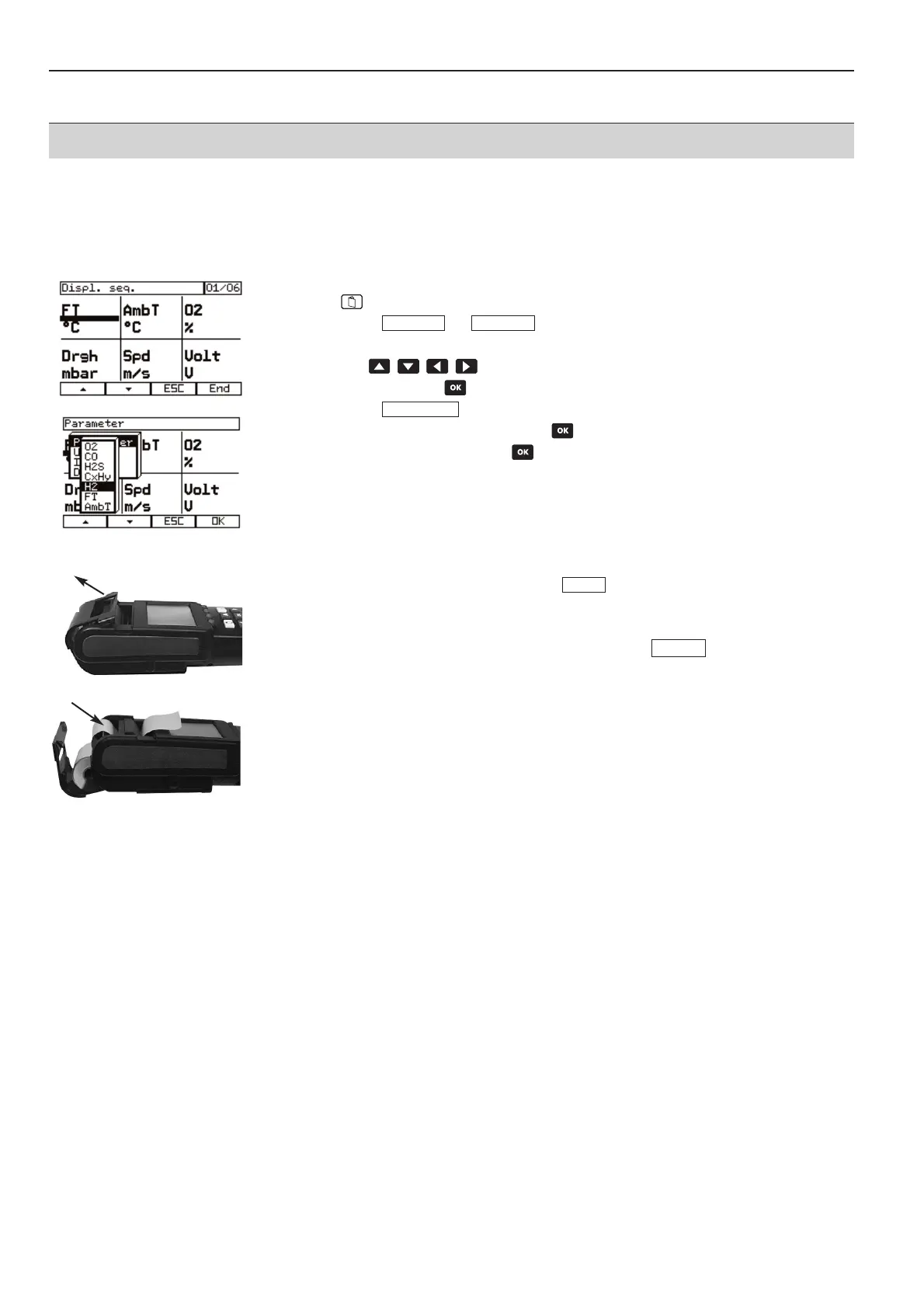
5.10 Changing the display
·
Measurement menu is activated.
1
Open main menu.
2
Select –> .
-
Display is shown. The parameter and the unit is shown in every field.
3
Use to select field.
4
Open menu with .
5
Select
6
Select parameter and confirm with .
7
Select unit and confirm with .
- The changed parameter with unit appears in the selected field.
5.11 Setting up printer
1
Assign function button with line feed .
2
Tilt the printer cover upward
.
3
Place paper in the back slot and push it in .
4
The paper is drawn by pressing the function button . The paper can be
pushed in gently by hand if necessary.
5
Place paper roll in lid.
6
Close instrument lid.
7
Pull paper through the front slot.
LF DDr
LF DDr
Parameter
ViewDevice
5. Setting up Control Unit and analyser box measurement system
35



 To Next Page