7 Maintaining the product
69
5. Use constant pressure to push the water through the nozzle
holes, so that two equally powerful jets of water are visible.
6. Remove the nozzle from the opening of the cleaning container
and clean the areas on front and back with a lint-free cloth.
7. Rub nozzle dry using a lint-free cloth. Make absolutely sure that
there are no residues on the nozzle after cleaning.
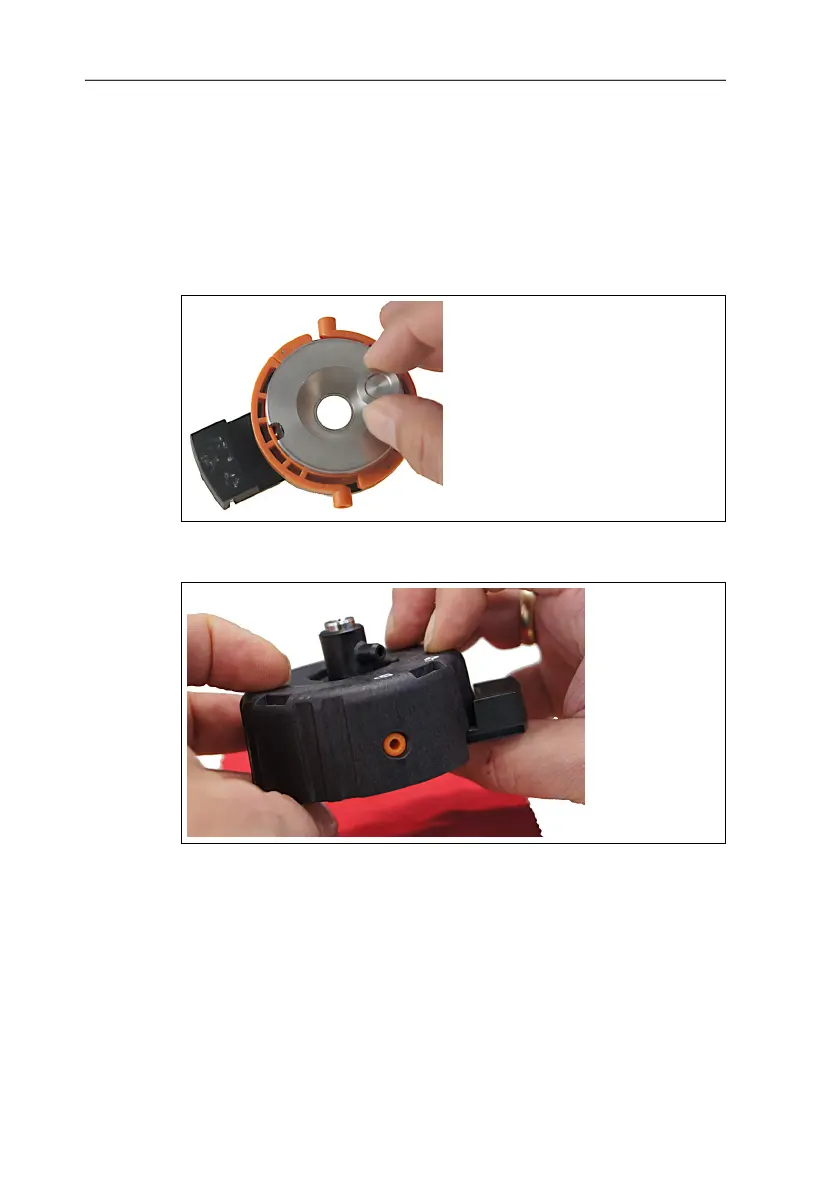
7.10.3. Inserting the nozzle
1. Carefully insert nozzle into the nozzle pot (the side with the
inscription facing downwards).
2. Put cover and nozzle pot together and click into place.



 To Next Page