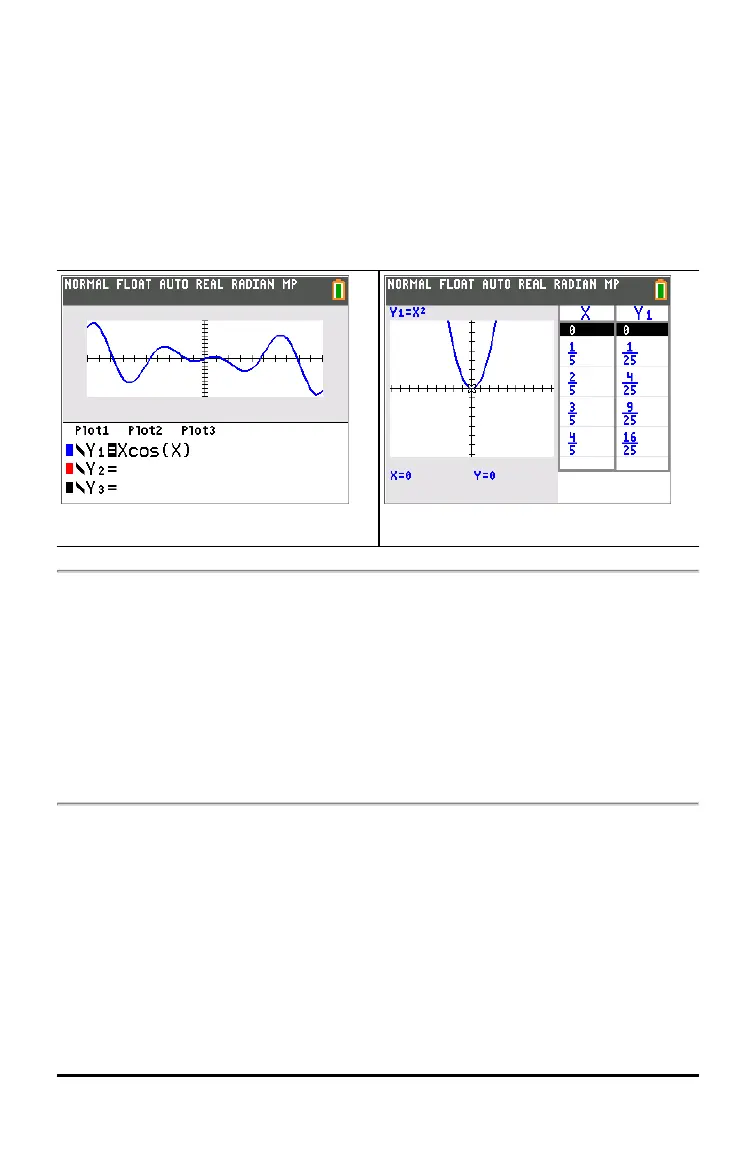
FULL HORIZONTAL GRAPH-TABLE
FULL screen mode uses the entire screen to display a graph or edit screen.
Each split-screen mode displays two screens simultaneously.
• HORIZONTAL mode displays the current graph on the top half of the
screen; it displays the home screen or an editor on the bottom half.
• GRAPH-TABLE mode displays the current graph on the left half of the
screen; it displays the table screen on the right half.
Horizontal Graph-Table
FRACTION TYPE: n/d Un/d
n/d displays results as a simple fraction. Fractions may contain a maximum of
six digits in the numerator; the value of the denominator may not exceed 9999.
Un/d displays results as a mixed number, if applicable. U, n, and d must be all
be integers. If U is a non-integer, the result may be converted U n/d. If n or d is a
non-integer, a syntax error is displayed. The whole number, numerator, and
denominator may each contain a maximum of three digits.
ANSWERS: AUTO DEC
AUTO displays answers in a similar format as the input. For example, if a
fraction is entered in an expression, the answer will be in fraction form, if
possible. If a decimal appears in the expression, the output will be a decimal
number.
DEC displays answers as integers or decimal numbers.
Keyboard Basics 23


 To Next Page
 Loading...