Order Function
6 Addition and subtraction
7 Relational functions, such as > or
8 Logic operator and
9 Logic operators or and xor
Note: Within a priority level, EOS™ evaluates functions from left to right.
Calculations within parentheses are evaluated first. A number in scientific or
engineering notation, 2.34â6, is interpreted as (2.3x10
6
) with parentheses so
the number remains the correct value during the EOS™ calculation.
Implied Multiplication
The TI-84PlusCE recognizes implied multiplication, so you do not need to
press ¯ to express multiplication in all cases. For example, the TI-84PlusCE
interprets 2p, 4sin(46), 5(1+2), and (2 ä 5)7 as implied multiplication.
Note: TI-84PlusCE implied multiplication rules differ from those of some other
graphing calculators. For example, the TI-84PlusCE evaluates 1à2X as (1à2)
X, while some graphing calculators may evaluate 1à2X as 1à(2 X).
Parentheses
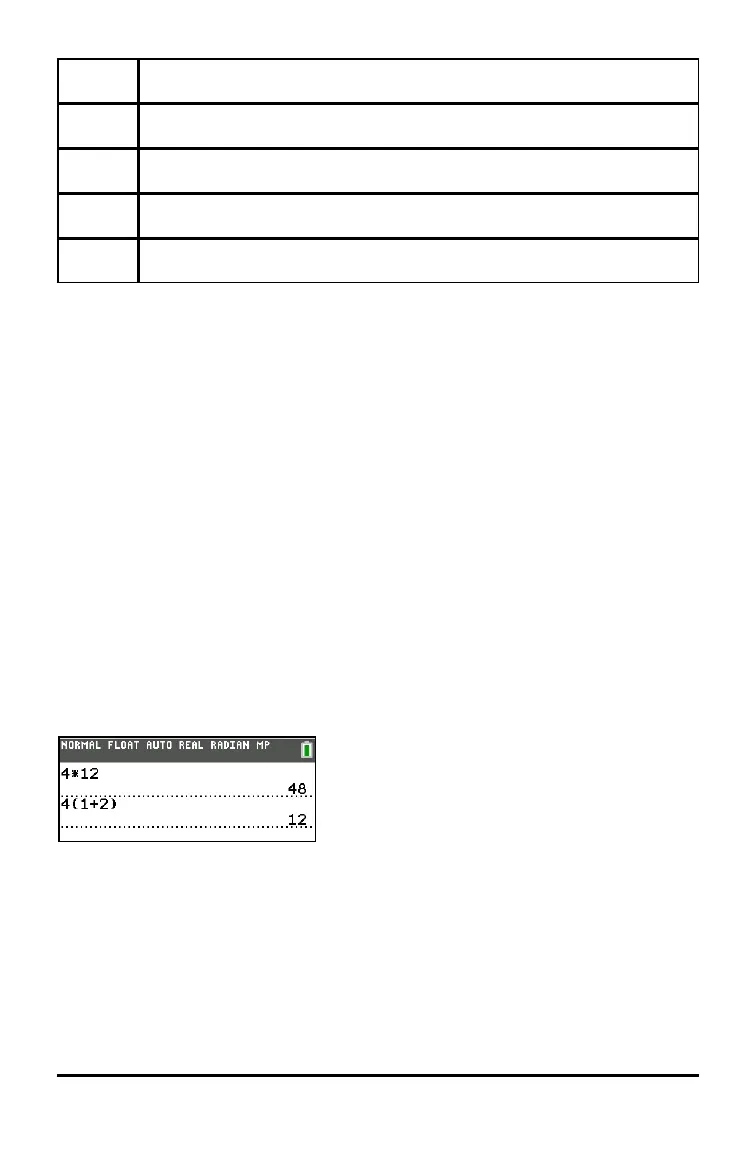
The TI-84 Plus CE completes all calculations inside a pair of parentheses first.
For example, in the expression 4(1+2), EOS™ first evaluates the portion inside
the parentheses, 1+2, and then multiplies the answer, 3, by 4.
Negation
To enter a negative number, use the negation key. Press k and then enter the
number. On the TI-84PlusCE, negation is in the third level in the EOS™
hierarchy. Functions in the first level, such as squaring, are evaluated before
negation.
Evaluating Expressions 29


 To Next Page
 Loading...