CD397-Oper Operation - 1 - 9
August 2018 (Rev B)
Operation Mobile Belt Loader Model 660-28
Section 1 Operation Manual
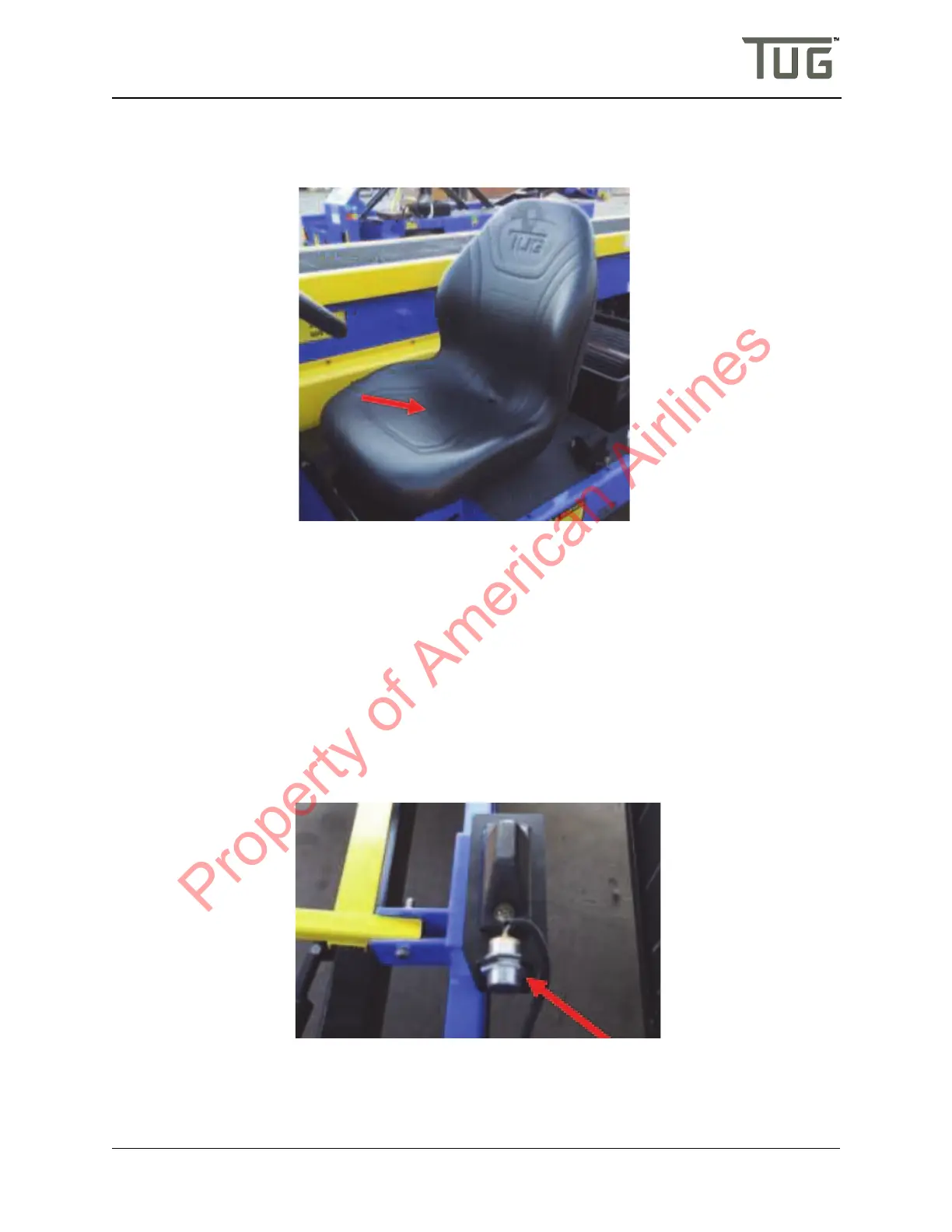
The seat switch provides information to the TCM concerning whether or not an operator is present in the
seat. if an operator is not present while the stem is active then the vehicle will come to a stop and the
indicator lights will turn RED.
FigureOperation-1-6:SeatandSeatSwitch
The seat switch is located directly under the seat and is connected to the smart sense system via two
wires which connect to the transmission harness. If an alternative seat is used with the smart sense
system then a seat switch must be integrated with this new seat.
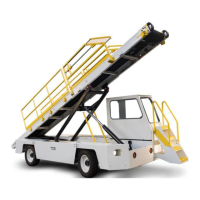
1.3.12.7ConveyorPositionProximitySwitch
There are two (2) proximity switches located one each on the left and right side of the front lift arm. The
proximity switch detects whether or not the conveyor is completely lowered by sensing the presence of the
lift arm. This is a non-contact switch which detects the ferrous structure of the lift arm.
The smart sense system is disabled when the conveyor is lowered enabling the operator to move the belt
loader around the ramp uninhibited by speed limits imposed by the smart sense system or collision
detection. This switch will not defeat other speed limiting options.
FigureOperation-1-7:ConveyorProximitySwitch
1.3.12.8BrakePressureSwitch
Property of American Airlines


 To Next Page