3 Printer Settings and Control
3.1 Operation Panel
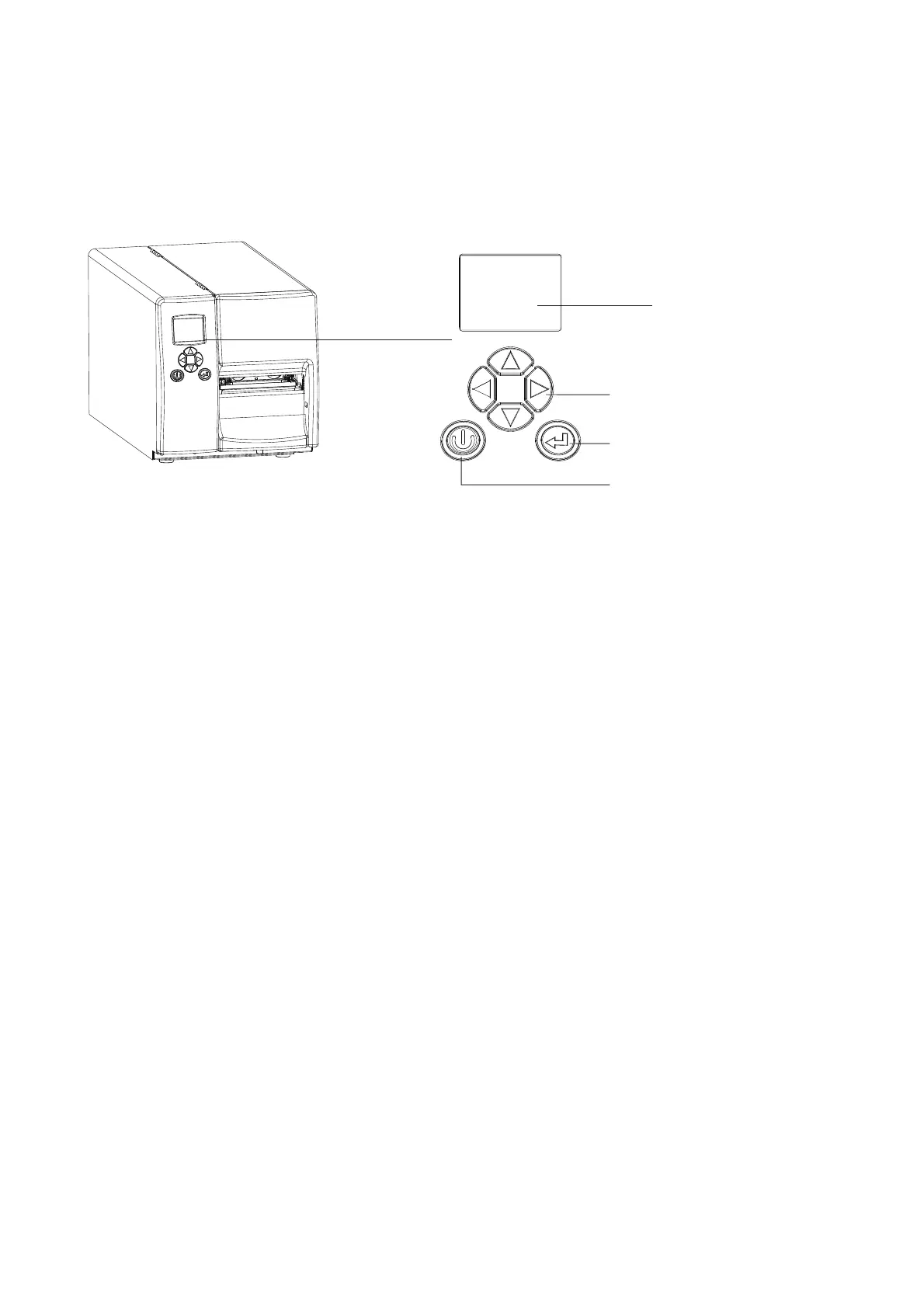
Introduction
FEED BUTTON
POWER BUTTON
LCD SCREEN
DIRECTION BUTTONS
14
POWER Button
Press the POWER button to turn on the printer.
Press and hold the POWER button for 3 seconds to turn the printer off.
FEED Button
Press the FEED button to advance the media.
If you are using continuous labels, the printer will advance a length of media.
If you are using media with gaps or black marks, the printer will advance one label.*
*If the printer feeds more than one label or the label does not stop in the correct position, you should perform a label calibration for your media.
See Section 3.4 Label Calibration and Self-Test.
PAUSE PRINTING using the FEED Button
Pressing the FEED button while the printer is printing will PAUSE the printer.
When the FEED button is pressed again, the printer resumes printing.
Example: While a 10-label print job is running, you press the FEED button to pause the printer.
Two of the labels have been printed. To resume printing and print the remaining eight labels, you will need to press
the FEED button again.
CANCEL PRINTING using the FEED Button
Press and hold the FEED button for 3 seconds while the printer is printing to CANCEL the print job.
The current print job is then cancelled.
Example: While a 10-label print job is running, you press and hold the FEED button for 3 seconds.
Two of the labels have been printed.
The print job is cancelled and the remaining eight labels will not be printed.



 To Next Page