2.1 Loading Labels
4
This printer supports the following printing methods:
Thermal Transfer Printing (TTP)ƝRequires a ribbon for transferring the printed image to the labels.
Direct Thermal Printing (DTP)Ɲ8VHV7KHUPDO3DSHUDQGGoes not require a ribbon.
Verify which printing method you are using and modify the settings in the printer driver,
printer menu, and/or software.
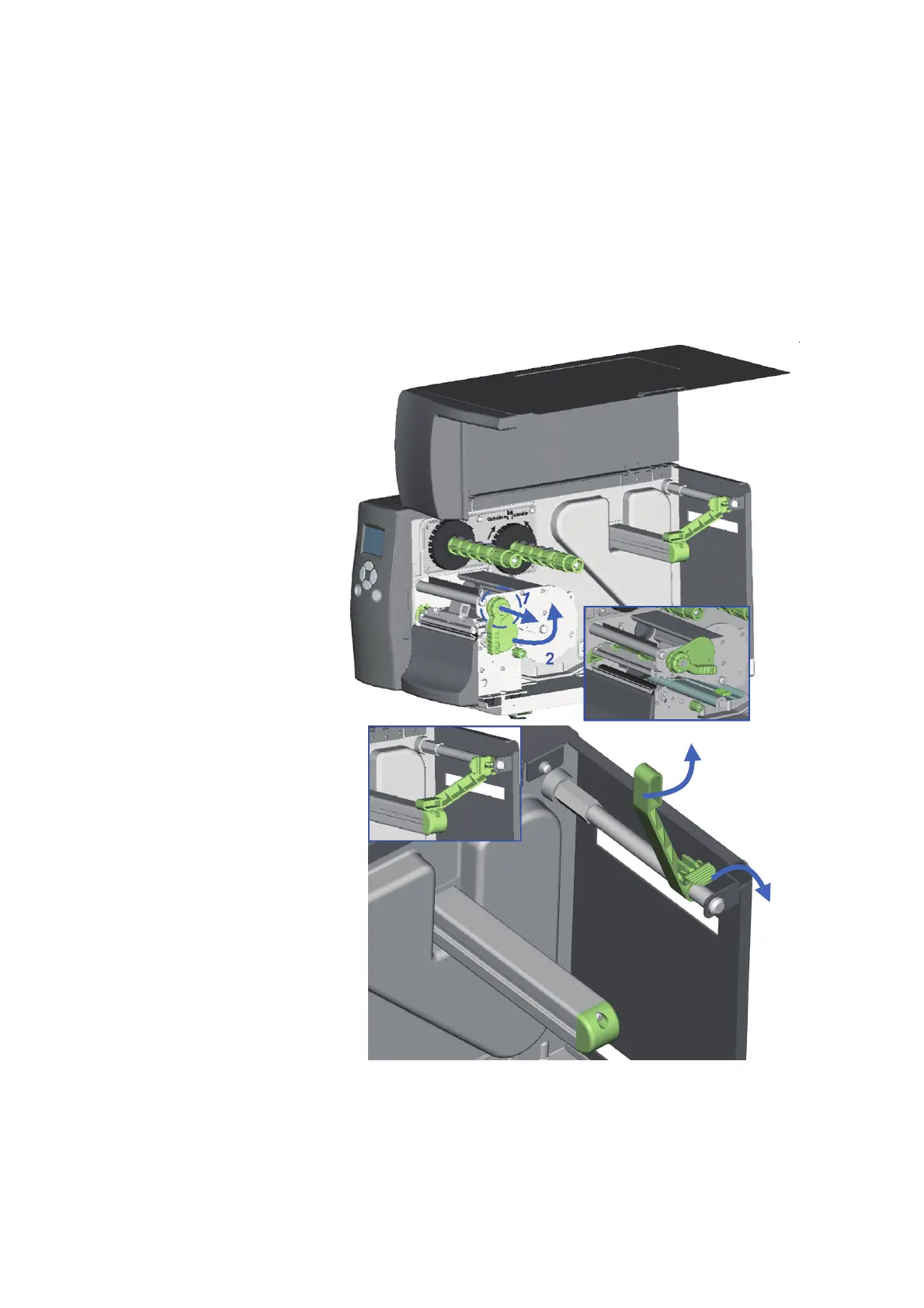
1. Open the Printer’s top cover.
2. Pull the Printhead Lever out
and rotate it upward to the
right (counterclockwise) to
open the Printhead.
3. Pull the Release Catch in the
direction indicated by the
blue arrow 1.
4. Rotate the Label Roll Guide
upward as indicated by
the blue arrow 2.



 To Next Page