3.2 LCD Interface Introduction
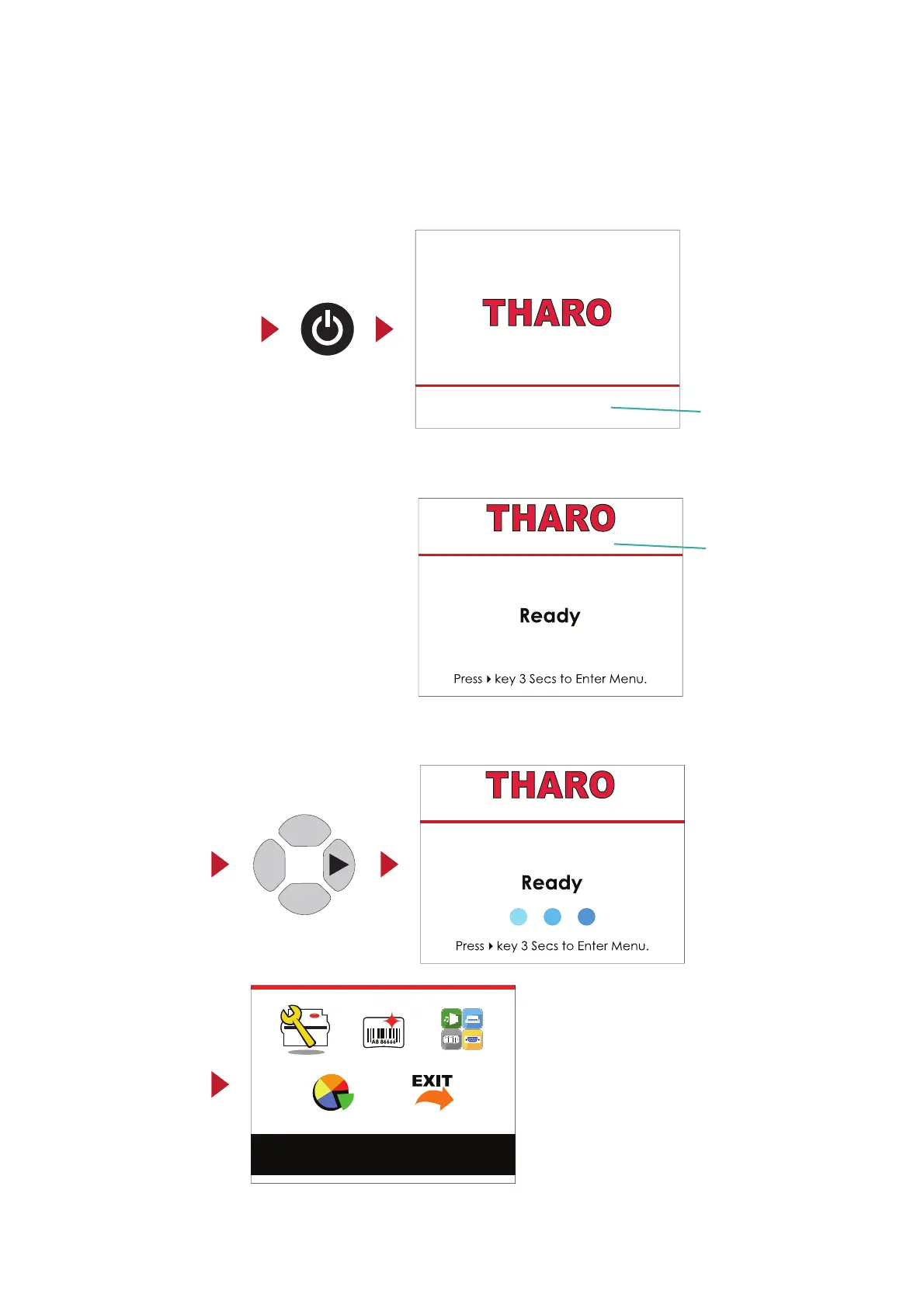
As the text on the screen says, you can enter the Main Menu by pressing and holding the
4
button for 3 seconds.
A timer of 3 blue circles will displayed (one for each second) to show your progress.
Once the timer is filled, the MAIN MENU page will be displayed on the LCD.
Power on
Enter Main Menu
15
Getting Started
Press the POWER button to turn on the printer. You will see the START UP SCREEN while the printer is booting up.
Once the printer has booted, the LCD screen will display “Ready“.
This indicates the printer is online and ready for use.
Printer Settings
3 Printer Settings and Control
1.007 - 140801
LCD Firmware Version
H-427+ V1.R91
Printer Model and
Firmware Version
H-427+ V1.R91



 To Next Page