50
Printing labels will cause dirt such as paper dust, particles of ink and label
adhesive to accumulate on the thermal print head. This can cause poor
print quality and incomplete print outs. When this happens, the print head
must be cleaned:
1. Turn off the printer.
2. Open the top cover.
3. Remove the ribbon.
4. Release the print head by turning the print head release lever counterclockwise.
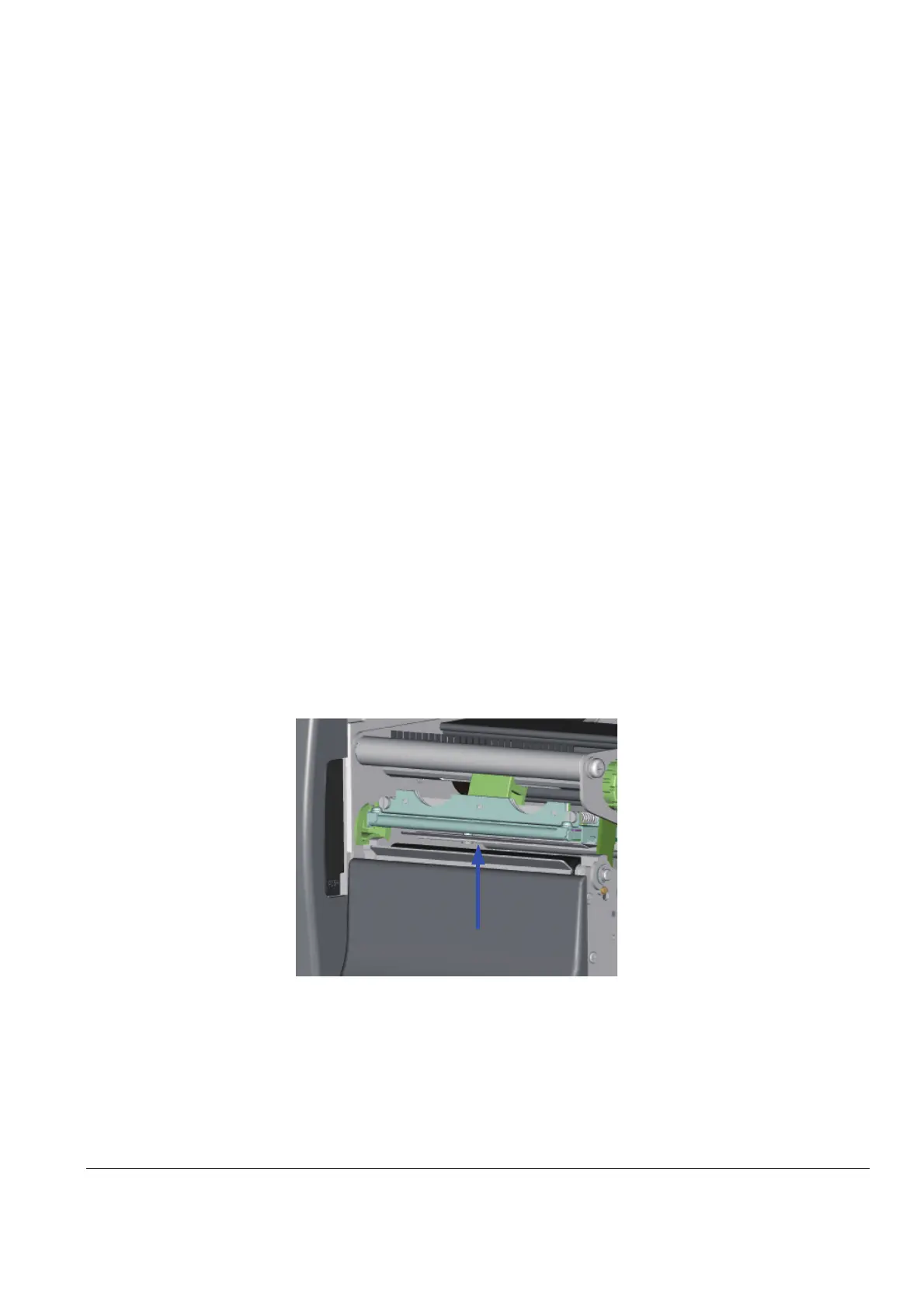
5. Clean the print head surface (see Blue arrow) with a special cleaning pen or a
cotton swab soaked in Isopropyl Alcohol.
6. Allow the print head to dry for 2-3 minutes before turning the printer back on.
* The print head should be cleaned once a week or when the print media is changed.
**To help keep the print head clean, the top cover should be closed when printing.
***To ensure print quality and prolong print head life, do NOT use dusty or dirty print media in the printer.
1RWH



 To Next Page