51
If one side of the printed labels is not being printed clearly, or if ribbon wrinkles occur,
then adjust the Thermal Printhead Spring Box position/tension to cure the problem.
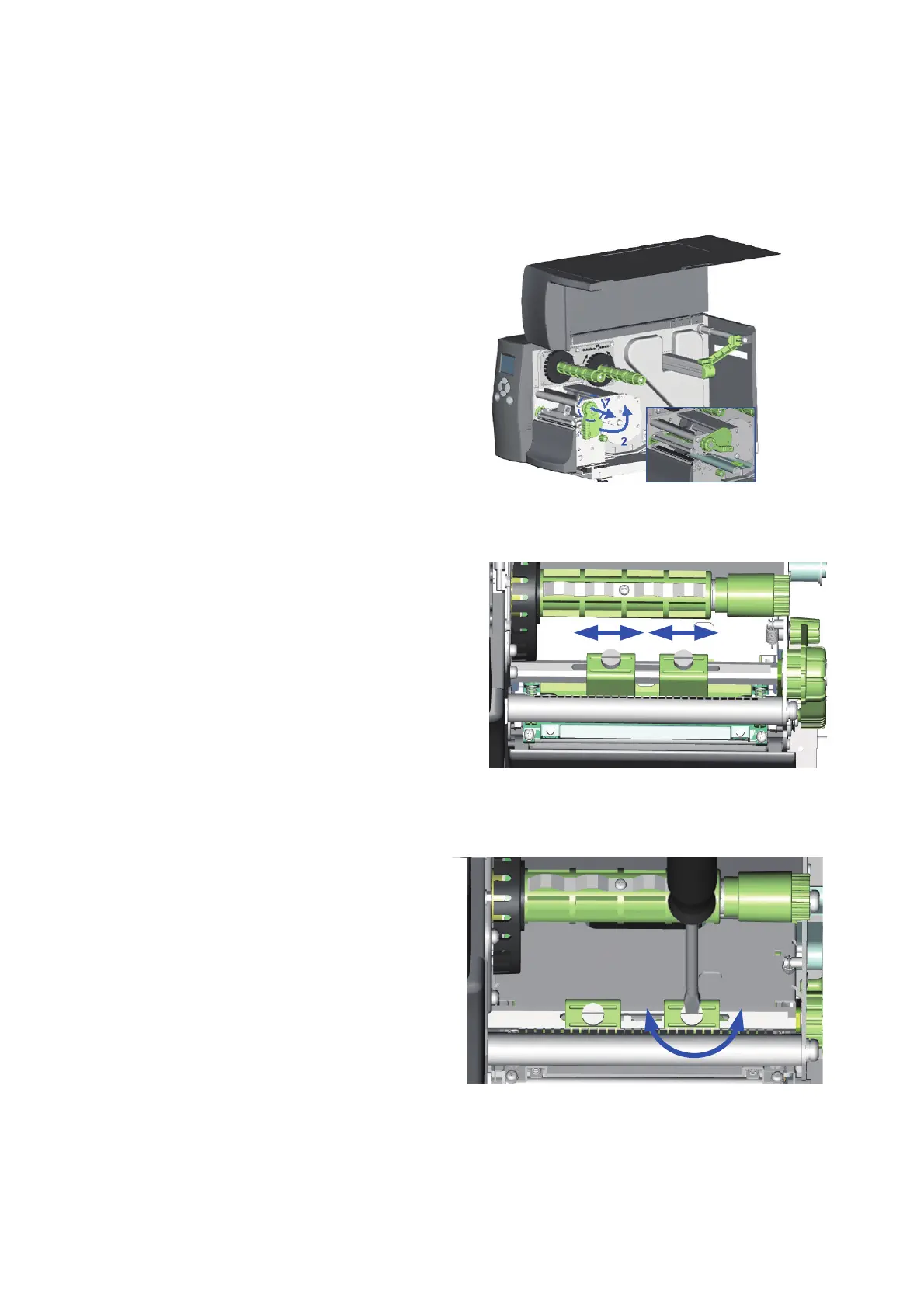
1. Pull the Printhead Lever out and rotate it
upward to the right (counterclockwise) to
open the Printhead.
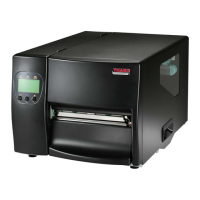
2. Move the Thermal Printhead Spring Box on
the right side. Normally, the wider the paper,
the farther the Thermal Printhead Spring Box
will be from the center wall and for narrower
paper, the Thermal Printhead Spring Box will be
closer to the center wall.
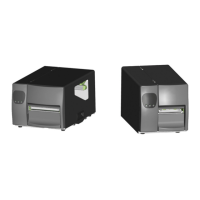
3. To adjust the TPH Spring Box pressure,
use a flat tip screwdriver to turn the screw
clockwise to increase the pressure or
counterclockwise to decrease the pressure.



 To Next Page