30
The NetSetting software is used to manage the network configuration of the Ethernet port.
NetSetting is available on the CD that ships with the printer or it can be downloaded from our website (www.tharo.com).
To install NetSetting:
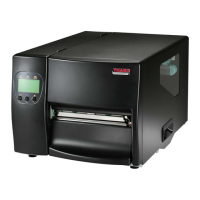
5. Click ”Next” to continue the installation.
6. Once the installation has completed, you will see the NetSetting icon on your desktop.
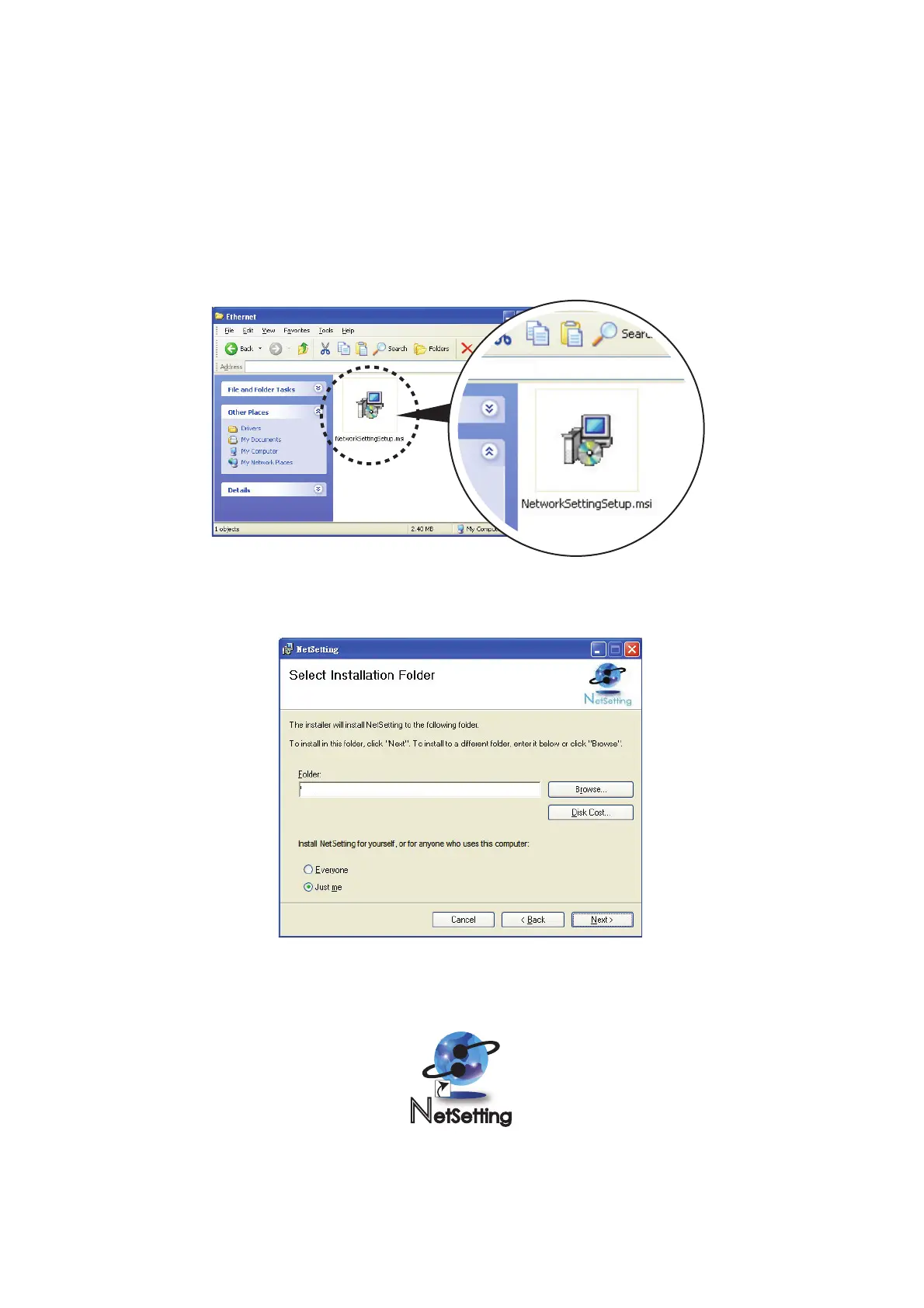
1. Insert the Printer CD in your computer’s CD/DVD drive. Browse the contents of the CD and open the "Ethernet" folder.
2. Doubleclick on the NetworkSettingSetup.msi icon to start the installation.
3. The Setup Wizard will guide you through the installation procedure. Follow the instructions on the screen.
4. Specify an “Installation Folder".
D:\Ethernet
C:\Program Files\Tharo\NetSetting\



 To Next Page