41
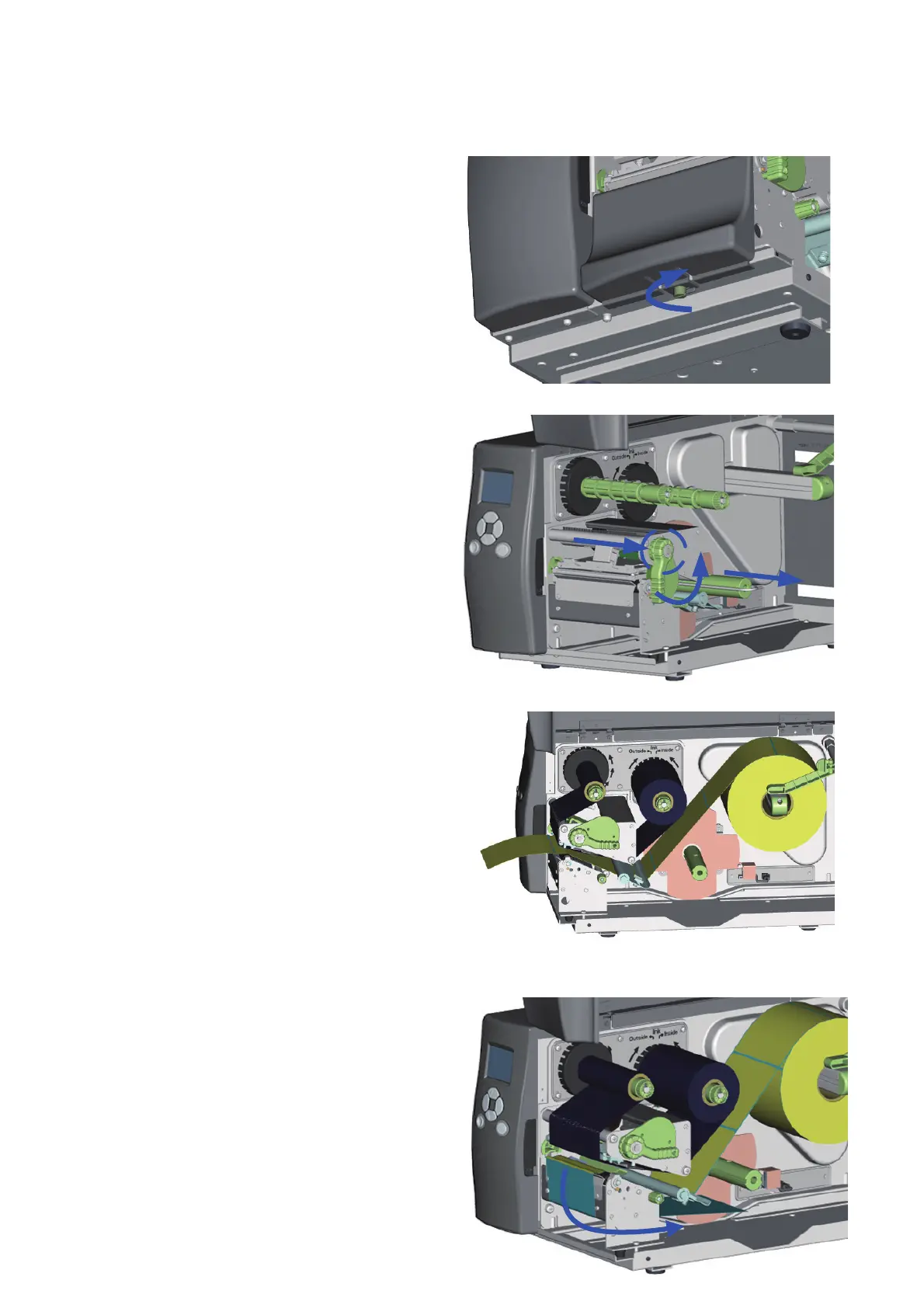
1. Face the front of the Printer and
remove the Lower Cover Plate Screw.
2. Remove the Lower Cover Plate.
3. Pull the Printhead Lever out and rotate
it upward to the right (counterclockwise)
to open the Printhead. (2)
4. Remove the U Shaped Metal Clip (3)
from the rewind shaft
5. Install the label stock as shown.
For more detailed instructions see
the “Loading Labels” instructions
in this manual.
6. Peel off several labels to expose about
400mm (16”) of liner. Then feed the liner
between the Tear-Off Bar and the Lower
Cover Plate.



 To Next Page