45
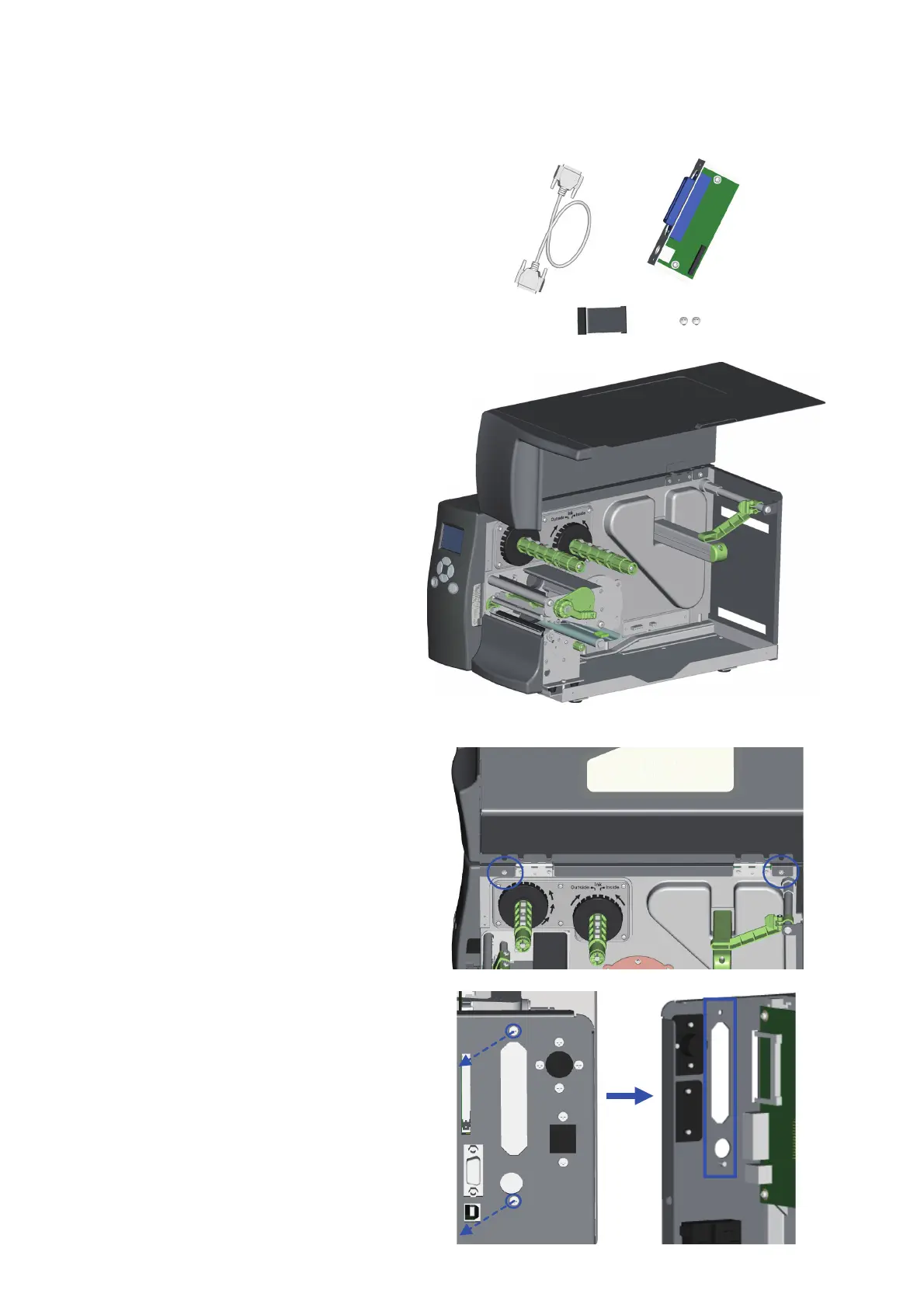
Components
1. Parallel Cable
2. Parallel Adapter
3. Connection Cable
4. Screws
1. Place the Printer on a flat surface
and open the Top Cover.
2. Remove the two screws marked in
the illustration on the right. Close
the Top Cover. Then remove the
left-hand side of the printer housing
by lifting it up.
3. Remove the parallel port cover plate
screws and the parallel port cover plate.



 To Next Page