EasyManua.ls Logo

Tharo Systems H-435+ - Maintenance and Adjustment; Removing; Installing the Print Head Module

Tharo Systems H-435+
61 pages
Print Icon
To Next Page IconTo Next Page
To Previous Page IconTo Previous Page
Loading...
6 Maintenance and Adjustment
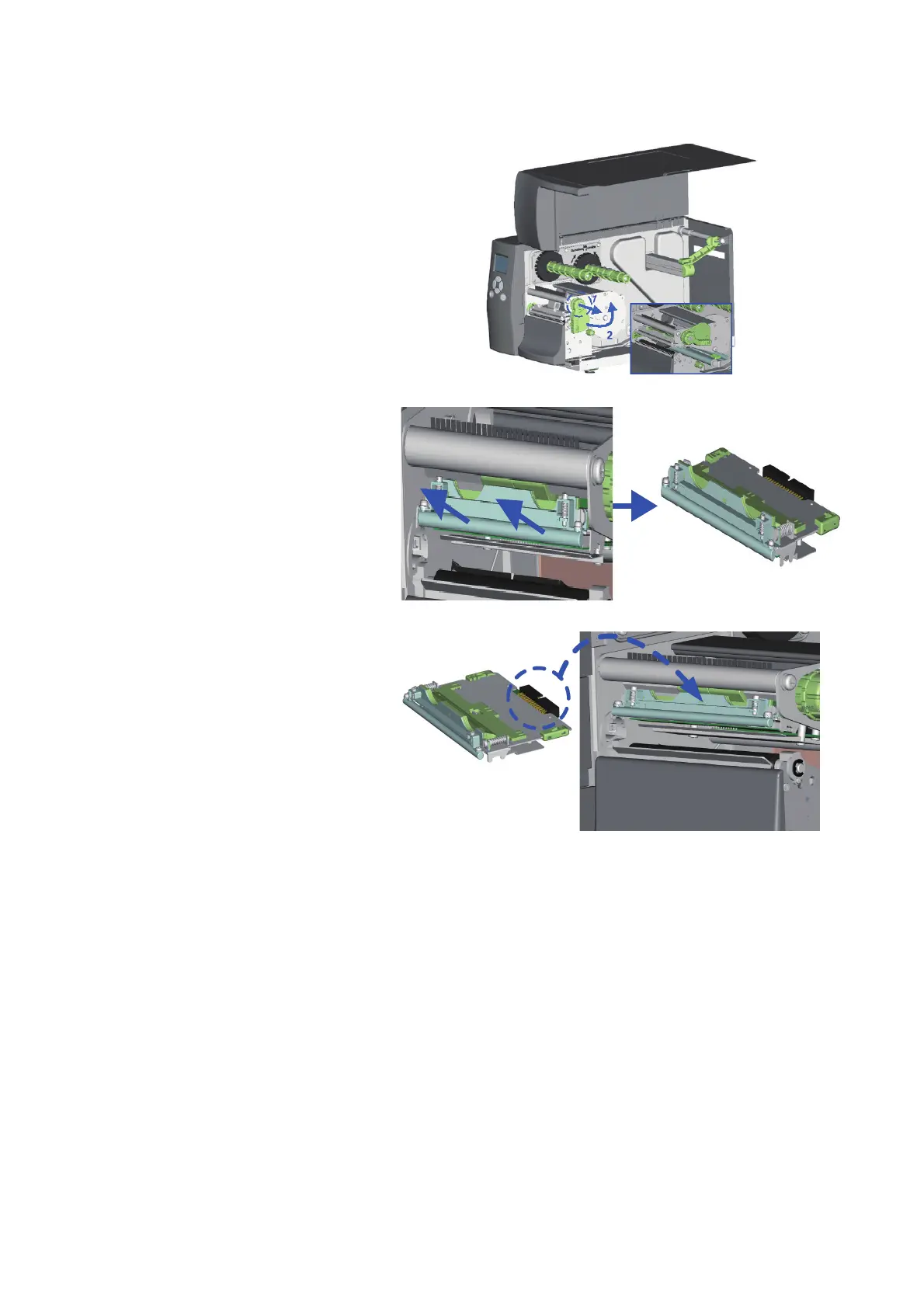
6.1 Removing / Installing the print head module
47
1. Open the Printer’s top cover.
2. Pull the Printhead Lever out
and rotate it upward to the
right (counterclockwise) to
open the Printhead.
3. Gently pull the Printhead assembly
towards you.
4. To replace the Printhead, line up
the plug and side guides of the
Printhead assembly and gently
insert the Printhead back into its
carriage.


Related product manuals