EasyManua.ls Logo

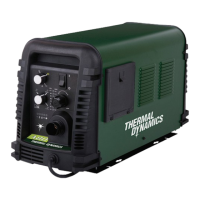
Thermal Dynamics A120 - User Manual

Thermal Dynamics A120
126 pages
Print Icon
To Next Page IconTo Next Page
Loading...
380-
400
AUTOMATED PLASMA
CUTTING SYSTEM
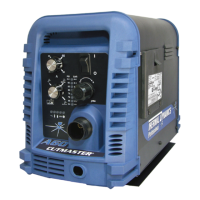
A120
CUTMASTER
Rev. AB Date: September 19, 2008 Manual # 0-4989
Operating Features:
Operating Manual

Table of Contents

Questions and Answers

  • T
    Tiffany WhiteAug 20, 2025
    What to do if fault and 85 PSI indicators are flashing on Thermal Dynamics A120?
    • S
      Sharon BrewerAug 20, 2025
      If the fault and 85 PSI indicators are flashing, try the following: - Remove the shield cup from the torch and check the upper O-Ring position, correcting it if necessary. - Turn off the power supply, bleed down the system pressure, and remove the shield cup, tip, and starter cartridge. Check the starter cartridge lower end fitting for free movement, and replace it if it does not move freely. - Inspect the torch consumable parts and replace them if necessary. - Release the torch switch and reactivate it. If the issue persists, consider replacing the torch and leads or returning the unit to an authorized service center for repair.
  • L
    Linda CrawfordAug 22, 2025
    What to do if GAS LED is off, and FAULT and MIN pressure indicators are flashing on Thermal Dynamics A120 Cutter?
    • T
      Teresa AtkinsonAug 22, 2025
      If the GAS LED is off, and the FAULT and MIN pressure indicators are flashing, take the following steps: - Connect the gas supply to the unit. - Turn on the gas supply. - Set the air supply inlet pressure to the unit to 120 psi. - Adjust the regulator to set the air pressure. If the problem continues, the unit may need to be returned to an authorized service center for repair.
  • D
    Dr. Richard DavisAug 23, 2025
    What to do if FAULT and 70 PSI indicators are flashing on Thermal Dynamics A120?
    • L
      Logan McdonaldAug 25, 2025
      If the FAULT and 70 PSI indicators are flashing, try the following: - Hand tighten the shield cup until it is snug. - Ensure the torch ATC is securely fastened to the unit. If the issue persists, consider replacing the torch and leads or returning the unit to an authorized service center for repair.
  • R
    Robin FuentesAug 26, 2025
    What to do if FAULT and 75 PSI indicators are flashing on Thermal Dynamics Cutter?
    • P
      parkerwilliamAug 26, 2025
      If the FAULT and 75 PSI indicators are flashing, it may be because the start is active. This can happen if the hand torch switch or hand pendant switch is held closed, or if the CNC START signal is active low. Try releasing the START signal source. If that doesn't work, consider replacing the torch and leads or returning the unit to an authorized service center for repair.
  • E
    Emma KnoxAug 27, 2025
    What to do if FAULT & 80 PSI indicators are flashing and gas flow is cycling on and off on Thermal Dynamics A120?
    • S
      sarmstrongAug 27, 2025
      If the FAULT and 80 PSI indicators are flashing and the gas flow is cycling on and off, try these steps: - Tighten the shield cup by hand, being careful not to overtighten it. - Turn off the power supply and remove the shield cup. Then, install any missing parts. - Turn off the power supply, bleed down the system pressure, and remove the shield cup, tip, and start cartridge. Check the start cartridge lower end fitting for free movement, and replace it if the fitting does not move freely. If the issue continues, consider replacing the torch and leads or returning the unit to an authorized service center for repair.
  • R
    rossrobertAug 30, 2025
    What to do if TEMPERATURE indicator is on and FAULT indicator is flashing on Thermal Dynamics A120?
    • K
      Kristen EdwardsAug 30, 2025
      If the TEMPERATURE indicator is on and the FAULT indicator is flashing: - Refer to clearance information. - Allow the unit to cool. If the issue persists, return the unit to an authorized service center for repair or replacement.
  • C
    cjonesAug 31, 2025
    What to do if pilot arc is on but cutting arc will not establish on Thermal Dynamics A120 Cutter?
    • A
      Amy BrownSep 1, 2025
      If the pilot arc is on but the cutting arc will not establish: - Connect the work cable. - Replace the work cable. If the issue persists, return the unit to an authorized service center for repair.
  • K
    Kristi McintoshSep 3, 2025
    How to resolve diminished torch cutting on Thermal Dynamics A120 Cutter?
    • B
      Brandon DudleySep 3, 2025
      To resolve diminished torch cutting: - Check and adjust to the proper setting. - Check torch consumables and replace as needed. - Check the connection of the Work Lead to the work piece. - Reduce cutting speed.
  • M
    Melvin HernandezSep 5, 2025
    What to do if fault indicator and 65 PSI indicator are flashing on Thermal Dynamics A120 Cutter?
    • R
      robinsonjamesSep 5, 2025
      If the fault indicator and the 65 PSI indicator are flashing: - Set the INPUT VOLTAGE SELECTION SWITCH to match the primary input voltage. - Have a qualified person check the primary voltage to ensure it meets the unit requirements. If the issue continues, return the unit to an authorized service center for repair or replacement.
  • J
    John PerkinsSep 7, 2025
    What to do if FAULT and 85 PSI indicators are flashing on Thermal Dynamics Cutter due to internal error?
    • P
      pattonsherrySep 7, 2025
      If the FAULT and 85 PSI indicators are flashing due to an internal error, turn the ON/OFF switch OFF and then back ON again. If that does not clear the fault, return the unit to an authorized service center for repair.

Summary

SECTION 1: GENERAL INFORMATION

1.01 Notes, Cautions, and Warnings

Defines types of annotations (Note, Caution, Warning) used for emphasis or potential hazards.

1.02 Important Safety Precautions

Covers electrical hazards, gases, fumes, noise, arc rays, and lead warnings for safe operation.

1.07 Declaration of Conformity

States the product's conformity to applicable EU directives and national legislation.

1.08 Statement of Warranty

Outlines the limited warranty terms, conditions, and exclusions for the product.

SECTION 2 SYSTEM: INTRODUCTION

2.01 How To Use This Manual

Guides users on how to effectively read and understand the manual for safe operation.

2.04 Power Supply Specifications

Details technical specifications for the power supply, including input power, output, and duty cycle.

2.05 Input Wiring Specifications

Specifies requirements for input power connections, including voltage, frequency, and wire sizing.

SECTION 2 TORCH: INTRODUCTION

2 T.01 Scope of Manual

Defines the scope of this section regarding the 1Torch models and service restrictions.

2 T.03 Specifications

Lists specifications for torch configurations, lead lengths, and other technical details.

2 T.05 Introduction to Plasma

Explains the principles of plasma, plasma cutting, and gouging processes.

SECTION 3 SYSTEM: INSTALLATION

3.01 Unpacking

Instructions for unpacking the equipment, checking contents, and inspecting for damage.

3.03 Power Supply location and Mounting

Guidance on selecting a suitable location and mounting the power supply securely.

3.04 Primary Input Power Connections

Instructions for making primary input power connections, including voltage and phase configurations.

SECTION 3 TORCH: INSTALLATION

3 T.01 Torch Connections

Explains how to connect the Thermal Dynamics torch to the power supply.

3 T.03 Setting Up Automation or Machine Torch

Guides on setting up automation or machine torches for cutting operations.

SECTION 4 SYSTEM: OPERATION

4.01 Front Panel Controls; Features

Identifies and explains the functions of the front panel controls and indicators.

4.02 Preparations for Operation

Outlines essential steps for preparing the system before starting operation.

SECTION 4 TORCH: OPERATION

4 T.01 Machine and Automated Torch Operation

Details operation procedures for machine and automated torches, including cutting and piercing.

4 T.04 Cut Quality

Discusses factors influencing cut quality and characteristics like kerf width and bevel angle.

4 T.06 Hand Torch Operation

Details how to perform standoff and drag cutting using the hand torch.

4 T.08 Recommended Cutting Speeds for Machine and Automated Torches With Exposed Tip

Provides cutting speed recommendations for mild steel with exposed tips for automated torches.

SECTION 5 SYSTEM: SERVICE

5.02 Maintenance Schedule

Details routine maintenance tasks for the power supply unit based on frequency of use.

5.03 Common Faults

Lists common operational problems, their possible causes, and recommended solutions.

5.05 Basic Troubleshooting Guide

Provides a guide to diagnose and resolve specific operational issues and error indicators.

SECTION 5 TORCH: SERVICE

5 T.02 Inspection and Replacement of Consumable Torch Parts

Instructions for inspecting and replacing consumable parts like tips, electrodes, and shield cups.

SECTION 6: PARTS LISTS

6.02 Ordering Information

Explains how to order replacement parts by catalog number, description, model, and serial number.

6.06 Torch Replacement Parts SL100 SV Torch (with Solenoid on Mounting Tube)

Provides a detailed parts list for the SL100SV torch assembly and its components.

APPENDIX 1: SEQUENCE OF OPERATION (BLOCK DIAGRAM)

Sequence of Operation

Illustrates the operational sequence of the system using a block diagram.

APPENDIX 2: DATA TAG INFORMATION

Data Tag Information

Explains the various sections and symbols found on the equipment's data tag.

APPENDIX 3: TORCH PIN - OUT DIAGRAMS

Hand Torch Pin - Out Diagram

Shows the pin-out configuration for the hand torch's ATC male and female connectors.

Mechanized (Machine) Torch Pin - Out Diagram

Details the pin-out configuration for mechanized torch connectors, including CNC interface.

APPENDIX 4: TORCH CONNECTION DIAGRAMS

Hand Torch Connection Diagram

Illustrates the electrical connections for a hand torch to the power supply.

Mechanized Torch Connection Diagram

Shows the electrical connections for a mechanized torch to the power supply and CNC.

APPENDIX 5: SYSTEM SCHEMATIC, 208;460 V UNITS

System Schematic

Presents the electrical schematic for 208/460V units of the plasma cutting system.

APPENDIX 6: SYSTEM SCHEMATIC, 400 V UNITS

System Schematic

Displays the electrical schematic for 400V units of the plasma cutting system.

Thermal Dynamics A120 Specifications

General IconGeneral
Open Circuit Voltage (OCV)300 VDC
Input Phase3-Phase
Output Current120 A
Duty Cycle60% @ 120 A
Gas TypeAir, Nitrogen

Related product manuals