EasyManua.ls Logo

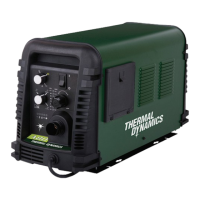
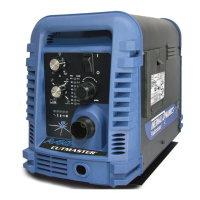
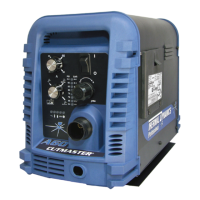
Thermal Dynamics CUTMASTER A80 - User Manual

Thermal Dynamics CUTMASTER A80
110 pages
Print Icon
To Next Page IconTo Next Page
Loading...
A80
80
AMP
380-
400
80%
Duty
Cycle
A120
120
AMP
380-
400
80%
Duty
Cycle
Art # A-08625
AUTOMATED PLASMA
CUTTING SYSTEM
A120
CUTMASTER
Rev. AC Date: October 20, 2009 Manual # 0-5119
Operating Features:
Operating Manual
A80

Table of Contents

Questions and Answers

  • J
    Jessica WelchAug 20, 2025
    What to do if fault and 85 PSI indicators are flashing on Thermal Dynamics CUTMASTER A80?
    • T
      Timothy WilkersonAug 20, 2025
      If the fault and 85 PSI indicators are flashing, try the following: - Remove the shield cup from the torch and check the upper O-Ring position, correcting it if necessary. - Turn off the power supply, bleed down the system pressure, and remove the shield cup, tip, and starter cartridge. Check the starter cartridge lower end fitting for free movement, and replace it if it does not move freely. - Inspect the torch consumable parts and replace them if necessary. - Release the torch switch and reactivate it. If the issue persists, consider replacing the torch and leads or returning the unit to an authorized service center for repair.
  • J
    James BradleyAug 22, 2025
    What to do if GAS LED is off, and FAULT and MIN pressure indicators are flashing on Thermal Dynamics Cutter?
    • R
      Richard WeberAug 22, 2025
      If the GAS LED is off, and the FAULT and MIN pressure indicators are flashing, take the following steps: - Connect the gas supply to the unit. - Turn on the gas supply. - Set the air supply inlet pressure to the unit to 120 psi. - Adjust the regulator to set the air pressure. If the problem continues, the unit may need to be returned to an authorized service center for repair.
  • E
    Emily JenkinsAug 25, 2025
    What to do if FAULT and 70 PSI indicators are flashing on Thermal Dynamics CUTMASTER A80 Cutter?
    • Y
      yjohnsonAug 25, 2025
      If the FAULT and 70 PSI indicators are flashing, try the following: - Hand tighten the shield cup until it is snug. - Ensure the torch ATC is securely fastened to the unit. If the issue persists, consider replacing the torch and leads or returning the unit to an authorized service center for repair.
  • J
    Jamie McdonaldAug 26, 2025
    What to do if FAULT and 75 PSI indicators are flashing on Thermal Dynamics CUTMASTER A80?
    • J
      James VincentAug 26, 2025
      If the FAULT and 75 PSI indicators are flashing, it may be because the start is active. This can happen if the hand torch switch or hand pendant switch is held closed, or if the CNC START signal is active low. Try releasing the START signal source. If that doesn't work, consider replacing the torch and leads or returning the unit to an authorized service center for repair.
  • C
    Courtney StoneAug 28, 2025
    What to do if FAULT & 80 PSI indicators are flashing and gas flow is cycling on and off on Thermal Dynamics CUTMASTER A80 Cutter?
    • C
      clarkmeganAug 28, 2025
      If the FAULT and 80 PSI indicators are flashing and the gas flow is cycling on and off, try these steps: - Tighten the shield cup by hand, being careful not to overtighten it. - Turn off the power supply and remove the shield cup. Then, install any missing parts. - Turn off the power supply, bleed down the system pressure, and remove the shield cup, tip, and start cartridge. Check the start cartridge lower end fitting for free movement, and replace it if the fitting does not move freely. If the issue continues, consider replacing the torch and leads or returning the unit to an authorized service center for repair.
  • R
    Richard JohnsonAug 29, 2025
    What to do if TEMPERATURE indicator is on and FAULT indicator is flashing on Thermal Dynamics CUTMASTER A80 Cutter?
    • B
      Benjamin RamseyAug 30, 2025
      If the TEMPERATURE indicator is on and the FAULT indicator is flashing: - Refer to clearance information. - Allow the unit to cool. If the issue persists, return the unit to an authorized service center for repair or replacement.
  • J
    jaimehardySep 1, 2025
    What to do if pilot arc is on but cutting arc will not establish on Thermal Dynamics Cutter?
    • A
      Anne YuSep 1, 2025
      If the pilot arc is on but the cutting arc will not establish: - Connect the work cable. - Replace the work cable. If the issue persists, return the unit to an authorized service center for repair.
  • R
    Riley PierceSep 3, 2025
    How to resolve diminished torch cutting on Thermal Dynamics Cutter?
    • E
      Eric BlackwellSep 3, 2025
      To resolve diminished torch cutting: - Check and adjust to the proper setting. - Check torch consumables and replace as needed. - Check the connection of the Work Lead to the work piece. - Reduce cutting speed.
  • M
    Martin KellySep 5, 2025
    What to do if fault indicator and 65 PSI indicator are flashing on Thermal Dynamics Cutter?
    • N
      Nicole HernandezSep 5, 2025
      If the fault indicator and the 65 PSI indicator are flashing: - Set the INPUT VOLTAGE SELECTION SWITCH to match the primary input voltage. - Have a qualified person check the primary voltage to ensure it meets the unit requirements. If the issue continues, return the unit to an authorized service center for repair or replacement.
  • B
    brandy14Sep 7, 2025
    What to do if FAULT and 85 PSI indicators are flashing on Thermal Dynamics Cutter due to internal error?
    • J
      John HicksSep 7, 2025
      If the FAULT and 85 PSI indicators are flashing due to an internal error, turn the ON/OFF switch OFF and then back ON again. If that does not clear the fault, return the unit to an authorized service center for repair.

Thermal Dynamics CUTMASTER A80 Specifications

General IconGeneral
Input Frequency50/60 Hz
Output Current Range20-80A
Duty Cycle60% @ 80A
Cutting Capacity (Recommended)25 mm
Protection ClassIP23S
Input Phase1 or 3-Phase
Open Circuit Voltage (OCV)300 VDC
Cutting Capacity (Maximum)1-1/2" (38 mm)
Cutting Speed500 mm/min
Air Pressure6.2 bar

Related product manuals