EasyManua.ls Logo

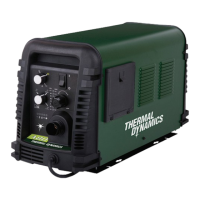
Thermal Dynamics CUTMASTER A80 - User Manual

Thermal Dynamics CUTMASTER A80
110 pages
Print Icon
To Next Page IconTo Next Page
Loading...
A80
80
AMP
380-
400
80%
Duty
Cycle
A120
120
AMP
380-
400
80%
Duty
Cycle
Art # A-08625
AUTOMATED PLASMA
CUTTING SYSTEM
A120
CUTMASTER
Rev. AC Date: October 20, 2009 Manual # 0-5119
Operating Features:
Operating Manual
A80

Table of Contents

Questions and Answers

  • D
    Donna MatthewsSep 9, 2025
    What to do if the Thermal Dynamics CUTMASTER A80 ON/OFF switch is on but the A/C Indicator does not light?
    • E
      evansrussellSep 9, 2025
      If the ON/OFF switch is activated on your Thermal Dynamics Cutter but the A/C Indicator remains unlit, follow these steps: First, ensure the primary power disconnect switch is in the ON position. Then, have a qualified technician inspect the primary fuses or breakers and verify the unit is connected to a functioning primary power receptacle. If necessary, replace the fuse. Should the fuse blow again, the unit should be returned to an authorized service center for repair or replacement.
  • A
    Amber MartinezSep 12, 2025
    What to do if FAULT and 80 PSI indicators are flashing and gas flow is cycling on and off on Thermal Dynamics CUTMASTER A80?
    • A
      Alicia BuchananSep 12, 2025
      If the FAULT and 80 PSI indicators are flashing and the gas flow is cycling on and off on your Thermal Dynamics Cutter, try the following: First, hand-tighten the shield cup, but avoid overtightening. If that doesn't resolve the issue, turn off the power supply, remove the shield cup, and install any missing parts. Next, turn off the power supply again, bleed down the system pressure, and remove the shield cup, tip, and start cartridge to check the start cartridge's lower end fitting for free movement; replace it if it doesn't move freely. Consider replacing the torch and leads.
  • V
    veronicafischerSep 13, 2025
    What to do if GAS LED is off, FAULT and MIN pressure indicators are flashing on Thermal Dynamics CUTMASTER A80 Cutter?
    • A
      amandamaloneSep 13, 2025
      If the GAS LED is off and the FAULT and MIN pressure indicators are flashing on your Thermal Dynamics Cutter, connect the gas supply to the unit and turn the gas supply on. Set the air supply inlet pressure to 120 psi and adjust the regulator to set the air pressure.
  • T
    Tammie VazquezSep 15, 2025
    What to do if nothing happens when torch or remote switch is closed on Thermal Dynamics CUTMASTER A80 Cutter?
    • J
      john44Sep 15, 2025
      If nothing happens when the torch switch or remote switch is closed (or the CNC START signal is active) and there is no gas flow with the DC LED off on your Thermal Dynamics Cutter, take the torch and leads (remote pendant) to an authorized repair facility. Contact the controller manufacturer.
  • A
    Aaron WalkerSep 16, 2025
    How to troubleshoot diminished torch cutting on Thermal Dynamics CUTMASTER A80?
    • D
      Deborah PhamSep 17, 2025
      If your Thermal Dynamics Cutter's torch cutting performance is diminished, check and adjust to the proper setting. Inspect the torch consumables and replace them as needed. Verify the connection of the Work Lead to the workpiece. Reduce the cutting speed.

Thermal Dynamics CUTMASTER A80 Specifications

General IconGeneral
Input Frequency50/60 Hz
Output Current Range20-80A
Duty Cycle60% @ 80A
Cutting Capacity (Recommended)25 mm
Protection ClassIP23S
Input Phase1 or 3-Phase
Open Circuit Voltage (OCV)300 VDC
Cutting Capacity (Maximum)1-1/2" (38 mm)
Cutting Speed500 mm/min
Air Pressure6.2 bar

Related product manuals