11dc-inconnector
YoucanusethesuppliedUSBcableandtheacadaptertochargethetabletwhenthebatterypowerislow.
See“Chargingthebattery”onpage17.
12USBconnector
OpentheUSBconnectorcovertoaccesstheUSBconnector.UsetheUSBconnectortoconnecta
compatibleUSBdevice,suchasaUSBmouse,USBkeyboard,orUSBmemorykey.See“Usingthe
USBconnector”onpage23.
13Front-facingcamera
Yourtablethasa2-megapixelfront-facingcamera,whichyoucanusetotakepictures,createvideos,or
makevideocallsincollaborationwithWebapplications.Formoreinformation,see“Usingthecameras”
onpage21.
14Ambientlightsensor
Theambientlightsensordetectsthebrightnessoftheenvironment.Thescreenbrightnessautomatically
adjustsdependingontheambientlightconditionsdetectedbythebuilt-inambientlightsensor.
15Windowsbutton
PresstheWindowsbuttontogototheStartscreenatanytime.
16Multitouchscreen
Tapthescreentousethecontrolsonthescreenincludingicons,menuitems,andtheonscreenkeyboard.
Formoreinformation,see“Usingthemultitouchscreen”onpage7.
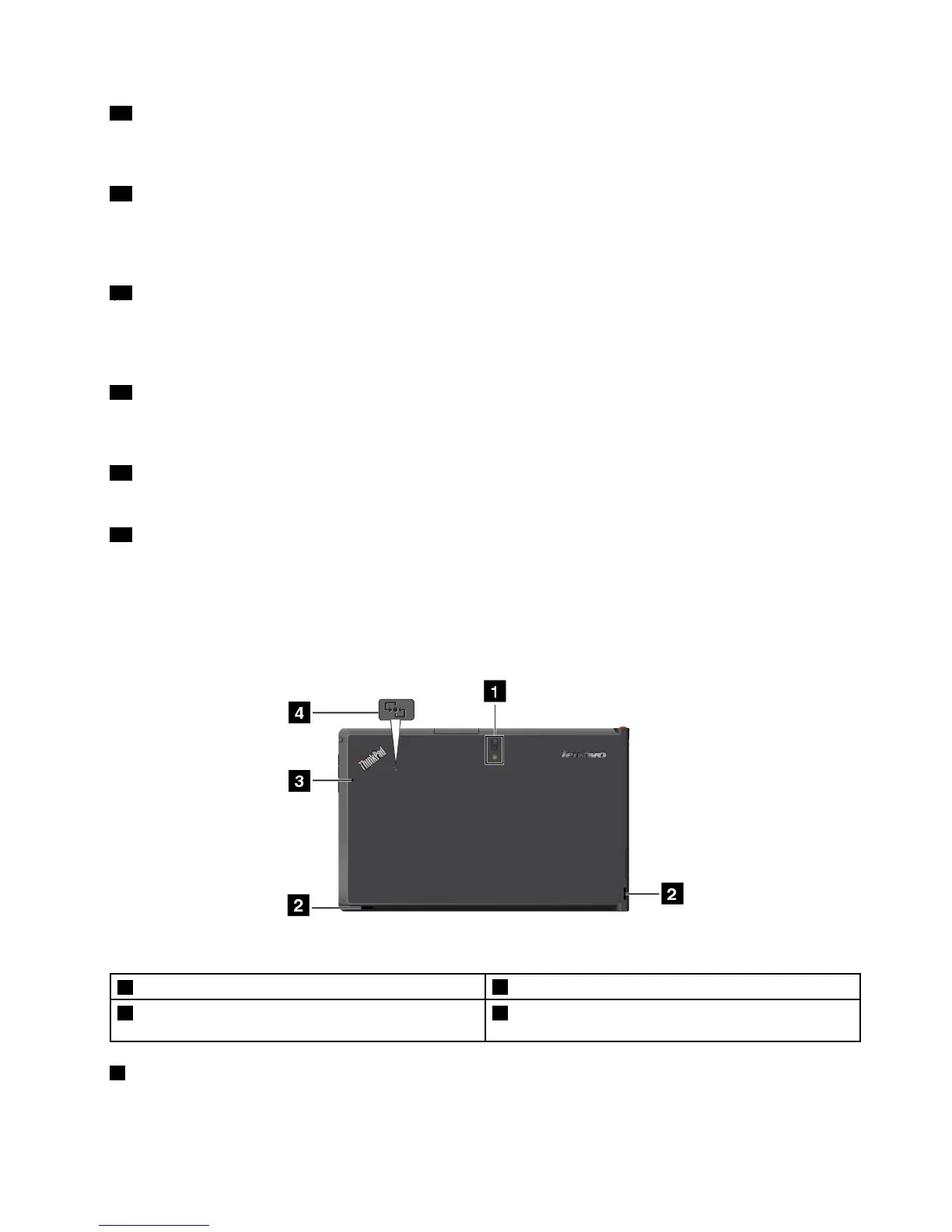
Back-sideview
Figure2.ThinkPadTablet2back-sideview
1Rear-facingcamerawithanintegratedash
3Microphone
2Speakers4NearFieldCommunication(NFC)logo(onsome
models)
1Rear-facingcamerawithash
Yourtablethasan8-megapixelrear-facingcamerawithanintegratedash,whichyoucanusetotake
picturesandcreatevideos.Formoreinformation,see“Usingthecameras”onpage21.
Chapter1.Productoverview3



 To Next Page