Chapter4.Batteryandacpower
Thischapterprovidesinstructionsonhowtochargethebattery,howtoextendthebatterylifebetween
charges,andhowtoviewthebatterystatus.
Chargingthebattery
Yourtabletisshippedwithanacadaptertochargeyourtabletfromanystandardacpoweroutlet.
Note:Thebatteryisnotfullychargedwhenshipped.
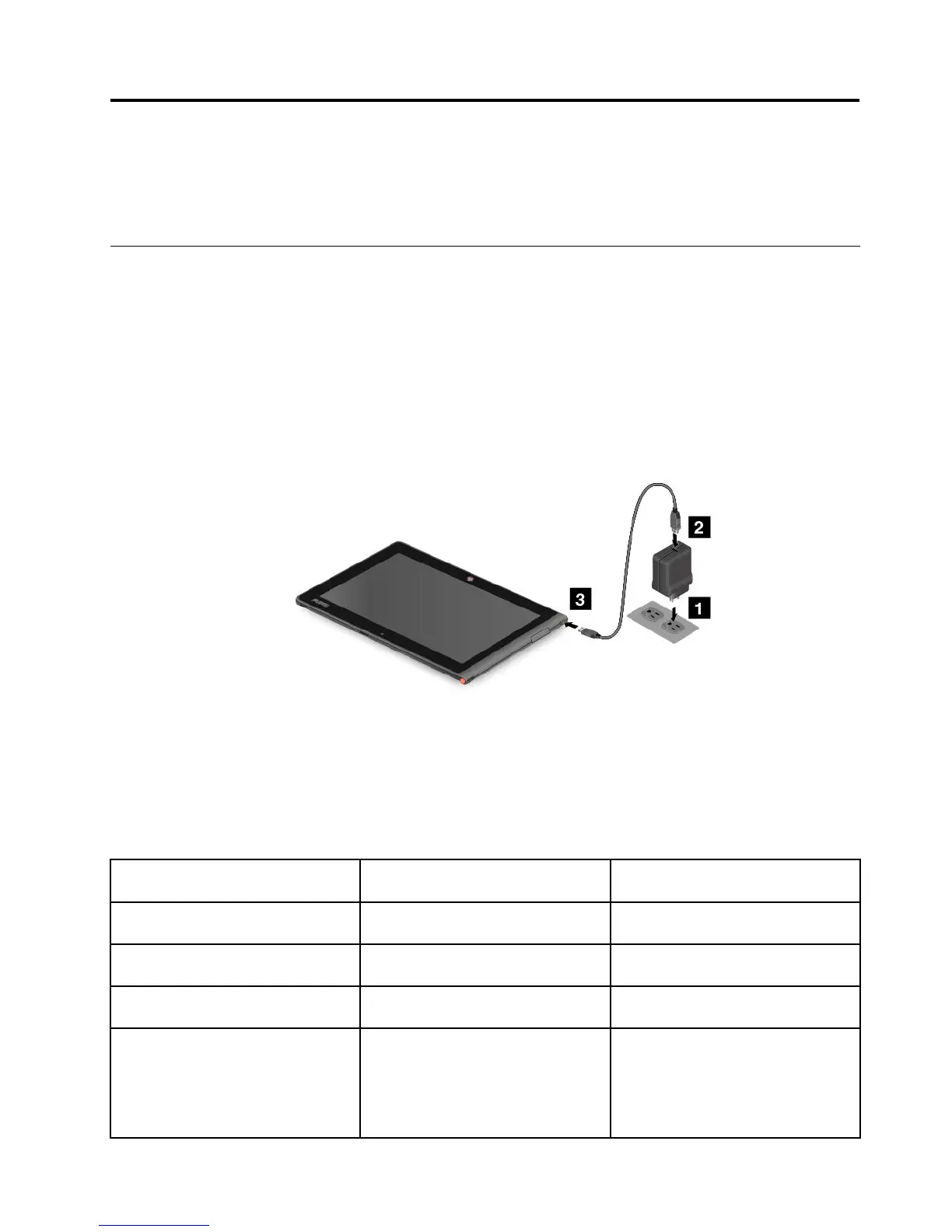
Tochargethebattery,dothefollowing:
1.Plugtheacadapterintoastandardacpoweroutlet.
2.ConnectoneendoftheUSBcabletotheacadapterandtheotherendtothedc-inconnectoron
thetablet.
Figure4.Connectingtheacadapterwiththetablet
3.Disconnecttheacadapterfromyourtabletwhenthebatterypowerisfull,orleavetheacadapter
connectedtooperatefromacpower.
Alternatively,youcanuseanyofthefollowingchargingmethodstosafelyrechargetheinternalbatteryof
yourtablet:
Chargingmethod
Tableton
(Displayison)
Tabletofforinscreenlockmode
(Displayisoff)
ThinkPadTablet2Dock(fastest
chargingmethod)
ApprovedApproved
ThinkPadTabletACAdapter
Approved,butthebatterywillcharge
slowly
Approved
ThinkPadTabletDCAdapter
Approved,butthebatterywillcharge
slowly
Approved
AUSBconnectionbetweenthedc-in
connectoronthetabletandaUSB
connectorofapersonalcomputeror
otherdevicethatcomplieswiththe
USB2.0standards(slowestcharging
method)
Thischargingmethodwill
compensatethepowerconsumption.
Thebatterywilldischargemoreslowly
thanusual.
Approved,butthebatterywillcharge
slowly
©CopyrightLenovo2012
17



 To Next Page