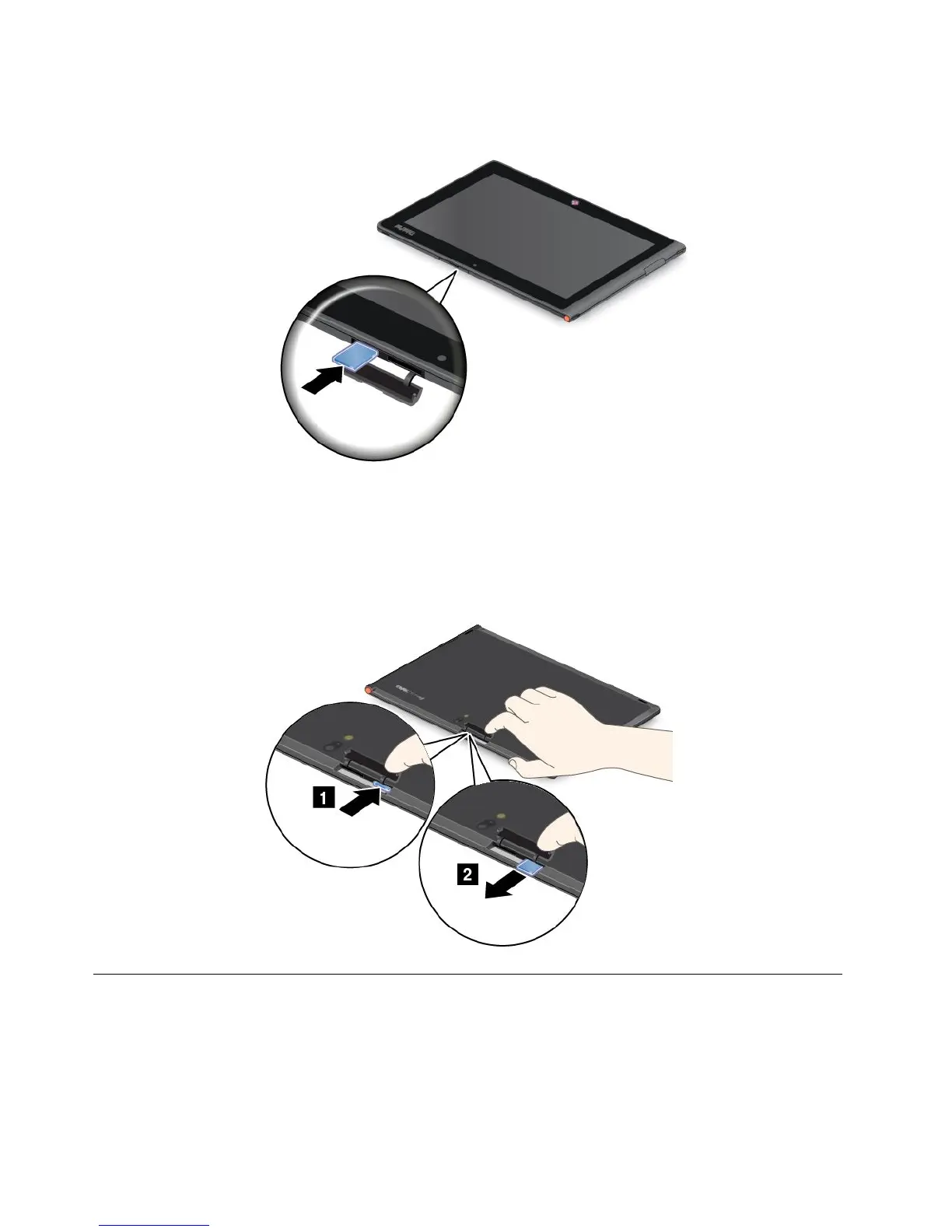
3.InsertthecardrmlyintothemicroSDcardreaderuntilyouhearaclick.Thecardmightstopbeforeitis
completelyinstalledintothecardreader.
Removingaashmediacard
Toremoveaashmediacard,dothefollowing:
1.Opentheslotcover.
2.PushthemicroSDcardinwardalittleuntilyouhearaclick;then,releaseit.ThemicroSDcardpopsout.
3.Gentlyslidethecardoutofthecardreader.
UsingHDMIdevices
YourtablethasaminiHDMIconnectorthatyoucanusetoconnectanexternaldisplayforvideooutput.To
locatetheminiHDMIconnector,see“Tabletlayout”onpage1.
Tocongurescreensettingsfortheexternaldisplay,dothefollowing:
1.Swipeinfromtherightedgeofthescreentodisplaycharms.
24UserGuide



 To Next Page