6Ethernetconnector
ConnectyourtablettoaLAN(10/100Mbps).
7Powerconnector
Usethe65Wacpoweradaptershippedwiththedocktoprovidepowertothetabletandchargethebattery.
UsingtheBluetoothkeyboard
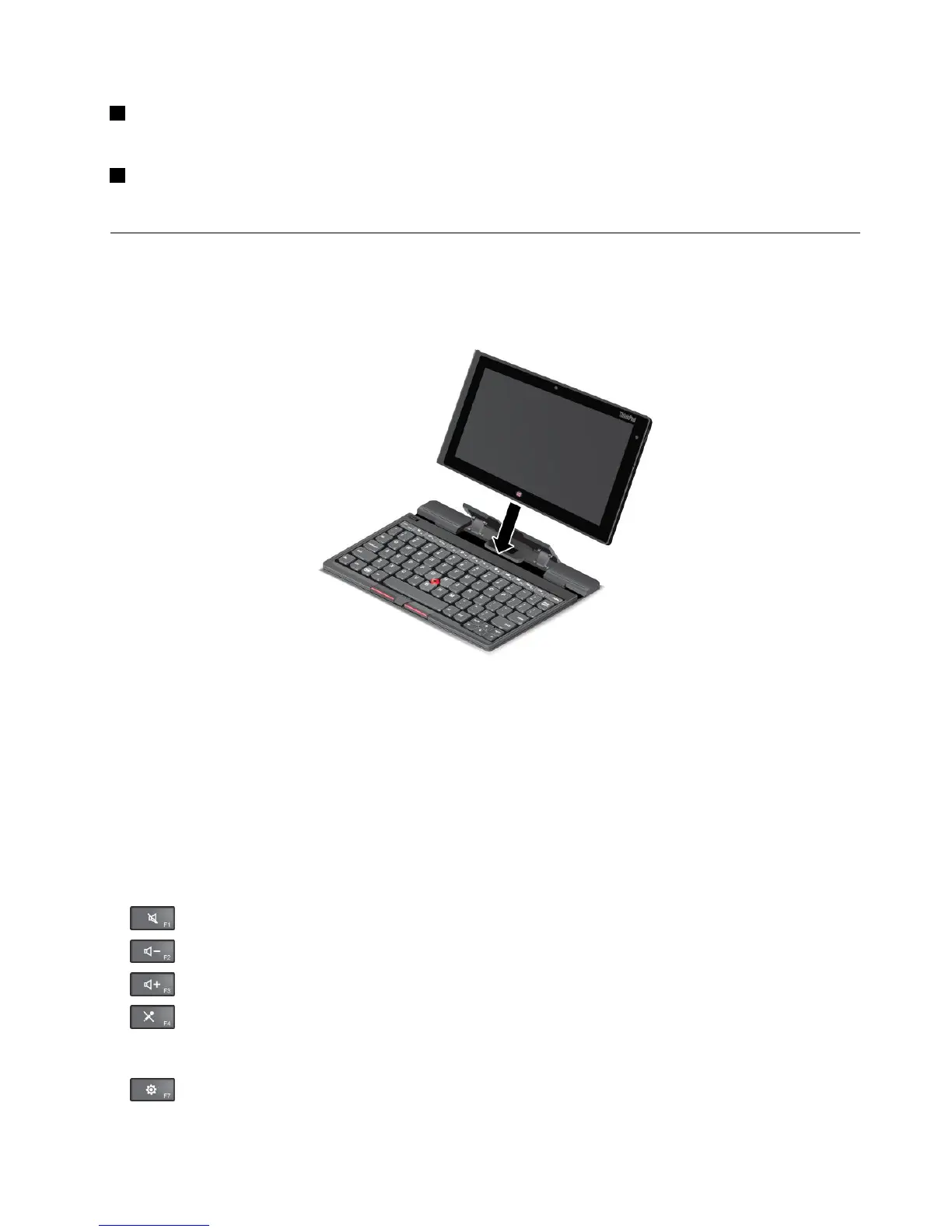
TousetheBluetoothkeyboard,installyourtabletintothekeyboardrst,asshowninthefollowingillustration.
Ensurethatthetabletissecuredinplace.
Figure8.InstallingthetabletintotheBluetoothkeyboard
Then,pairtheBluetoothkeyboardwithyourtablet.See“UsingBluetoothdevices”onpage14.
Note:Tosavebatterypower,turnofftheBluetoothkeyboardwhenitisnotinuse.Forinformationabout
howtoturnofftheBluetoothfeature,see“Extendingthebatterylifebetweencharges”onpage18.
Usingthehotkeys
TheBluetoothkeyboardhasseveralhotkeys.Pressahotkeytoquicklycontroltheassociatedfunction.To
locatethehotkeys,see“ThinkPadTablet2BluetoothKeyboardwithStand”onpage27
.
Volumeandmutecontrol
•Speakermute
•Speakervolumedown
•Speakervolumeup
•Microphonemute
Applicationcontrol
•
OpentheSettingscharm
Chapter6.ThinkPadTablet2options29



 To Next Page