•OpentheSearchcharm
•
Viewallapplications
•Viewallapplicationsthatyouhaveopened
Screencontrol
•Brightnessdown
•Brightnessup
Fnkeycontrol
•ToggletheF1-F12keyfunctionalitytousethekeysindefaultmodeorinlegacymode.Indefault
mode,youcaninitiatethespecialfunctionsillustratedoneachkeybytappingthecorrespondingkey
directly.Inlegacymode,toinitiatethespecialfunctionsillustratedoneachkey,tapandholdtheFnkey
andthentapthedesiredfunctionkey,thenreleasebothkeys.
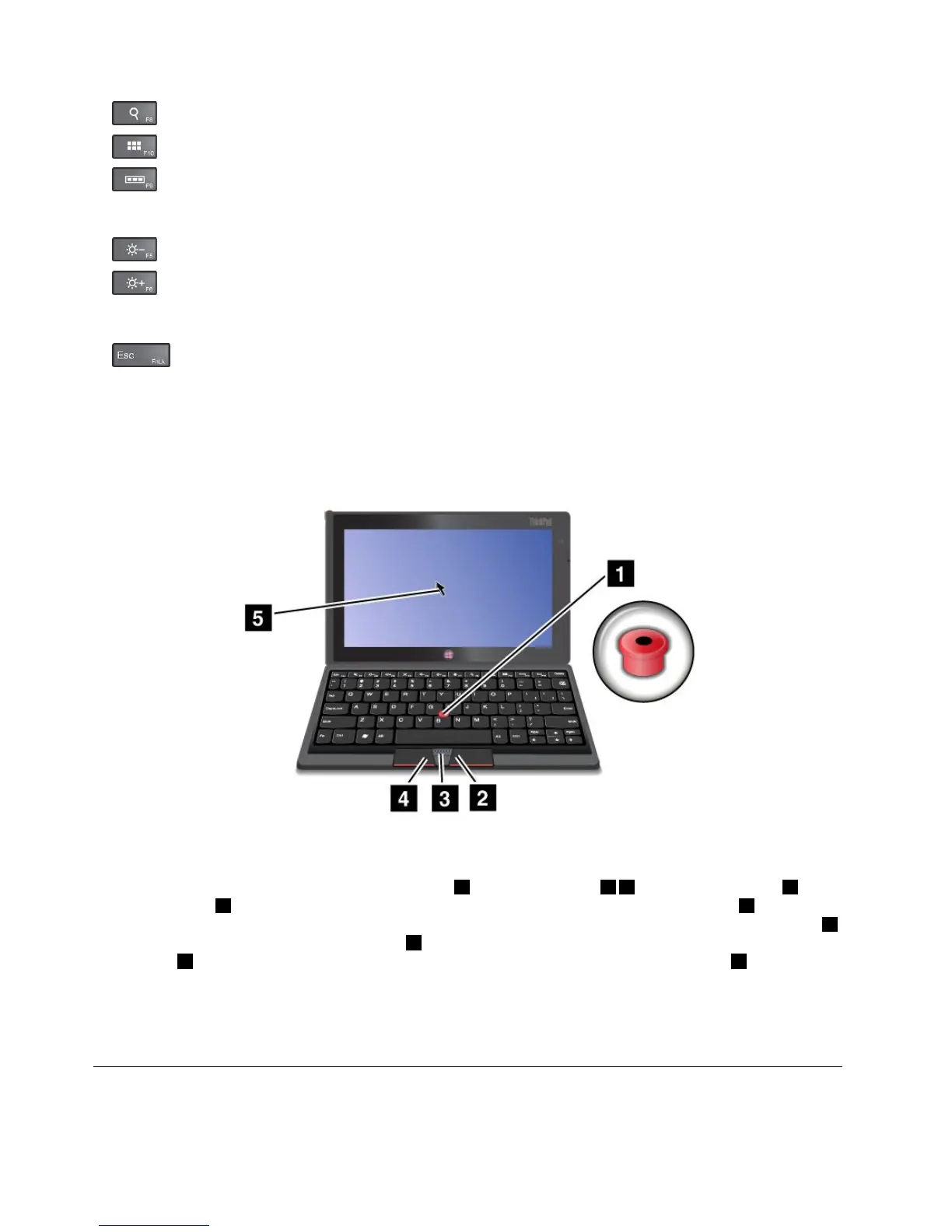
UsingtheopticalTrackPoint
Figure9.UsingtheopticalTrackPoint
TheopticalTrackPointconsistsofapointingsensor
1,twoclickbuttons24,andacenterbutton3.To
movethepointer5onthescreen,slideyourngertipacrossthetopofthepointingsensor1inthe
directioninwhichyouwantthepointertomove.Toselectanitemoropenanapplication,putthepointer5
onthedesireditemandpresstheleftbutton4.Toopenthemenuforthecurrentapplication,pressthe
rightbutton2.ToscrollWebpagesordocumentsinanydirection,pressthecenterbutton3andslide
yourngertipacrossthetopofthepointingsensor.
FormoreinformationabouttheBluetoothkeyboard,refertothedocumentationshippedwiththeBluetooth
keyboard.
UsingtheThinkPadTablet2Dock
Thistopicprovidesinstructionsonhowtousethedock.
30UserGuide



 To Next Page