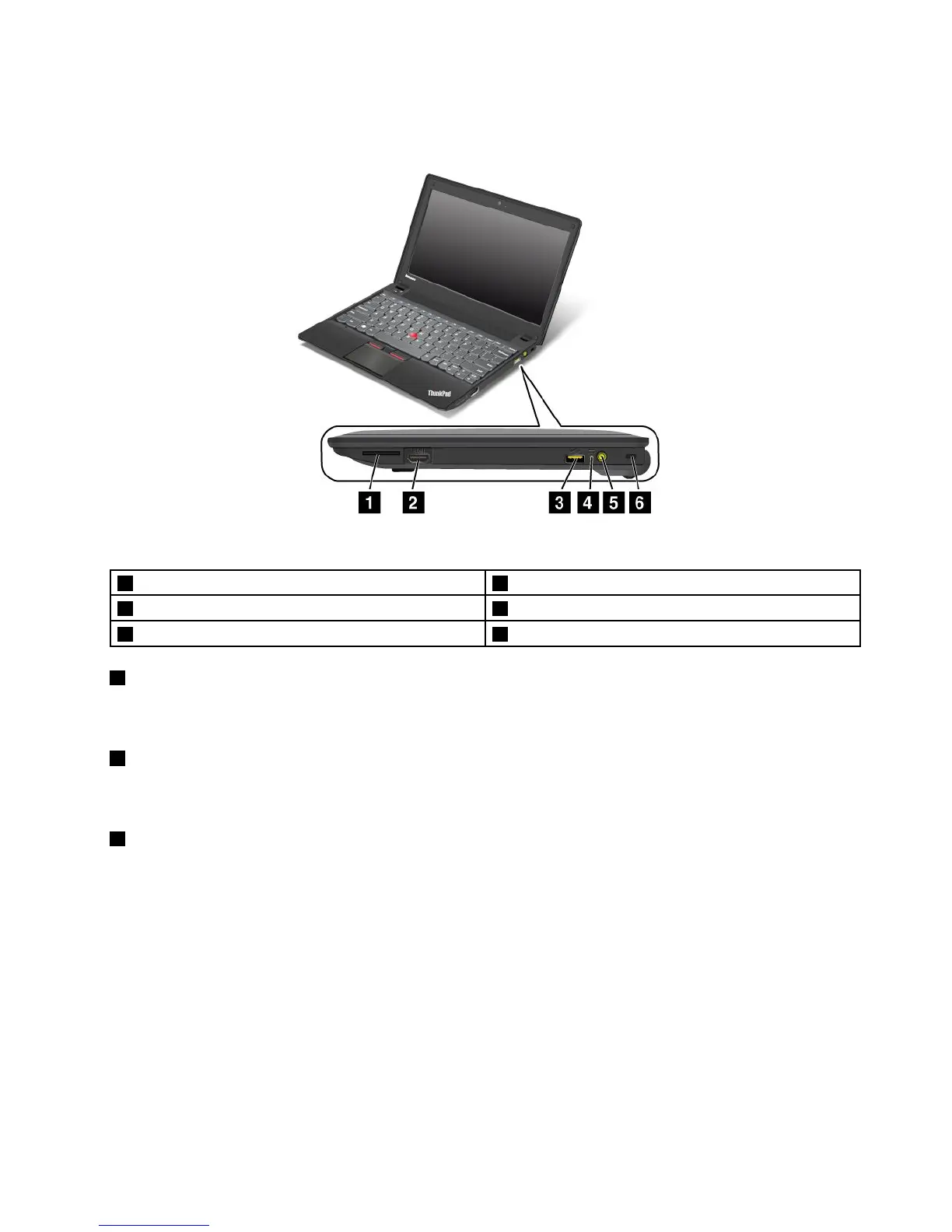
Right-sideview
Figure2.ThinkPadX140eright-sideview
1Mediacardreaderslot4Power-statusindicator
2HDMIport5Powerconnector
3AlwaysOnUSBconnector6Security-lockslot
1Mediacardreaderslot
Dependingonthemodels,yourcomputermighthaveamediacardreaderslot.Formoreinformationabout
thesupportedcards,see“Usingaashmediacard”onpage35.
2HDMIport
Yourcomputersupportsthehigh-denitionmultimediainterface(HDMI)port,adigitalaudioandvideo
interfacethatcanconnectacompatibledigitalaudiodeviceorvideomonitor,suchasanHDTV.
3AlwaysonUSBconnector
Bydefault,theAlwaysOnUSBconnectorenablesyoutochargesomemobiledigitaldevicesand
smartphoneswhenyourcomputerisinsleeporhibernationmode.
Ifyouwanttochargethesedeviceswhenyourcomputeristurnedoff,dothefollowing:
1.Connectthecomputertoanacpowersupply.
2.GotoThinkPadSetupandenableAlwaysOnUSBChargeinoffmode.Formoreinformation,see
“Congmenu”onpage79.
3.Dooneofthefollowing:
•ForWindows7:StartthePowerManagerprogramandclicktheGlobalPowerSettingstab.Then
selecttheEnableAlwaysOnUSBcheckbox.
•ForWindows8:PresstheWindowskeytogototheStartscreen.ClickLenovoSettings➙Power.
ThenselecttheEnablewhenthecomputerisoffcheckbox.
Chapter1.Productoverview3



 To Next Page