13
3. Using recording features
3.1 Turning the product on or off
The product is turned on automatically and continuous recording starts when you turn on the ACC or start
the engine.
Wait until the product is completely booted up after turning it on, and then begin operating the vehicle. The
video recording does not begin until the product is completely turned on (booted up).
3.2 Learning about file storage locations
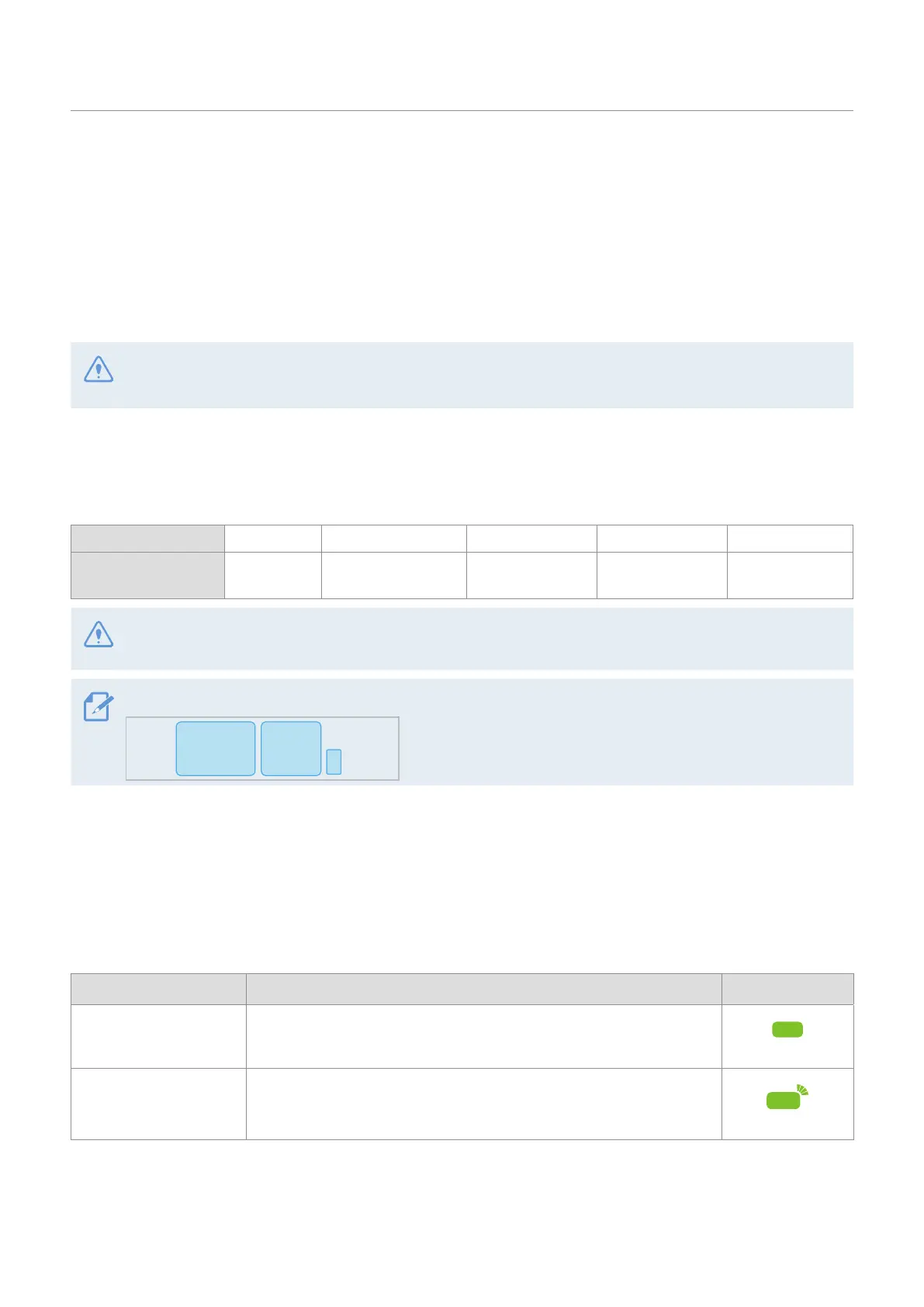
Videos are stored in the following folders according to their recording mode.
On the mobile viewer Continuous Continuous Incident Manual Recording Motion Detection Parking Incident
In the memory card cont_rec evt_rec manual_rec
motion_
timelapse_rec
parking_rec
Play videos on Window/Mac computers or using the THINKWARE DASH CAM LINK. If you play videos by
inserting the memory card in devices such as a smartphone or a tablet PC, the video files may be lost.
A file name is composed of the recording start date and time, and the recording option.
_20231022_182052_F.MP4
YYYYMMDD
_
HHMMSS
3.3 Using the continuous recording feature
Connect the power cable to the product’s DC-IN power port and then turn on the vehicle’s electrical accessories
or start the engine. The status LED and the voice guide are turned on, and the continuous recording starts.
During continuous recording, the product operates as follows.
Mode Operation description Status LED
Continuous recording
During driving, videos are recorded in 1 minute segments and stored
in the "cont_rec" folder.
(light on)
Incident continuous
recording*
When an impact to the vehicle is detected, a video is recorded for
20 seconds, from 10 seconds before the detection to 10 seconds after
the detection, and stored in the "evt_rec" folder.
(flickers quickly)
* When an impact to the vehicle is detected during continuous recording, incident continuous recording starts with a
buzzer sound.



 To Next Page