Product overview
8
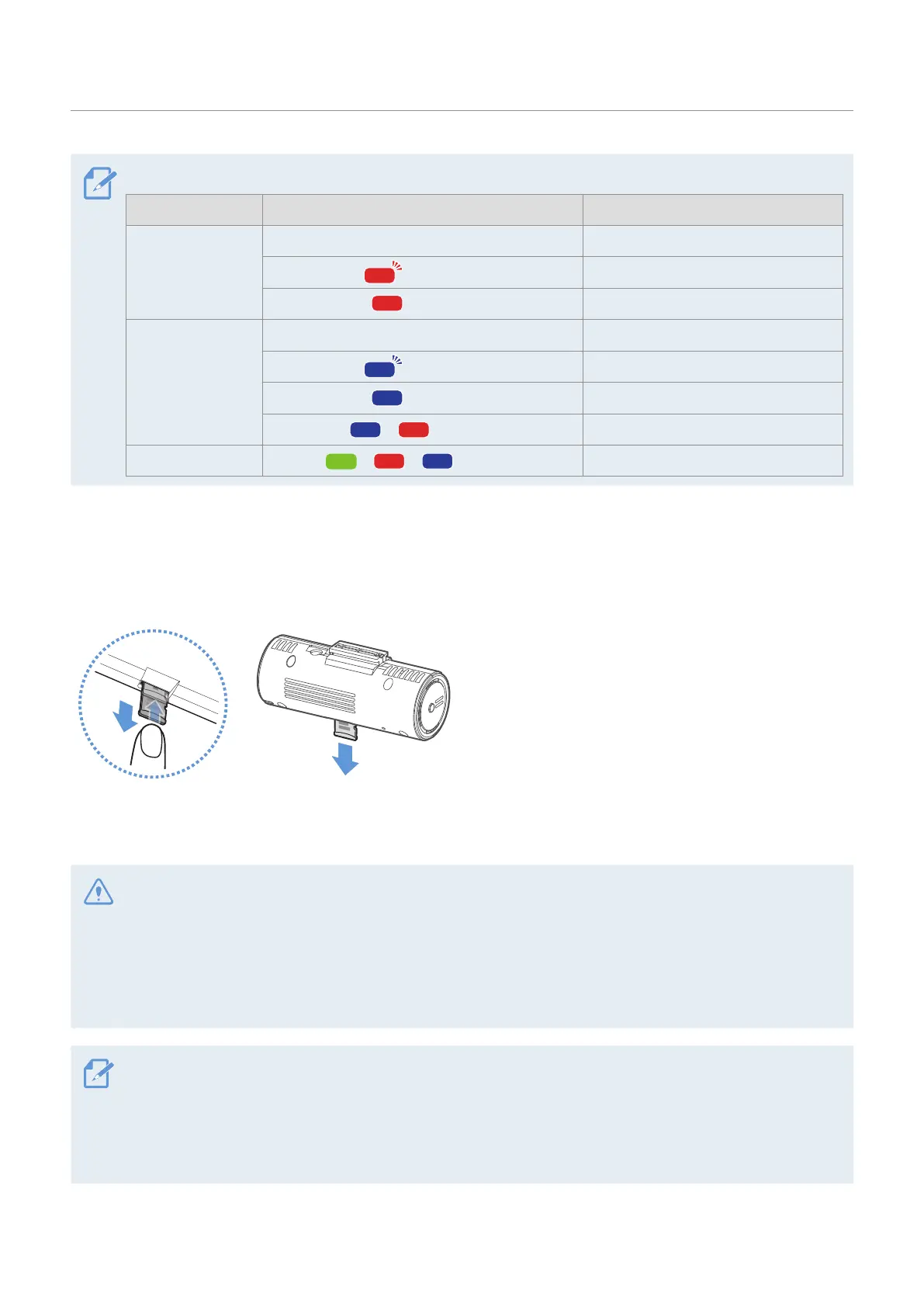
Refer to the following table to check the status of the product using the LED indicator.
Category LED STATUS Operation description
Error
OFF Reading SD card.
(flickers quickly) Cannot read SD card.
(light on) Crashed while booting.
Connection
OFF Bluetooth/Wi-Fi OFF
(flickers quickly) Bluetooth is pairing.
(light on) Bluetooth/Wi-Fi connected.
>
(light on)
Bluetooth/Wi-Fi is resetting.
Firmware upgrade
>
>
(light on)
Firmware is upgrading.
1.3 Removing and inserting the memory card
Follow the instructions to remove the memory card from the product or to insert the memory card into the
product.
Before removing the memory card, ensure that the
product is turned off. Gently push the bottom of the
memory card with your fingernail to release it, and
then remove it from the product.
To insert the memory card into the memory card slot,
ensure that the metal contacts on the memory card
are facing toward the product’s buttons, and insert it
into the slot until you hear a click.
• Ensure that the product is turned off before removing the memory card. The recorded video files may be
corrupted or lost if you remove the memory card while the product is on.
• Ensure that the memory card is in the correct direction before inserting it into the product. The memory
card slot or the memory card may be damaged if it is inserted incorrectly.
• Use only authentic memory cards from THINKWARE. THINKWARE does not guarantee compatibility and
normal operation of third-party memory cards.
• To prevent loss of recorded video files, periodically back up the video files on a separate storage device.
• Check the status of the memory card if the status LED quickly flickers red:
- Ensure that the memory card is correctly inserted.
- Ensure that the memory card has enough free space.
- Format the memory card if it has been used for an extended period without formatting.



 To Next Page