4. Operation
ARV-310 4-23
● Procedure for Memory Registration
Register memories through the following procedure:
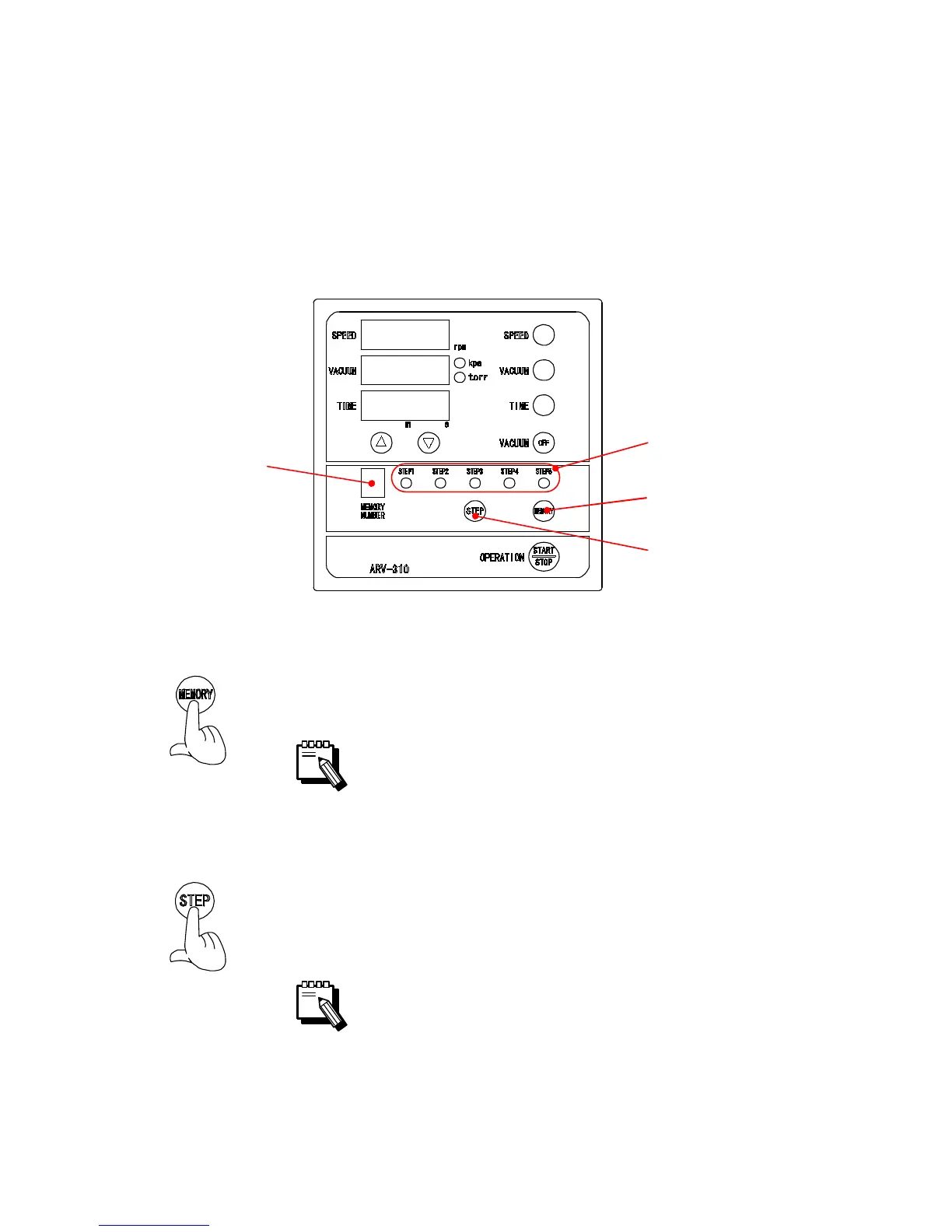
1) Press the MEMORY button to display the number of the
memory to check on the MEMORY NUMBER indicator.
The memory number indication lamp turns lit in order of the
memory number 1→2→3→4→5 … →9 each time the
MEMORY button is pressed.
2) Press the STEP button to light up the STEP number
indication lamp indicating the number of the step to
register operating condition.
The STEP number indication lamp turns lit in order of the
STEP number STEP 1→STEP 2→STEP 3→STEP 4→STEP
5 each time the STEP button is pressed.
MEMORY
NUMBER
Indicator
STEP Button
MEMORY Button
STEP Number
Indication Lamp


 To Next Page