EasyManua.ls Logo

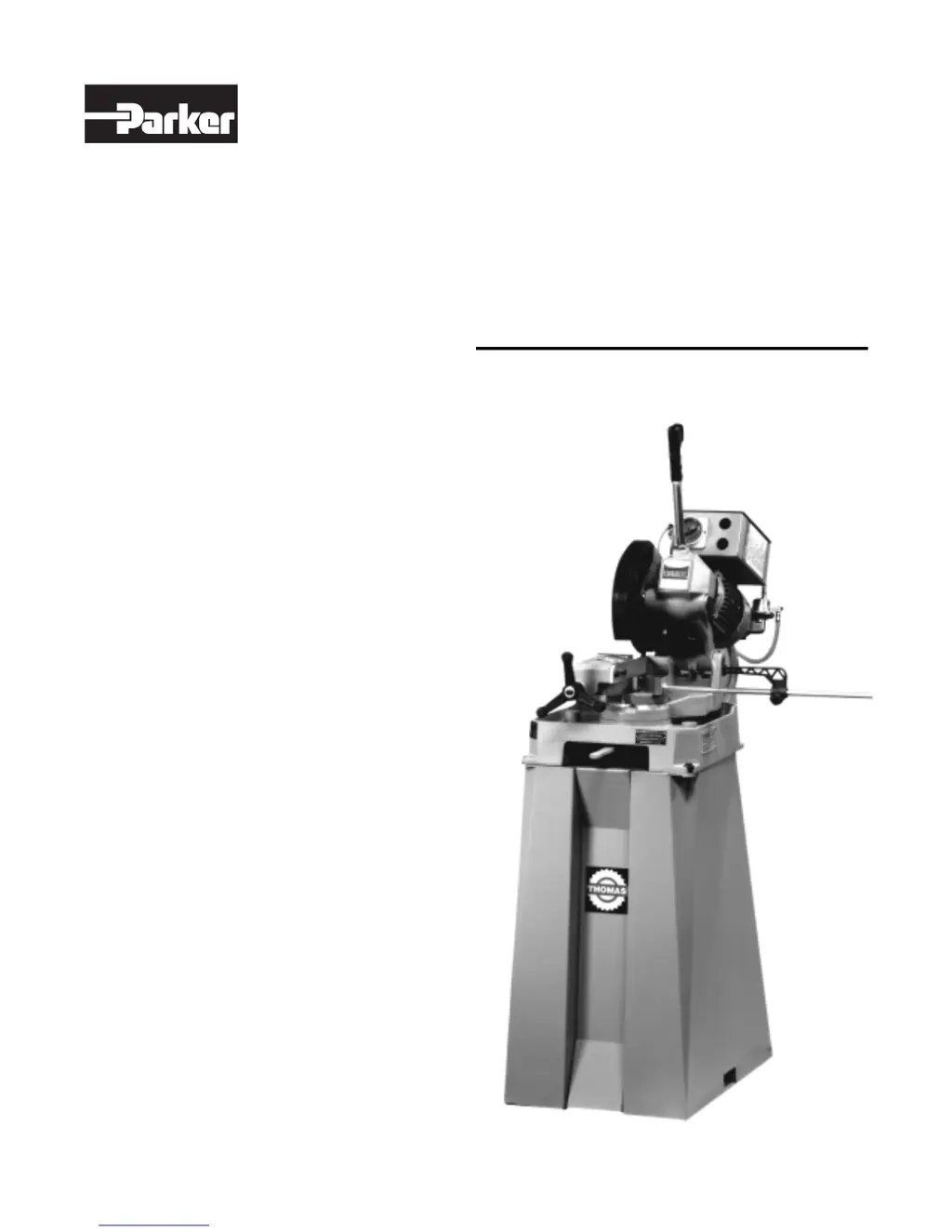
Thomas Cut 250 - User Manual

Thomas Cut 250
24 pages
Print Icon
To Next Page IconTo Next Page
Loading...
Bulletin 4390-974250
Cut 250 Saw Use and
Maintenance Manual
Part Number: 974250
Effective: September 1, 1999
FluidConnectors

Table of Contents

Questions and Answers

  • A
    Arthur CastroAug 21, 2025
    Why is there premature wear on my Thomas Cut 250 Saw?
    • G
      Gabriel DouglasAug 22, 2025
      Premature wear in your Thomas Saw can result from incorrect running in of the blade, incorrect cutting speed, an unsuitable tooth profile, wrong tooth pitch or a low quality blade. Check Chapter “Material classification and choice of blades” in the paragraph on Running in the blade. Change blade speed/diameter, choose a suitable blade, and use a better quality blade. Insufficient lubricating fluid may also be the cause. Check the lubrication level and increase the flow of lubricant fluid, ensuring that the hole and the fluid outlet tube are not blocked.
  • E
    erikajohnsonAug 25, 2025
    What causes the blade to stick in the cut on my Thomas Cut 250?
    • K
      Kristin HillAug 25, 2025
      If your Thomas Saw blade sticks in the cut, you may be advancing too fast or using a low cutting speed. Decrease the advance and exert less cutting pressure, or increase the speed. Other potential causes include wrong tooth pitch, accumulation of material on the blade, or insufficient lubricating fluid. Choose a suitable blade, check the blend of lubricating coolant and choose a better quality blade, or check the level of the liquid in the tank. Also increase the flow of lubricating fluid and check that the hole and the liquid outlet tube are not blocked.
  • D
    debra01Aug 28, 2025
    What causes a chipped blade on a Thomas Saw?
    • G
      gonzalezjoeAug 28, 2025
      Chipped blades on your Thomas Saw can be caused by hardness, shape, or flaws in the material, incorrect cutting speed, or incorrect tooth pitch. To address this, reduce the cutting pressure and/or the advance, change the blade speed and/or diameter, and choose a suitable blade. Vibration, an incorrectly sharpened blade, a low-quality blade, or an incorrect emulsion of the lubricating refrigerant can also lead to chipping. Check the gripping of the part, replace the blade with one that is more suitable and correctly sharpened, use a better quality blade, and check the percentage of water and oil in the emulsion.
  • D
    David GarciaAug 31, 2025
    How to prevent ridges on the cutting surface of my Thomas Cut 250?
    • C
      Cory PerezAug 31, 2025
      Ridges on the cutting surface of your Thomas Saw may be due to an incorrect or too large blade diameter, ineffective gripping of the part, or fast advance. Decrease the blade diameter, adapting it to the dimensions of the part to be cut and check the gripping of the part. Also decrease advance and exert less cutting pressure. Worn blade teeth or insufficient lubricating fluid can also cause ridges. Sharpen the blade and check the level of the liquid in the tank. Increase the flow of lubricant fluid, check that the hole and the fluid outlet tube are not blocked. Choose a blade with a larger tooth pitch that allows better unloading of shavings and that holds more lubricating fluid.
  • K
    Kiara ObrienSep 4, 2025
    Why are the cuts crooked when using my Thomas Cut 250?
    • C
      Cindy GutierrezSep 4, 2025
      Crooked cuts on your Thomas Saw can result from fast advance, ineffective gripping of the part in the vice, or a blade head that is not straight. Decrease advance and exert less cutting pressure, check the gripping of the part, and adjust the head. Other causes include blade sides that are differently sharpened, a blade thinner than the commercial standard, or dirt on the gripping device. Choose tool quality carefully in every detail as regards type and construction characteristics, and carefully clean the laying and contact surfaces.
  • R
    rsimmonsSep 7, 2025
    Why is the blade vibrating on my Thomas Cut 250?
    • H
      Holly DennisSep 7, 2025
      Blade vibration in your Thomas Saw can stem from an incorrect tooth pitch or an unsuitable tooth profile. Choose a suitable blade. Ineffective gripping of the part in the vice, dimensions of the solid section being too large, or an incorrect blade diameter can also cause vibration. Check the gripping of the part. Refer to the instructions. Decrease the blade diameter, adapting it to the dimensions of the part to be cut.
  • D
    dawn89Sep 12, 2025
    What should I do if the motor stopped with pilot light HL lit on my Thomas Saw?
    • P
      Patricia CamachoSep 12, 2025
      If the motor has stopped but the pilot light “HL” is lit on your Thomas Saw, check that the plug is correctly inserted and look for any bad connections inside the box. Also check operation and/or efficiency. Replace if broken. Ensure that it is not blocked, that it closes when fed, that it does not cause short circuits. Otherwise change it. Check that it is not burnt and that it turns freely. It may be rewound or changed.
  • C
    Colleen MitchellNov 14, 2025
    Why does the Thomas Cut 250 have tooth breakage?
    • S
      Sarah TaylorNov 14, 2025
      Tooth breakage in your Thomas Saw can occur if you're advancing too fast. Try decreasing the advance and exerting less cutting pressure. Other causes include improper cutting speed or tooth pitch, in which case you should change the blade speed/diameter or choose a suitable blade. A low-quality blade, ineffective gripping of the part, a previously broken tooth left in the cut, or resuming cutting on a previously made cut can also cause this problem. Make sure to use a better quality blade, check the gripping, remove any excess pieces, and make the cut elsewhere by turning the part. Insufficient lubricant or accumulation of excess material on the blade may also be the cause. Increase the flow of lubricating coolant, check the level of the liquid in the tank, ensure that the hole and outlet ...
  • M
    mmartinNov 17, 2025
    What to do if the green pilot light HL does not light up on my Thomas Cut 250?
    • D
      Dawn AvilaNov 17, 2025
      If the green pilot light “HL” on your Thomas Saw doesn't light up, the lamp may be fused and needs changing. Check the power supply, including phases, cables, socket, and plug. Also, check the fuses “FU 1” for efficiency and short circuits. Ensure the speed switch “SA” is in position 1 or 2, not 0. Make sure the emergency button “SB 1” is off and its contacts are unbroken. Check that 24 V reach the coil terminals when the button “SB 2” is pressed. If the thermal probe built into the stator winding has tripped due to motor overheating, let the motor cool for 10-15 minutes and check current continuity on the two wires. Verify that the transformer “TC 1” supply voltage matches the line voltage and gives 24 V at output. For the auxilliary relay “KA”, check that 24 V reach the coil terminals wh...

Summary

Technical Characteristics

Table of Cutting Capacity and Technical Details

Detailed specifications and cutting capacities for the machine.

Machine Dimensions, Transport, Installation, and Dismantling

Machine Dimensions

Physical dimensions of the machine for space planning and installation.

Transport and Handling

Guidelines for safely moving and handling the machine.

Reference to Accident-Prevention Regulations

Advice for the Operator

Essential safety advice for machine operators.

Shields for Accidental Contact

Location and description of safety shields.

Electrical Equipment Standards

Compliance with CENELEC EN 60 204-1 electrical standards.

Emergency Procedures

Actions to take in emergency situations.

Recommendations and Advice for Use

Machine Usage Recommendations

Best practices and recommendations for operating the machine.

Machine Functional Parts

Operating Head Description

Details of the machine's operating head assembly.

Vice Description

Information on the machine's vice component.

Bed Description

Description of the machine's bed structure.

Operating Cycle Description

Starting Up and Cutting Cycle

Step-by-step guide for starting and performing a cutting cycle.

Regulating the Machine

Saw Head Adjustment

Procedures for adjusting the saw head.

Vice Adjustment

Procedures for adjusting the vice.

Regulating Arm Blockage

Troubleshooting blockage of the regulating arm.

Changing the Blade

Instructions for replacing the cutting blade.

Changing Coolant Pump

Procedure for replacing the lubricating coolant pump.

Routine and Special Maintenance

Daily Maintenance Tasks

Daily checks and cleaning procedures for the machine.

Weekly Maintenance Tasks

Weekly cleaning and lubrication procedures.

Monthly Maintenance Tasks

Monthly checks and greasing procedures.

Six-Monthly Maintenance Tasks

Half-yearly oil change and checks.

Lubricating Coolant Oils

Recommendations for lubricating coolant oil types and usage.

Special Maintenance Procedures

Guidelines for non-routine maintenance tasks.

Material Classification and Tool Selection

Material Definitions

Characteristics of various materials to be cut.

Choosing the Correct Blade

Guidance on selecting the appropriate blade for material and cut.

Teeth Pitch Selection

Factors influencing the choice of blade teeth pitch.

Cutting and Advance Speed

Optimal speeds for cutting and material feed.

Blade Breaking-in Procedure

Method for properly breaking in a new blade.

Blade Type Characteristics

Descriptions of different blade types and their uses.

Recommended Cutting Parameters Table

Table detailing parameters for various materials and blades.

Cutting Speed Diagram by Blade Diameter

Visual chart relating cutting speed to blade diameter.

Machine Components

List of Spare Parts

Comprehensive list of machine spare parts with reference numbers.

Wiring Diagrams

Troubleshooting

Blade and Cut Diagnosis

Identifies common faults related to blade and cut quality.

Electrical Component Diagnosis

Diagnoses issues with the machine's electrical components.

Noise Tests

Plates and Labels

Offer of Sale

Thomas Cut 250 Specifications

General IconGeneral
BrandThomas
ModelCut 250
CategorySaw
LanguageEnglish

Related product manuals