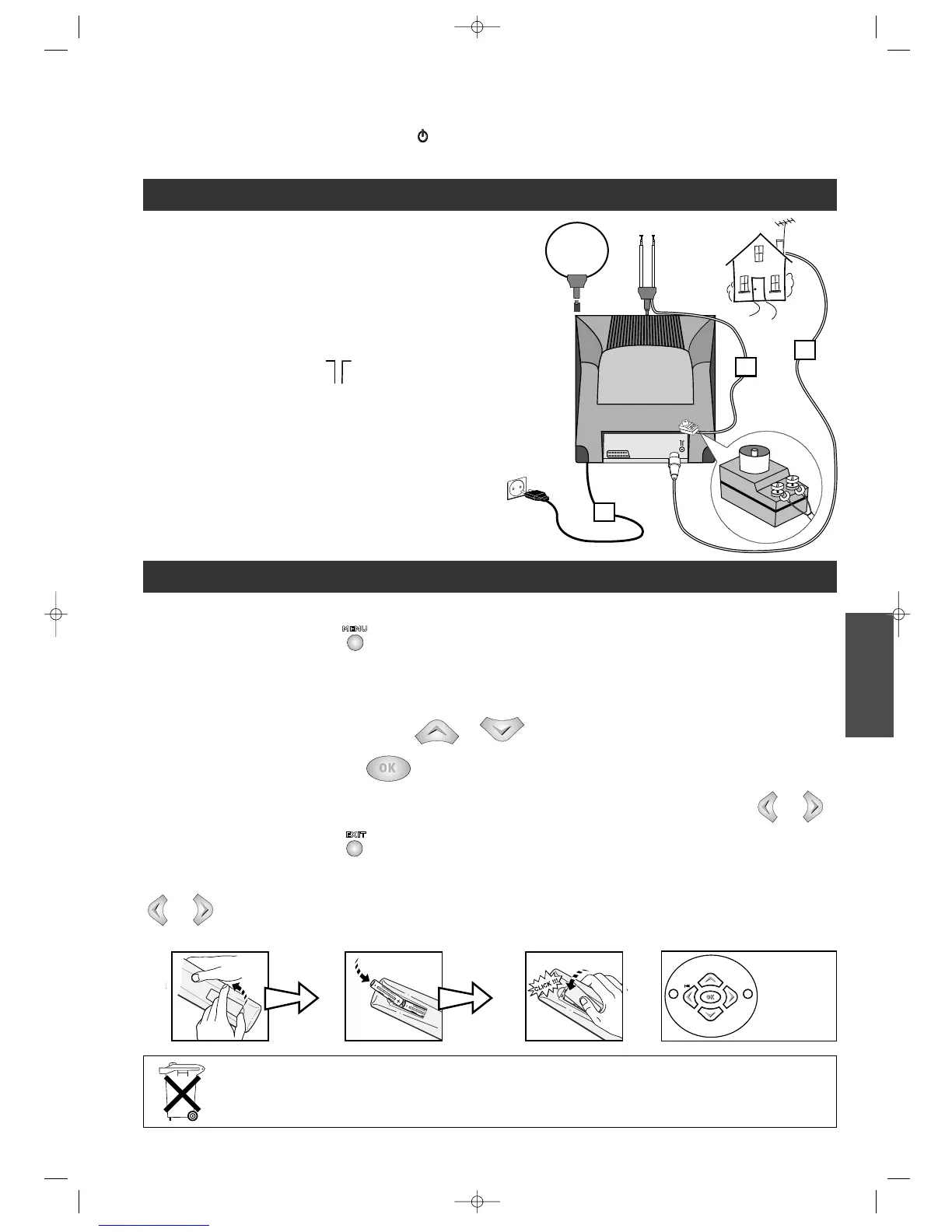
Plug existing aerial cable or use the dipole antenna
into the Combi TV-Video (
IN ).
Connect the Combi TV-Video to the mains using the
power cord.
2
1
Always point the remote control at the Combi TV-Video recorder.
C
ALLING UP A MENU - The key on the remote control calls up the menu which enables you to use the features of
your Combi TV-Video recorder and to adjust it.
N
AVIGATION WITHIN THE MENUS :
1
- To choose a function, select a line with or .
2 -
To validate your choice, press
.
3
- To make an adjustment (i.e. to select an option, increase or decrease a given value), you must use key or .
4
- To exit a menu, press key .
E
XAMPLE : The symbols C/B displayed on the screen indicate that an option is available. To select an option, press key
or .
EXIT
MENU
ABOUT THIS INSTRUCTION BOOKLET : this document applies to several Combi TV-Video recorder models. Certain functions or
settings may, therefore, not be included in the model which you have bought.
A
BOUT THE SWITCH: the position of the On / Off
switch varies from model to model. It may be located on the front panel
or on the right side.
BASIC CONNECTIONS
NAVIGATION PRINCIPLES
3
220 - 240 V
1
1
2
ENGLISH
2
1
*
Please respect the environment! Before throwing any batteries away, consult your distributor
who may be able to take them back for specific recycling.
* If included
12 3
!
▲
C
OK
B
▼
EXIT MENU



 To Next Page