Installation
15
EN
Low and High frequencies
(These fields are only displayed if you have selected Customized at the LNB type field).
With digit keys, enter Low and Hight bands oscillator frequencies.
Satellite
(This field is not displayed if you have selected SMATV at the Antenna Configuration field
or None at the LNB type field).
Select the satellite on which one your antenna is pointed.
Checking the signal
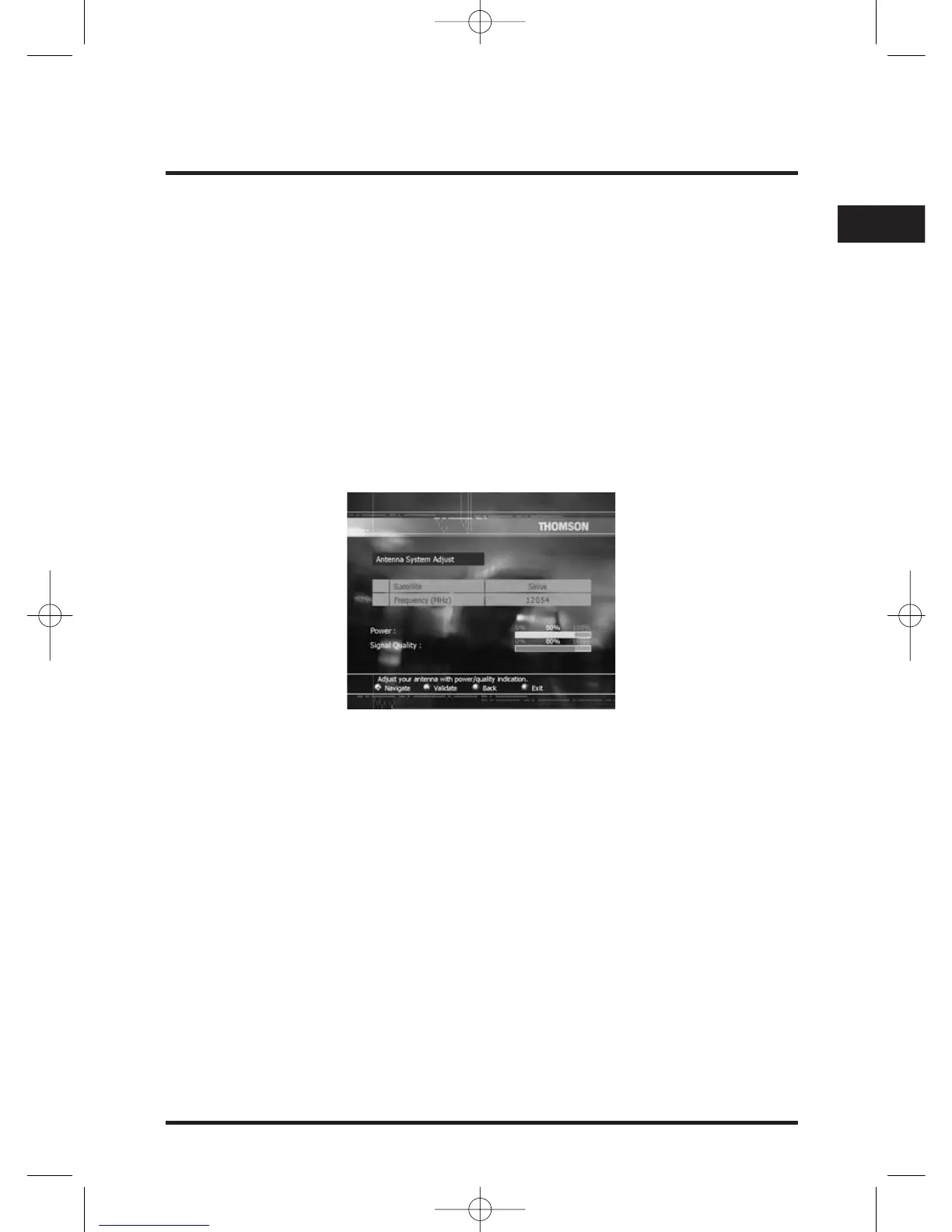
Once antenna settings are set, the signal check screen is displayed. Use this screen to
confirm that your set-top box is receiving a satellite signal.
The details on the screen show the name of the satellite, together with bars showing
the power and quality of the signal being recived from this satellite.
If you have selected DiSEqC at the Antenna Configuration menu, you can select a
satellite from its LNB index.
Your set-top box must receive both a signal strength and a signal quality of at least 60%
in order to successfully find channels.
When you are satisfied that there is an adequate signal, press OK.
Note: If you press OK before you are ready, you can press BACK to redisplay the signal
check screen.


 To Next Page