Day to day use
21
EN
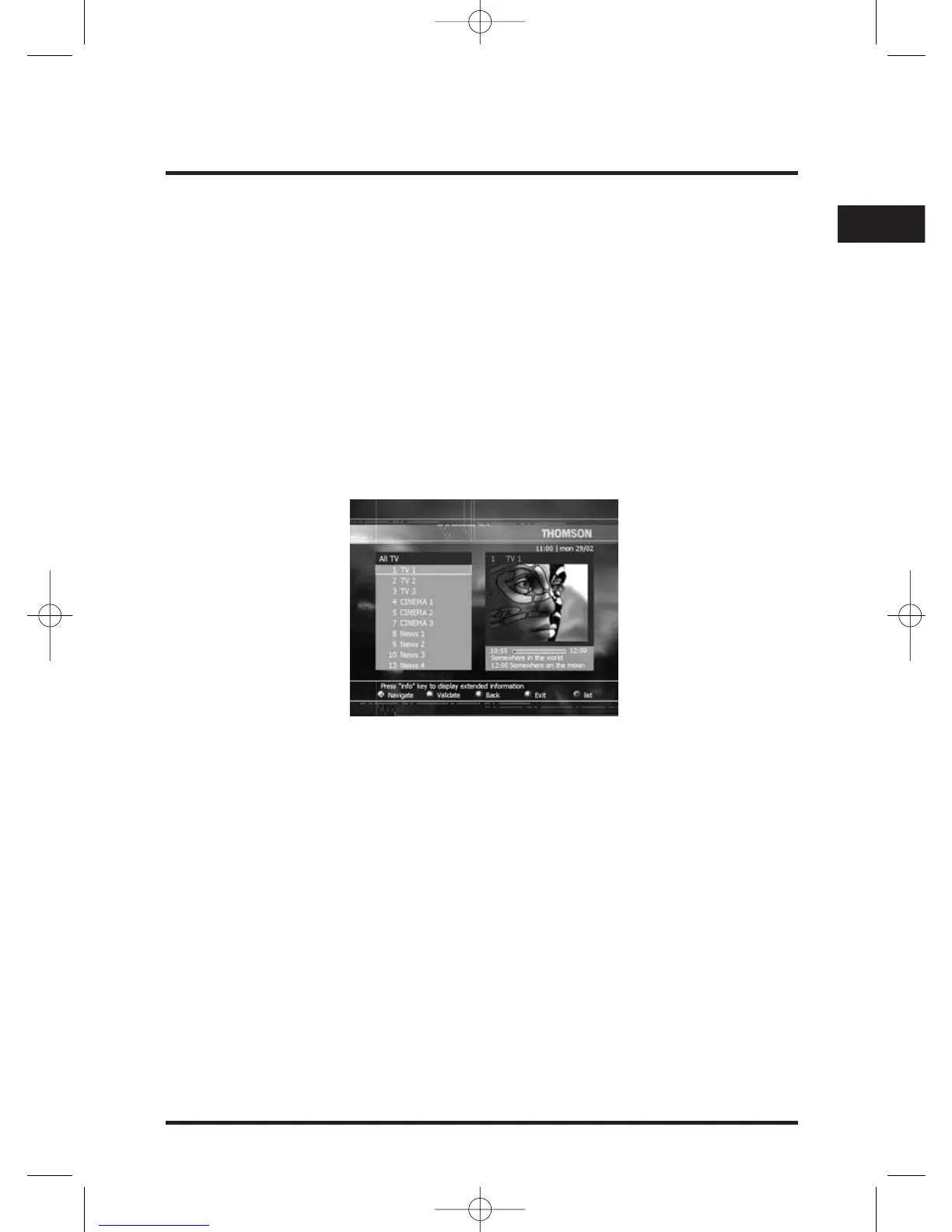
TV Miniguide
The TV Miniguide allows you to display at the same time:
- the TV channel list,
- the corresponding TV channel information (if available),
- the corresponding live video in a small window.
Direct access from any TV channel:
Press GUIDE key more than 2 seconds.
From the menu:
Press MENU button on the remote control unit to access to the Main menu.
Select Channels, press OK and with V/W keys select TV Channels.
Press OK to confirm.
!If you have defined TV favorites lists, the name of the current TV favorite list is displayed at the
top left of the screen.The OPTIONS key allows you to change your current TV favorite list.
Press PR- / PR+ (or V/W) keys to select the previous / next TV channel in the list.The
selected TV channel is displayed in the small window.
The C and B buttons allow you to navigate through previous / next pages.
Press OK on the remote control unit to display the full size video of the selected service
on TV screen.
Press EXIT or BACK on the remote control unit to exit the TV Miniguide.


 To Next Page