
 Need help?
Do you have a question about the THOMSON DSI 4200 and is the answer not in the manual?
Lists all sections and their page numbers for quick navigation.
Important safety instructions and warnings for using the set-top box.
Introduction to the Viasat service and the set-top box features.
Information on how the set-top box software may be updated.
Step-by-step guide on how to insert the AAA batteries into the remote control.
Explains the function of each button on the Thomson remote control.
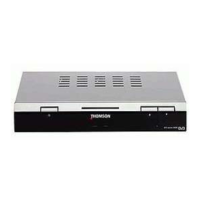
Description of the buttons, lights, and slots on the front of the set-top box.
Details of all input and output ports on the rear of the set-top box.
Checks and preparations needed before starting the installation process.
Lists all the items included in the Viasat set-top box package.
Details requirements like a smart card and correctly aligned satellite dish for full functionality.
Guidelines for placing the set-top box and connecting it to other devices.
Instructions for connecting the set-top box to a TV and VCR using SCART cables.
Instructions for connecting the set-top box directly to a TV without a VCR.
Steps for connecting the set-top box to a telephone line for updates or services.
How to correctly insert the smart card into the set-top box slot.
Instructions for connecting the set-top box to the electrical power supply.
Guide to powering on the set-top box and initiating the initial setup process.
How to verify the installation progress and settings on the TV screen.
Procedure to select the preferred language for the set-top box menus.
Setting the local time zone for the set-top box.
Settings for configuring the satellite dish and LNB type.
Entering oscillator frequencies for LNB type customization.
Selecting the satellite your antenna is pointed towards.
Verifying the satellite signal strength and quality for optimal reception.
Configuring parameters for searching and installing channels.
Selecting the Forward Error Correction rate for the transponder.
Entering the bouquet number for specific channel group installations.
Initiating the automatic search for available TV and radio channels.
How to turn the set-top box on, off, or put it into standby mode.
Adjusting the audio volume and muting the sound.
Methods for navigating and selecting TV channels (zapping, direct selection).
Methods for accessing and navigating radio channels.
Displaying and understanding channel information and program details.
Using icons to access audio, subtitle, and channel list options.
Viewing the list of available TV channels or a mini-guide with channel info.
Displaying channel list, info, and live video in a small window.
Accessing and navigating the comprehensive list of TV channels.
Accessing the Viasat portal for EPG, weather, games, and other applications.
Instructions on how to record satellite programs using a VCR.
Information on viewing other channels during a recording session.
How to access and navigate Teletext pages for additional information.
How to access the main menu to navigate through various settings.
Accessing TV and Radio channel lists from the main menu.
Accessing the program guide application via the main menu.
Managing subscriptions, user limits, and PIN codes for protected content.
Customizing menu language, audio, and subtitle settings.
Creating, modifying, or deleting lists of favorite TV or radio channels.
Setting up parental locks for channels based on age ratings and PIN codes.
Enabling or disabling the decoder lock function.
Selecting specific channels to lock or unlock.
Changing the PIN code for the set-top box.
Accessing settings for channels, TV/VCR, time zone, and modem.
Performing initial setup for channels, including antenna and search settings.
Setting TV and VCR output signals and video standards.
Setting the local time zone for the set-top box.
Configuring modem settings, including external line prefix.
Upgrading the set-top box software from the satellite.
Restoring the set-top box to its factory default settings.
Viewing decoder information, firmware version, and signal quality.
Details operating voltage, power consumption, weight, dimensions, and temperature ranges.
Lists the types of input and output connectors available on the set-top box.
 General
| Brand | THOMSON |
|---|---|
| Model | DSI 4200 |
| Category | Set-top boxes |
| Language | English |

 To Next Page
