10
4. TV Installation
4.1. Set your TV
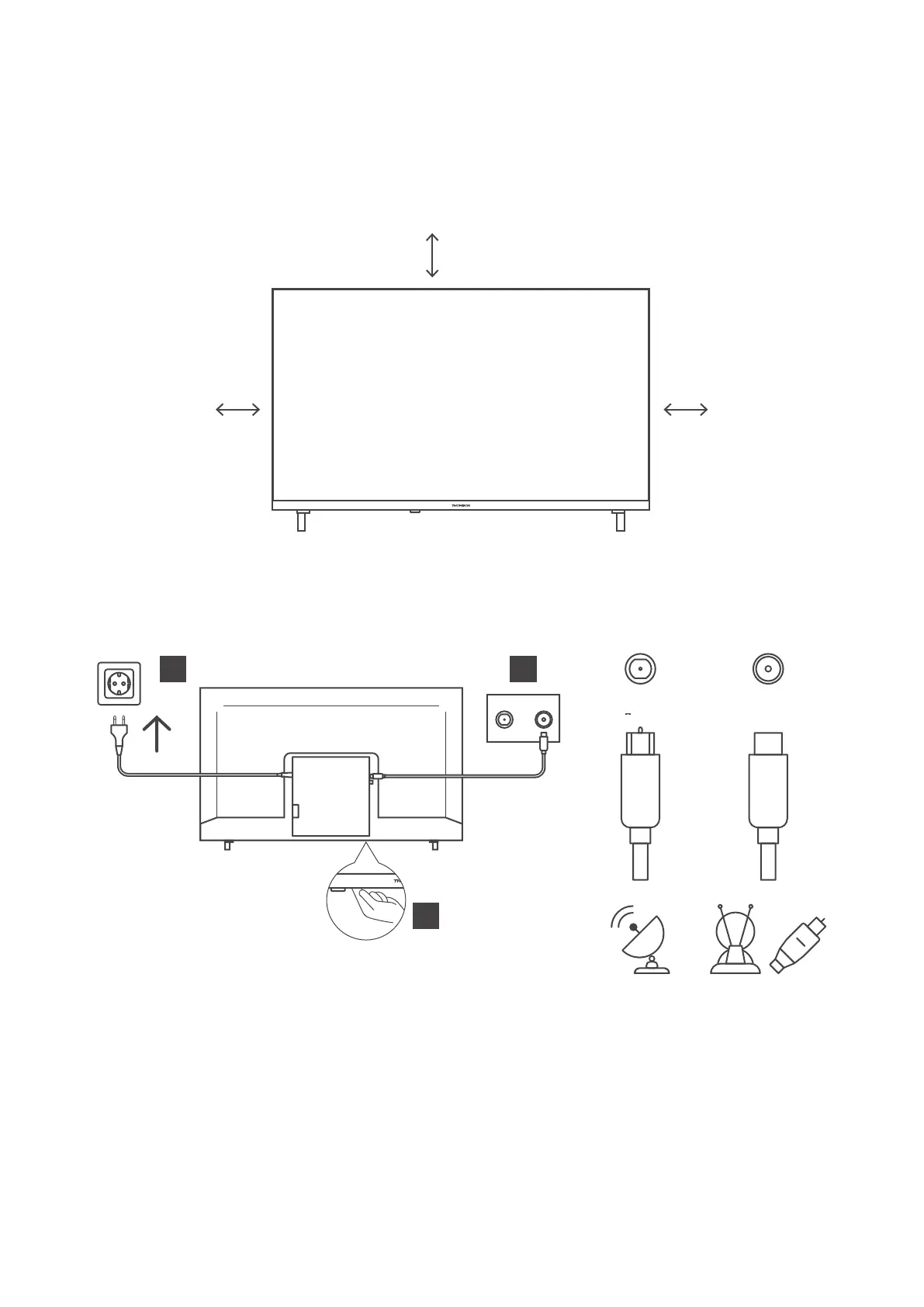
Put your TV on a rm place which can bear the weight of the TV. To avoid danger, please do not position the TV
near water or heating places (such as light, candle, heating machine), do not block the ventilation at the back of
the TV.
10 cm
10 cm
Connect antenna and power.
1. Connect the antenna cable to the antenna socket on the back of the TV.
2. Plug in the power cord of your TV (AC 100-240 V~ 50/60 Hz). The TV enters standby mode (red light).
3. Turn on your TV by pressing the power button of the TV or the power button on the remote control.
13/18 V 400 mA max
SATELLITE
ANTENA/
DVB-T/C
2
3
1
4.2. Initial Setup
For the rst initial setup, in-screen setup wizard will guide you through setting up your TV. Please follow the
guide to setup your TV correctly.
Connect an RF cable from the TV input called “RF-In” to your TV Aerial socket.
4.2.1 Select Language
Press the a / d button to select the language to be used for menus and message, then press OK to conrm.





 To Next Page