9
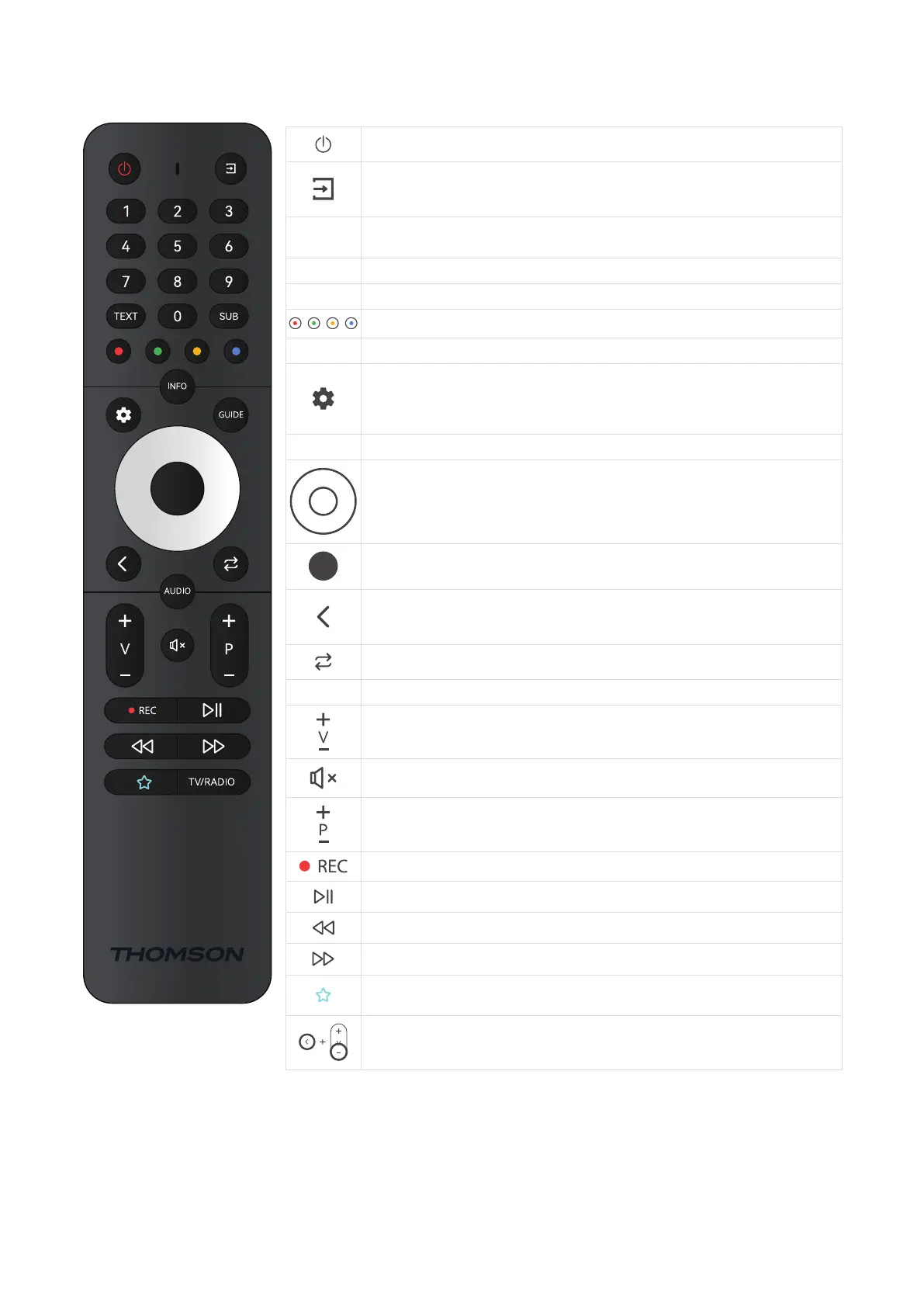
3.3. Remote control
Standby: Quick Standby / Standby / On
Source/Input: Closes and exits from Live TV Settings menus, exits from any running
application or menu or OSD banner, switches to last set source; Selecting the input of
the TV.
0-9
Numeric buttons: Switches the channel in Live TV mode, enters a number or a letter in
the text box on the screen
TEXT Text: Opens and closes teletext (where available in Live TV mode)
SUB Subtitles: Turns subtitles on and o (where available)
Coloured Buttons: Follows the on-screen instructions for coloured button functions
INFO Displays Broadcast information
SETTINGS/MENU: Displays Live TV Settings menu (in Live TV mode), displays available
setting options such as sound and picture; Those who have an SW with PVR function
bought, if settings button is pressed for 5 seconds an additional keypad will be
opened with additional functions
GUIDE Display EPG
Directional buttons: Navigates menus, setting options, moves the focus or cursor etc.,
sets record time and displays the subpages in Live TV-Teletext mode when pressed
Right or Left. Follow the on-screen instructions
OK/Enter: Conrms selections, enters sub-menus, views channel list (in Live TV mode).
Press 5 sec. to switch the backlight of the remote control on/o
Back/Return: Returns to previous menu screen, goes one step back, closes open
windows, closes teletext (in Live TV-Teletext mode). Exits the playback of multimedia
les and returns to the MMP (Multi Media Player) overview menu / Remote pairing
Sends back to previously watched channel
AUDIO Opens Audio track
Volume +/-: Controls the Sound Volume of the TV.
Mute: Completely turns o the volume of the TV
Programme +/-: Zapping the single TV/radio channels. Scrolls the channel list page by
page when the channel list is displayed on the TV screen.
Records
Plays/Pauses Multimedia
Fast rewind
Fast forward
Favourite application: Determinates the Favorite application. Shows selection of the
Favorite applications.
Remote Control pairing: Simultaneously pressing the Back button and the V- button,
activates the pairing mode of the remote control.





 To Next Page