- 58-
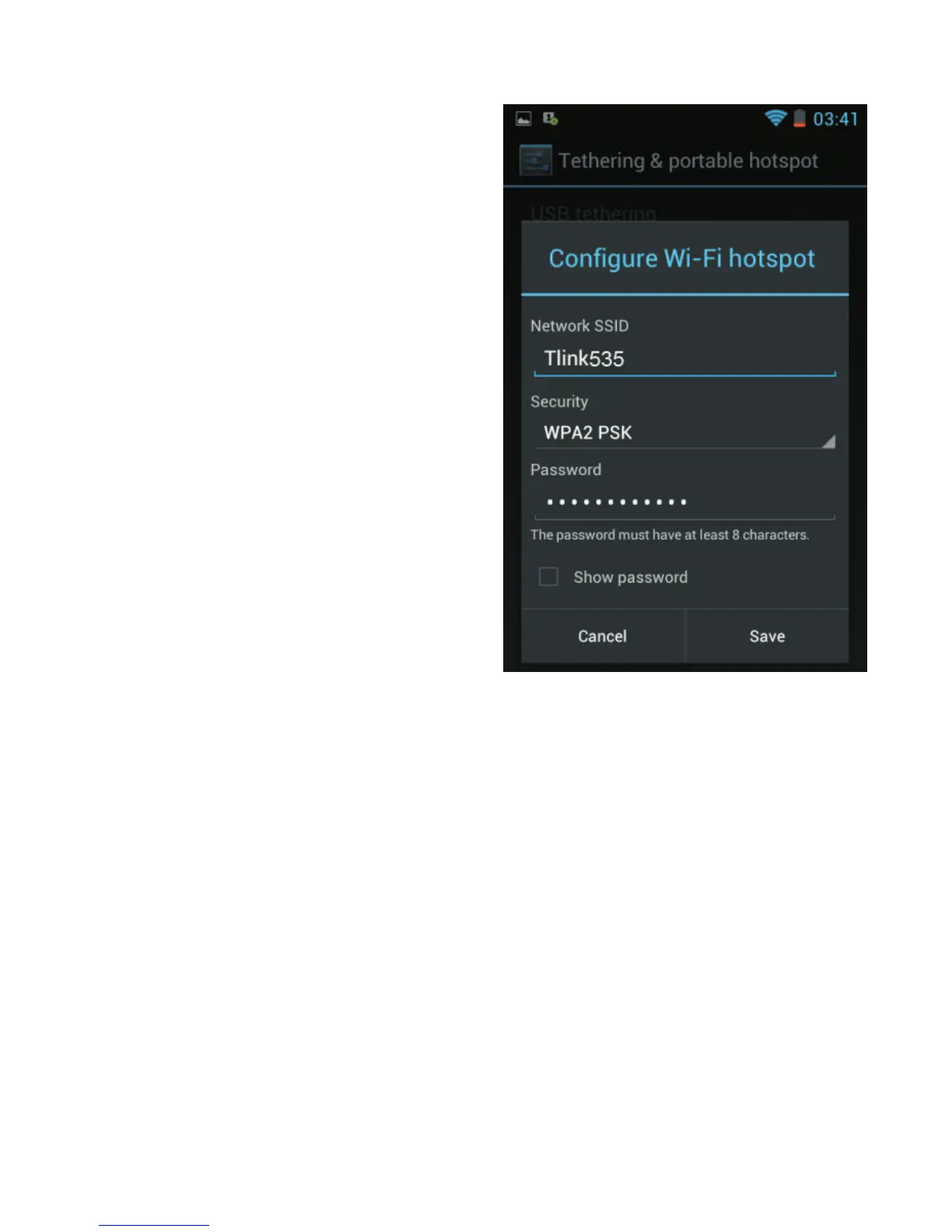
Then, select “Tethering &
portable hotspot”.
On the above screen, tap “Password”. Enter, if necessary,
your own password, then tap “Save”.
After that, tap “Portable Wi-Fi hotspot” on the previous
screen. A notification appears at the top of the screen. You
can now search for the name of the Wi-Fi network
“TLINK535” on your laptop computer (or another name if
you have changed it). Select the password type “WPA2
PSK” then enter the password you just entered in the
previous step. Your laptop can now share your phone's
mobile data connection.



 To Next Page