THUNDER LASER NOVA-51
www.thunderlaser.com DONGGUAN THUNDER LASER EQUIPMENT CO.,LTD
tech@thunderlaser.com No.197, Hudong Road, Shatian Town,
Tel :(86)769 826653 Dongguan, Guangdong, China
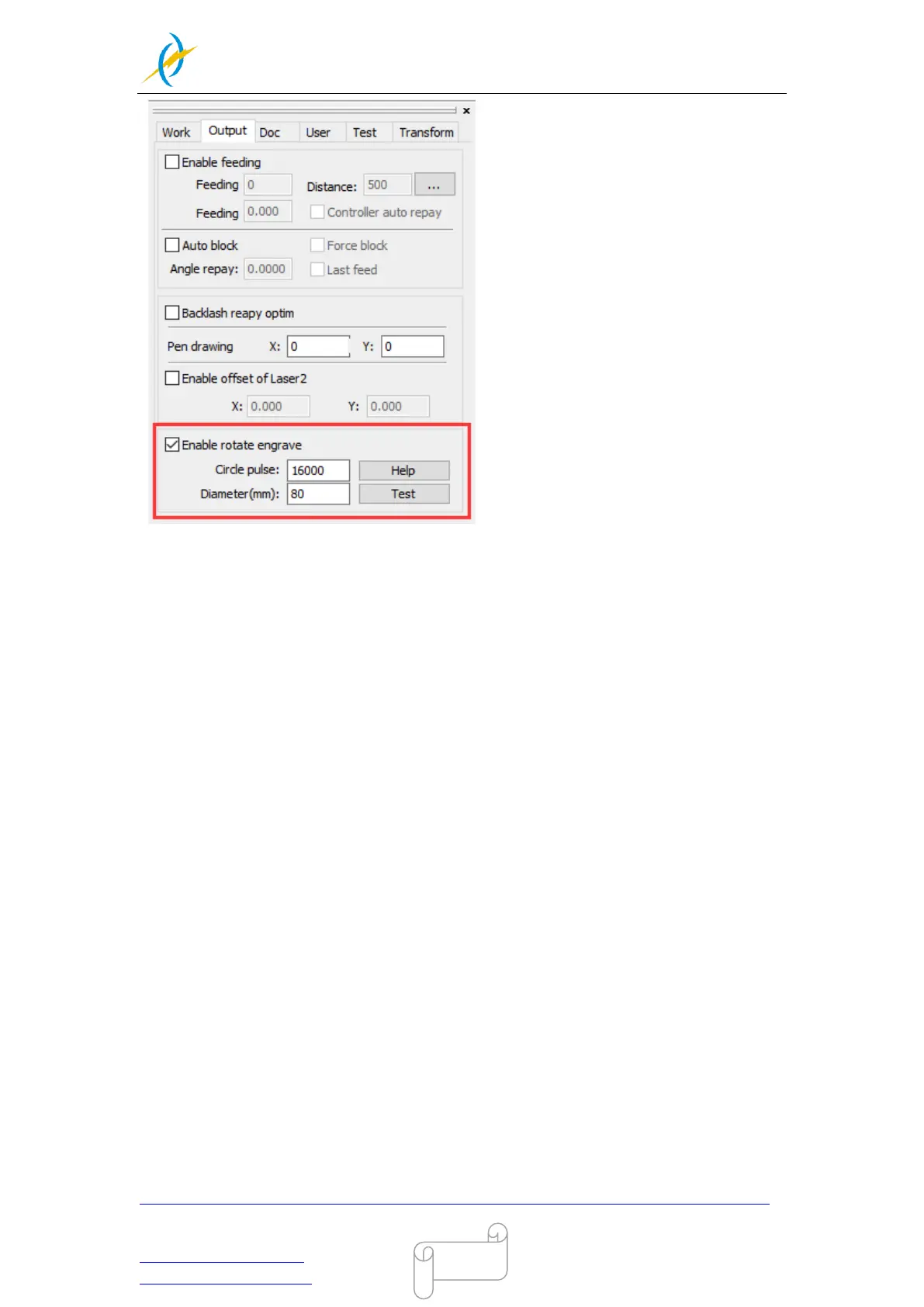
Select “Output”, and then tick“Enable rotate engrave”
① The Circle pulse is set to 16000 (Please set circle pulse to 7601 while your machine is bought
before February 2016, Not including Feb 2016)
② The diameter of the target item
9. Select "Download", click “Origin” and “Frame” on the display, please make sure that
the material is in the right location and enough space for working.
10. Switch on the cooling system. And connect the exhaust system and the air pump to
behind of the laser. Please check the water cooling system is working properly; the
water is running into and filling the laser tube. Please do not starts your work if laser
tube isn’t full of water, because that may led to laser tube damage due to the high
temperature.
11. Finally press the “Start-Pause” button in the display, to start the engraving or cutting
process.
12. When you are finished with the rotary attachment:
Move the y-axis back by hand before switching the rotary off (0 is off) and unplugging it
to give yourself plenty of room to remove it safely.
Uncheck “Enable rotate engrave” in the output tab in the RDworks software otherwise
the next user will find their engraving and cutting will be stretched along the y-axis
Reset the laser (reset button on the controller) so it can relearn its home position,
ready for the next user.
Also you can refer to the video of how the rotary axis works in our website:
http://www.thunderlaser.com/how-to-use-your-laser-machine/how-the-rotary-axis-works.html



 To Next Page