10
6.6 Placing the IHD103 in your home
The single most important factor for getting good Wi-Fi connectivity in the home is the
placement of the device in the home.
Once the procedure to connect the extenders is done, the next step is to place the Wi-Fi
extenders in a suitable place in your home if this was not already done during the initial
connection procedure. It is also possible to adjust the placement of the devices at any later
stage to optimize the Wi-Fi coverage in the home.
This is done by
- Unplugging the Ethernet cable (if used) and the AC/DC power adapter from the wall outlet
- Move the device and the AC/DC power adapter to a place where you ideally would like to
have the Wi-Fi extender
- Reconnect the Ethernet cable to an ethernet outlet (if used) and the power adapter to a
wall outlet and let the Wi-Fi extender startup again
6.6.1 Placement when connecting to home network using cable
If the Wi-Fi extender is connected to the home network with an Ethernet cable, then the
Ethernet cable must be unplugged and plugged in again at the new location. This is done
either using another Ethernet outlet (connected to the router) or using a suitable Ethernet
cable long enough to connect to the router in its new location.
An ideal position for the Wi-Fi extender is a central place in the area where there is poor (or
no) Wi-Fi connection, visible from all parts of your home where there is poor Wi-Fi.
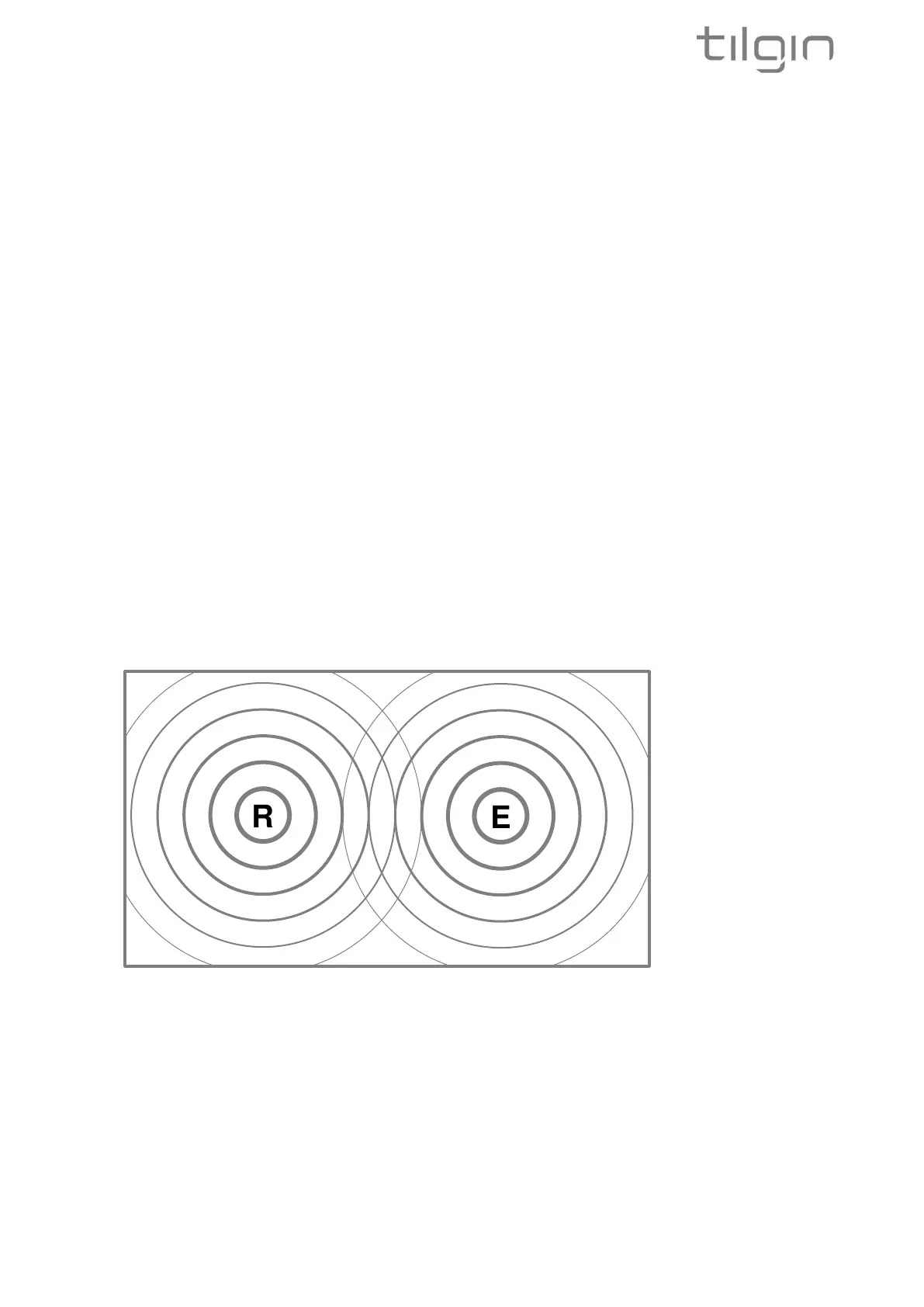
The picture above illustrates that the Router and the Extender can be place in such a way that it
maximizes coverage without consideration of Wi-Fi connection between the Router and
Extender as this is done via Ethernet cable. The picture illustrates that the Extender and the
Router are outside each other’s Wi-Fi reach.


 To Next Page