14
8. Creating a Wi-Fi network with the IHD103
The IHD103 that you have received from your operator is equipped with three different Wi-Fi
radios, all operating on different radio frequencies. One radio operates on the 2.4 GHz
frequency band, one operates on the 5GHz frequency band (lower channels) and one
operates on the 5GHz frequency band (higher channels).
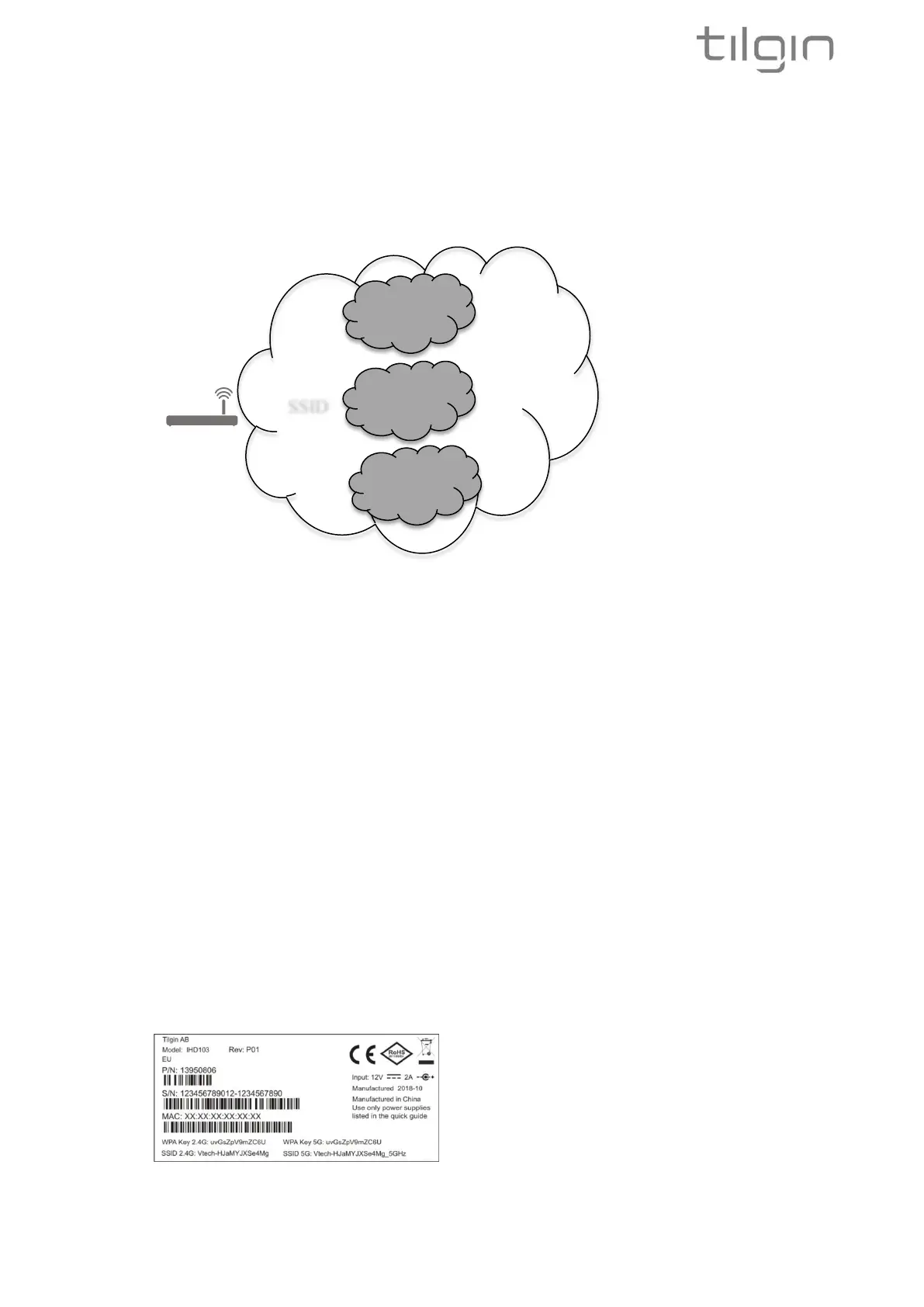
Each IHD103 can thus create up to three different BSSID depending on configuration. A
BSSID is a technical term describing a physical radio for home devices to connect to.
These BSSID can all share the same SSID name or use different SSID names. An SSID is
the Wi-Fi network name that is visible for devices to connect to.
In addition, the router that you have in the home might already have a Wi-Fi network name
(SSID) defined. The IHD103 can use the same Wi-Fi network name (SSID) as the router to
make things easier in the sense that there is only one network name to care about when
connecting a new device. When devices move around in the home, it will connect to any of
the BSSID with the same logical network name (SSID), on your router or on the Wi-Fi
extender.
During the IHD103 connection procedure using WPS in legacy extender mode, the Wi-Fi
network name and password from the router is automatically cloned to the IHD103 if the
router support this.
If cloning is not supported and no changes are done from the local GUI, the IHD103 will use
the Wi-Fi network names (SSID) and Wi-Fi network password printed on the label of the
device, see the picture below.
It is always possible to log in to the local GUI of the device to change the Wi-Fi network
names (SSID) and password of the IHD103 at any stage.


 To Next Page