5
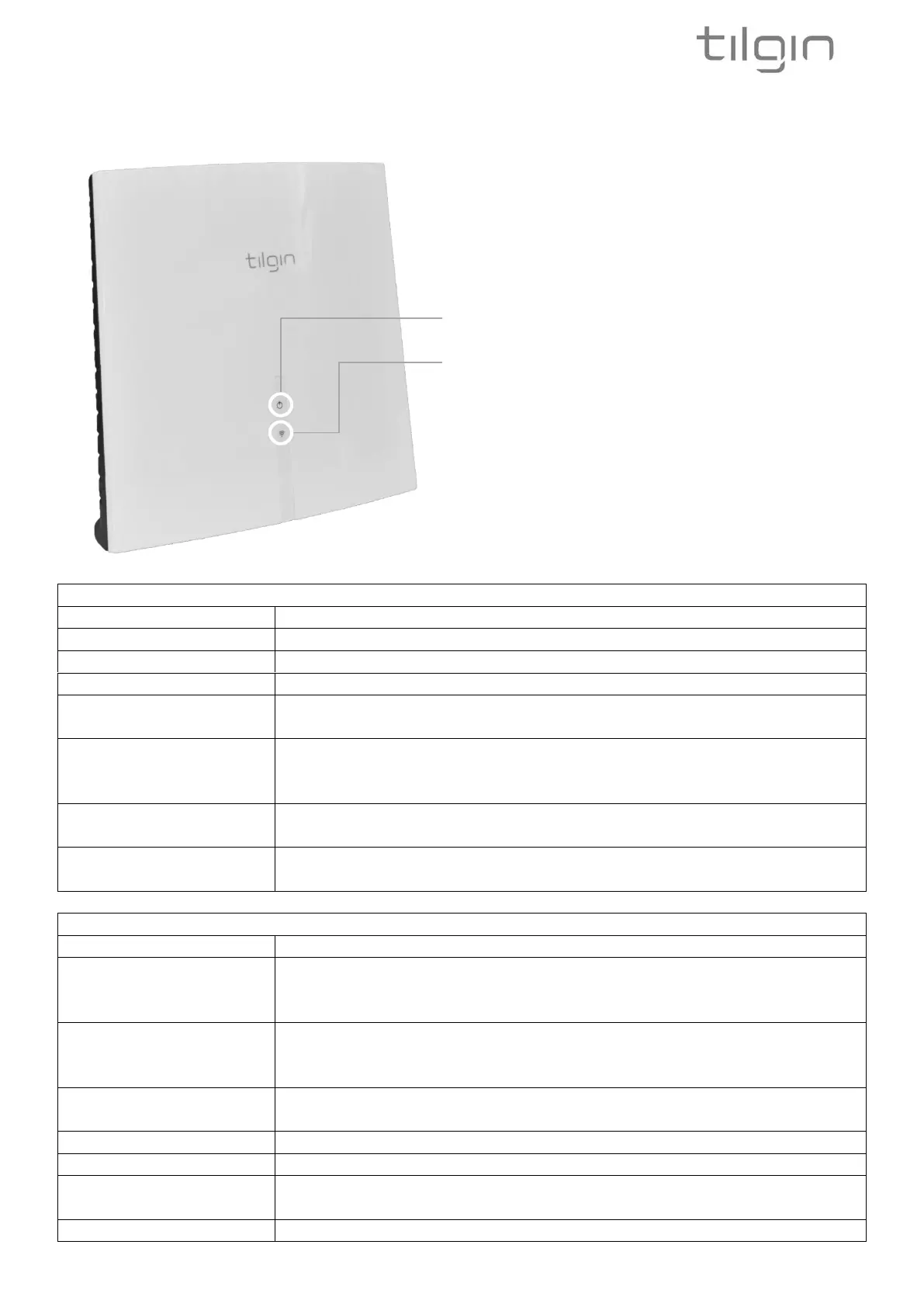
3.3. IHD103 LED Front
The two front LEDs indicates the status of the IHD103
Network connection status LED
Power on, device is starting up
No management IP address received (yet)
Indicate that factory reset procedure is acknowledged and initiated
(if the same indication is also on the Wi-Fi status LED)
Device is connected and has management IP address, but no
connection to service operator or latest communication with
service operator failed.
Connected to service operator, normal operation, but
communicating with service operator.
Connected to service operator, normal operation. Latest attempt to
connect to the service operator was successful.
All Wi-Fi is turned off via button, or the device has no power, or the
device is powering up but all Wi-Fi radios are not yet ready. When
using DFS Wi-Fi channels, this can take up to 10 minutes.
Indicate that factory reset procedure is acknowledged and initiated
(if the same indication is also on the network connection status
LED)
No connection to network. Device is to far away from Wi-Fi
network, or connection procedure has not been performed (yet).
Connected to home network, poor Wi-Fi signal
Connected to home network, fair Wi-Fi signal
Connected to home network, good Wi-Fi signal, or connected via
Ethernet WAN cable
Device is in WPS pairing mode for pairing with a device
Network connection status LED
Wi-Fi status LED


 To Next Page