4
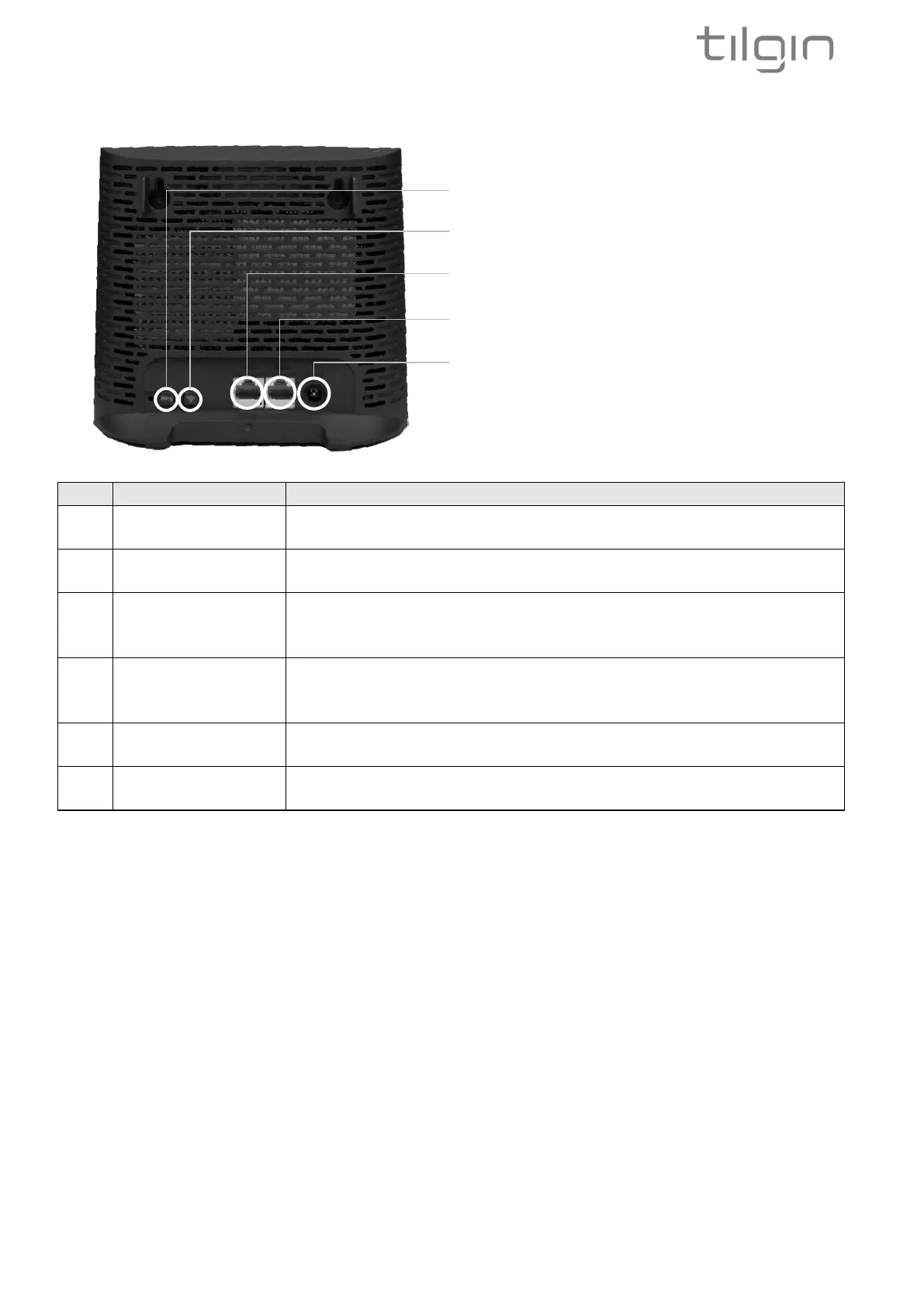
3.2. IHD103 Interfaces
Wireless Protected Setup button. Pressing the button for 5
seconds activates the WPS function
Button for turning Wi-Fi on and off. Pressing the button for 1
second turns Wi-Fi on or off
Restores the device to its factory configuration. Press the WPS
and the Wi-Fi on/off button for 5 seconds (until both LEDS start
flashing RED rapidly) to activate the factory reset procedure
Optionally connects an Ethernet cable (RJ-45) to home
computers, TV boxes (STB) and other type of devices that has
no Wi-Fi built in
Optionally connects an Ethernet cable to the home network,
typically the router in the home
Connects the power supply that comes with the device to the
device
2 - Wi-Fi on/off button
3 - LAN connection
4 - WAN connection
5 - Power connector



 To Next Page