19
5 Connecting to the HR-Check
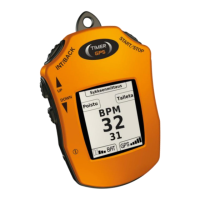
The TimerGPS+ can connect to the TimerGPS accessory HR-Check wirelessly to check the rest and recovery heart rate of the
horse.
To establish a connection with the HR-Check, bring the product close to the HR-Check. The devices will be paired automatically
if the HR-Check is receiving a heart rate signal from the HR-Check transmitter.
5.1 Using the HR-Check without he TimerGPS+
After a connection has been established, the TimerGPS+ will enter the heart rate check standby mode. In the standby mode, the
TimerGPS+ will be ready to receive heart rate data from the HR-Check. To save the data, press the START/STOP button,
otherwise press the INT/BACK button to return to the heart rate check standby mode. For full instructions on how to use the HR-
Check, consult the HR-Check user manual.
6 Stopwatch
The stopwatch function can be used to measure lap times. Select stopwatch from the main menu and press START/STOP to
confirm. TIME 0.00.0 will be shown in the center of the display, and the lap time 0.00.0 will be at the bottom. Press the
START/STOP button to start and stop the stopwatch. It is possible to measure lap times during simply by pressing the
INT/BACK button during the stopwatch and the lap time will be shown at the bottom of the display. Restart the stopwatch by


 To Next Page