11
E
N
G
L
I
S
H
you can move the Selector Switch to F mode and re the marker in mechanical mode (one
shot per pull of the trigger). NOTE: The Electronics will not automatically shut off. Be sure to
put the Selector Switch in Safe mode when not in use to preserve battery life.
Changing the Firing Mode (Electro-pneumatic model)
Put the Selector Switch in FA mode. Press and hold the Programming button for ½ second to
advance to the next ring mode. The button is below ush, and must be pushed with a pin or
your ⅛” Allen wrench as shown in Figure 8. The LED ashes orange to represent the number
of the Firing mode as listed at the bottom of this page. The Factory Default Value is 2 ashes
(Safe Full-Auto).
Advanced Programming (Electro-pneumatic model)
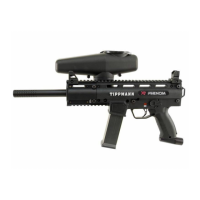
There are several programming options which affect the operation of your Tippmann X7
Phenom marker. The Advanced Programming has been designed to allow users the maximum
amount of customizing possible. There are four menu items available in the Advanced
Programming Menu: Dwell, Debounce, Rate-of-re, and Firing mode. Each menu item has a
corresponding color code as follows:
• Solid Red - Dwell • Flashing Green - Rate of re
• Solid Green - Debounce • Alternating Red/Green - Firing mode
Programming Menus (Electro-pneumatic model)
This section discusses the four menu items in detail, so that the user fully understands the
purpose and use of each menu item.
Dwell - (Factory Default Value = 8 milliseconds) The Dwell menu item is used to change
the amount of time that power is supplied to the solenoid. The solenoid is the part of the
electronics which actually contacts the Trigger Lever of the marker, allowing it to re. This
setting directly affects the battery life. If this is changed to a value less than 8 milliseconds,
your battery will last longer, but this may not allow the solenoid enough time to re the marker
properly. If this value is set greater than 8 milliseconds, the solenoid will have power supplied
to it for a longer time, reducing the life of the battery. Changing this value can cure or create
performance issues for the user. This menu item can be updated only with values of 2-20
milliseconds.
Debounce - (Factory Default Value = 52 milliseconds) The Debounce menu item is used
to change the amount of time between accepted trigger pulls. Quite simply, this adjusts the
amount of time from one trigger pull being accepted by the electronics to the next trigger pull
that can be accepted. If a Debounce setting is too low, a user may shoot more times than
expected. This is explained by what is called “Trigger Bounce.” When a paintball marker is
red, the marker moves and vibrates in the user’s hand. This vibration sometimes allows
the trigger to reset itself and trip without the user realizing that his or her nger has actually
moved. This menu item can be updated only with values of 25-65 milliseconds.
Rate-of-Fire - (Factory Default Value = 13 bps) The Rate-of-Fire menu item may be used to
change the Safe Full-Auto Firing mode. This is the only Firing Mode which is affected by this
menu item. All other Firing modes cannot have their rate of re adjusted. This menu item can
be changed only to values of 8 bps to 15 bps.
Firing Mode - (Factory Default Value = 2 Safe Full-Auto) The Firing Mode menu item is used
to change the default Firing Mode. The value and corresponding Firing Mode are listed below.
1. Safe Three-Shot Burst
2. Safe Full-Auto (factory default)
3. Auto-Response
4. Turbo Mode
5. Semi-Automatic
The Firing Mode menu item can only be changed to a value of 1 through 5.



 To Next Page