Guided Setup for TiVo Mini
20 TiVo Mini Operator’s Guide v1.0 • TiVo
®
Proprietary and Confidential
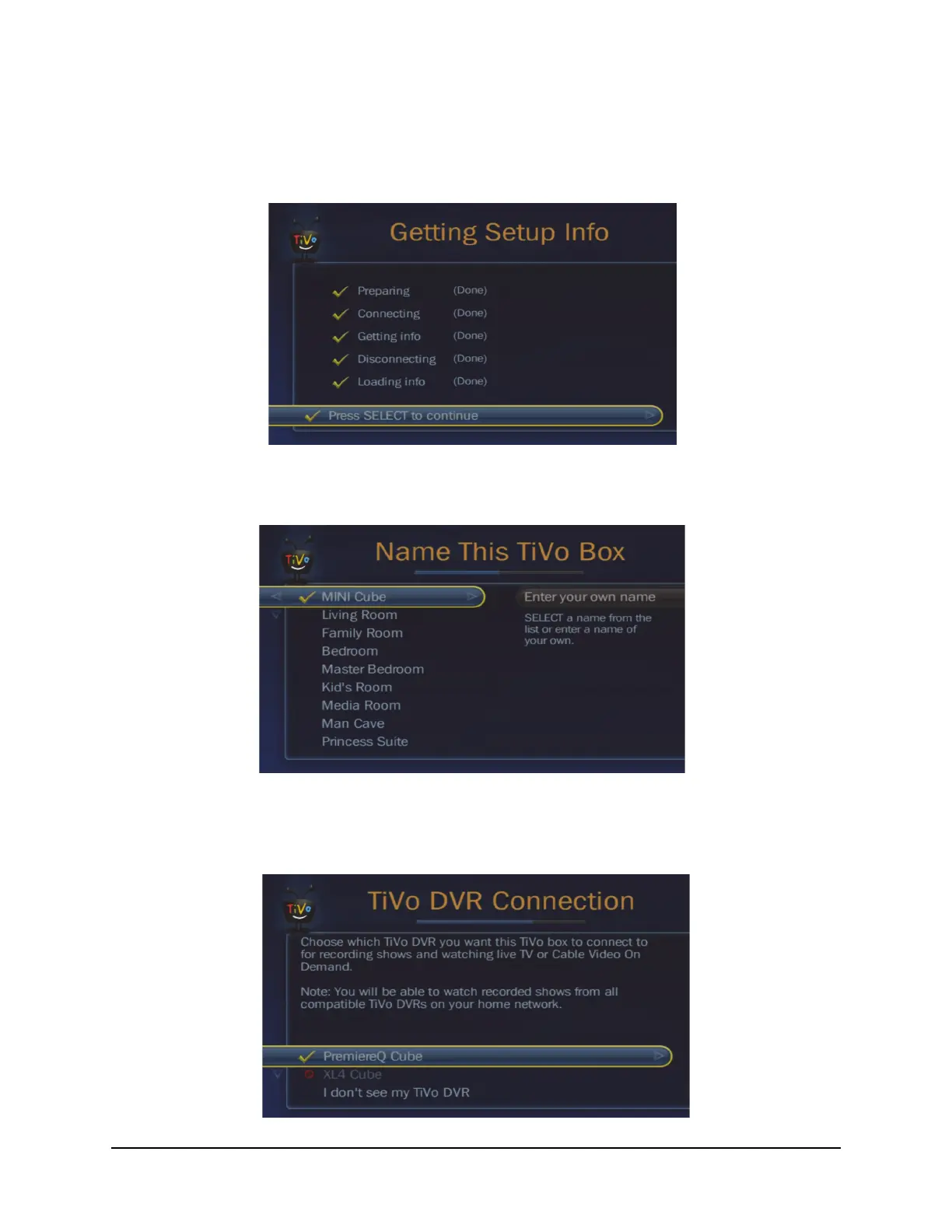
5. You will then see the “Getting Setup Info” screen, which will go through a series of steps
to prepare, connect, get info, then disconnect, and load the information. At the end of these
steps, you will see the following screen, and as instructed, you should press the SELECT
button on your remote to continue.
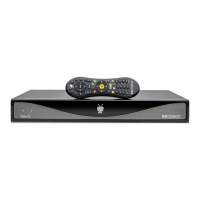
6. You will then be instructed to “Name This TiVo Box,” and you should select a name from
the left side, or enter a personal name in the box at the right.
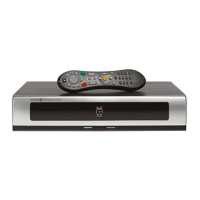
7. Then, you will be asked to connect TiVo Mini to a Host DVR.
Note: If only one Host DVR is detected, it will be automatically selected for you, and
you will not see this screen.


 To Next Page