EasyManua.ls Logo

TiVo Mini - Page 58

TiVo Mini
66 pages
Print Icon
To Next Page IconTo Next Page
To Previous Page IconTo Previous Page
Loading...
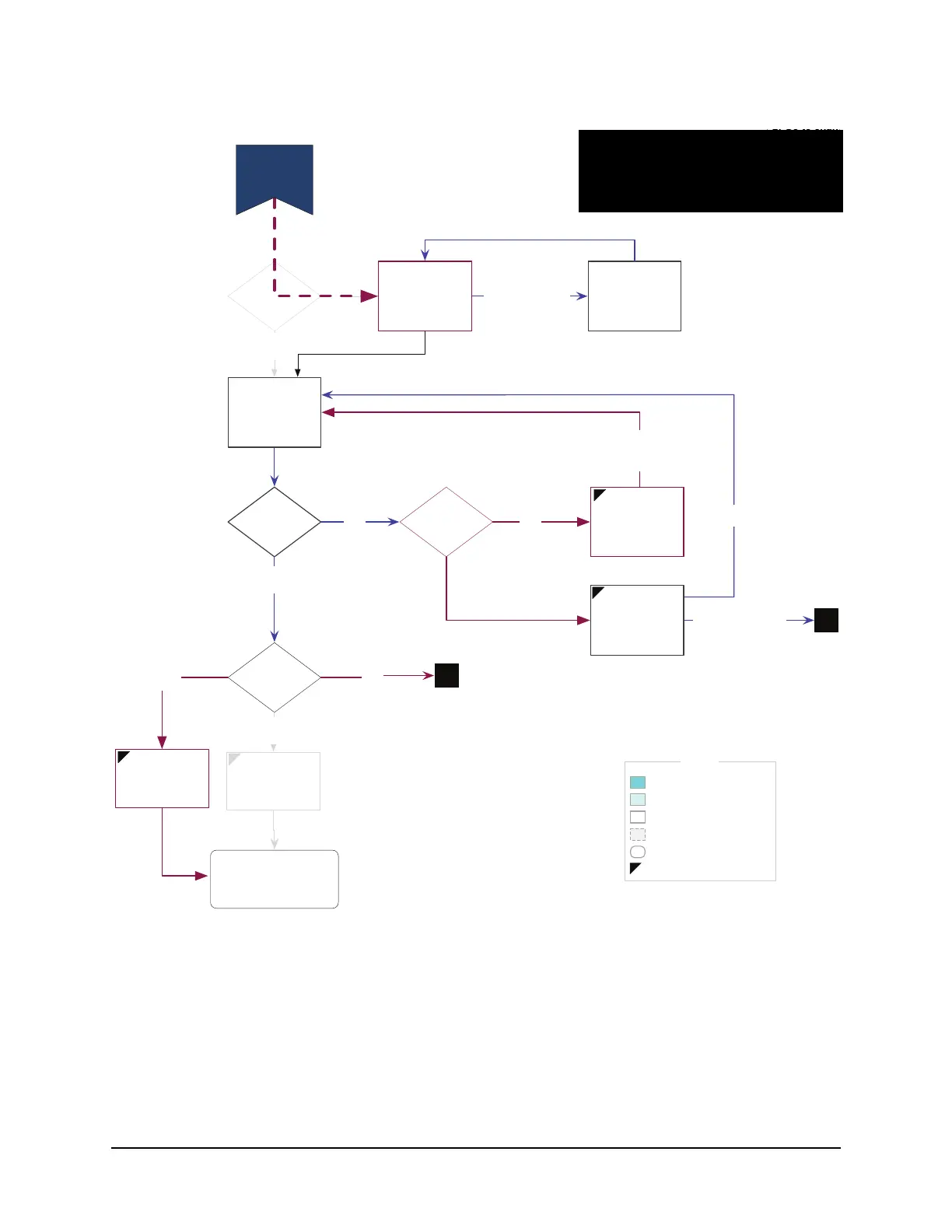
TiVo Mini Guided Setup Flow
58 TiVo Mini Operator’s Guide v1.0 • TiVo
®
Proprietary and Confidential
LEGEND
“Rarely used” screen
LEFTing disallowed
“Sometimes used” screen
“Always used” screen
“Invisible” (logic only) screen
Action
Begin
Network
Connection
(Tunerless)
*Getting
Setup Info
(Network)
Connection
successful?
Retry
Connection
Problem
(Network #1)
Enter Dial
Config Code
Press
CLEAR-CLEAR-
ENTER-ENTER
2: Go to chang
3: Go to Devic
* Getting Setu
Mandatory, & O
updates require
Optional update
and should dro
Change network
settings
2
Important
Update
Critical
SW update
downloaded?
REBOOT and start
GS again with
saved values
Installer Mode?
Is box
activated?
Must Activate
to Use
N
OK, I've activated my
service
Y
N
N
Y
Y
Important
Update
(Tunerless)
Y N
D1.1: Network
Connection
(Tunerless)
3
2 - Go to change network settings (C1)
3 - Go to Device Name (D1.2)

Table of Contents

Other manuals for TiVo Mini

Related product manuals