User Manual - Network Dome - TKID45F2S - TKID85F2S - TKID45M1S - TKID85M1S
EN
10
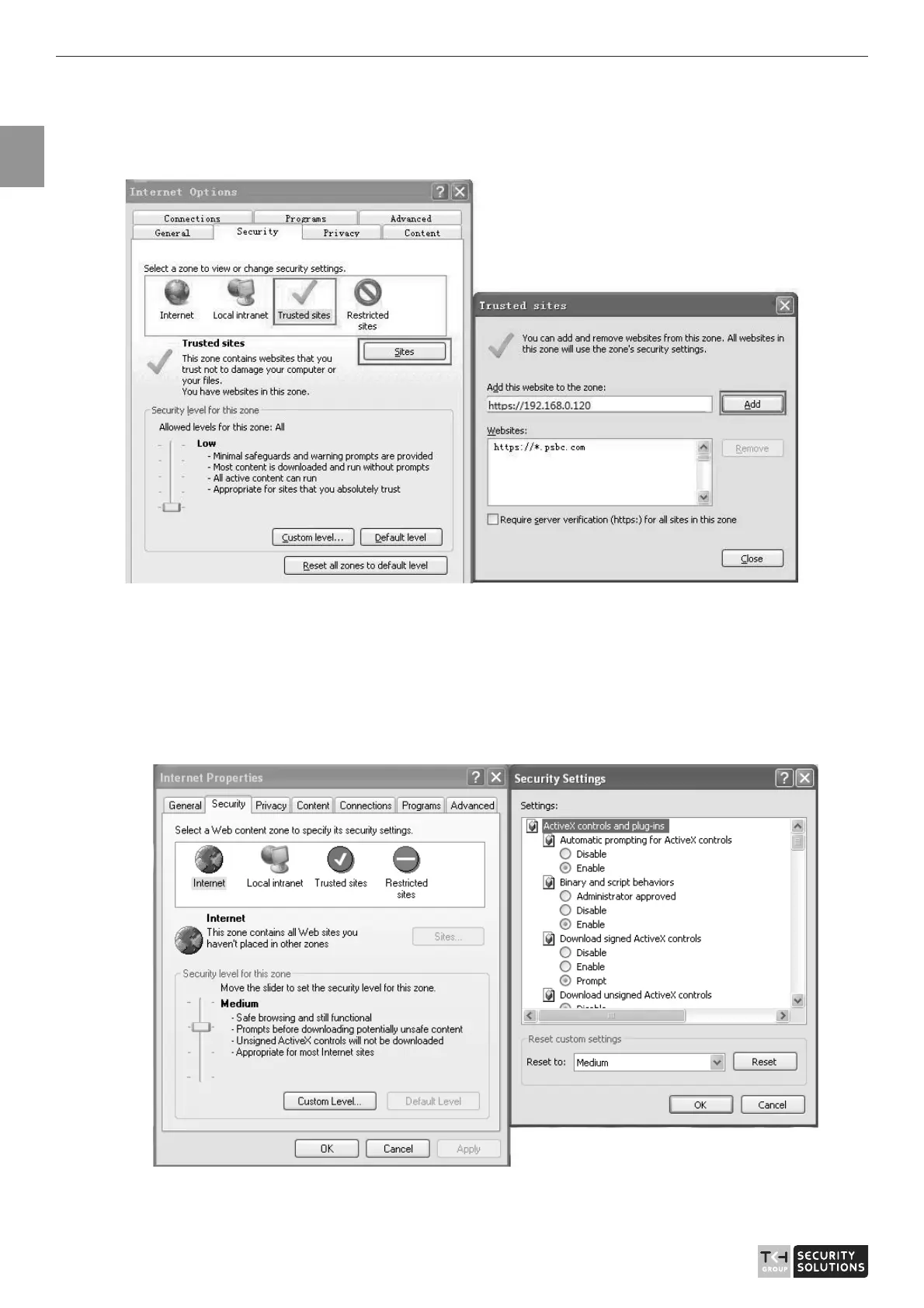
In the display dialog box, click Add, as shown in Figure 1-4.
Figure 1-4 Add the a trusted site
Step 2 In the Internet Explorer, choose Tool > Internet Options > Security > Customer
level, and set Download unsigned ActiveX control and initialize and script ActiveX
controls not marked as safe for scripting under ActiveX controls and plug-ins to Enable,
as shown in Figure 1-5.
Figure 1-5 Configuring ActiveX control and plug-ins
Step 3 Download and install the player control as prompted.



 To Next Page