User Manual - Network Dome - TKID45F2S - TKID85F2S - TKID45M1S - TKID85M1S
EN
12
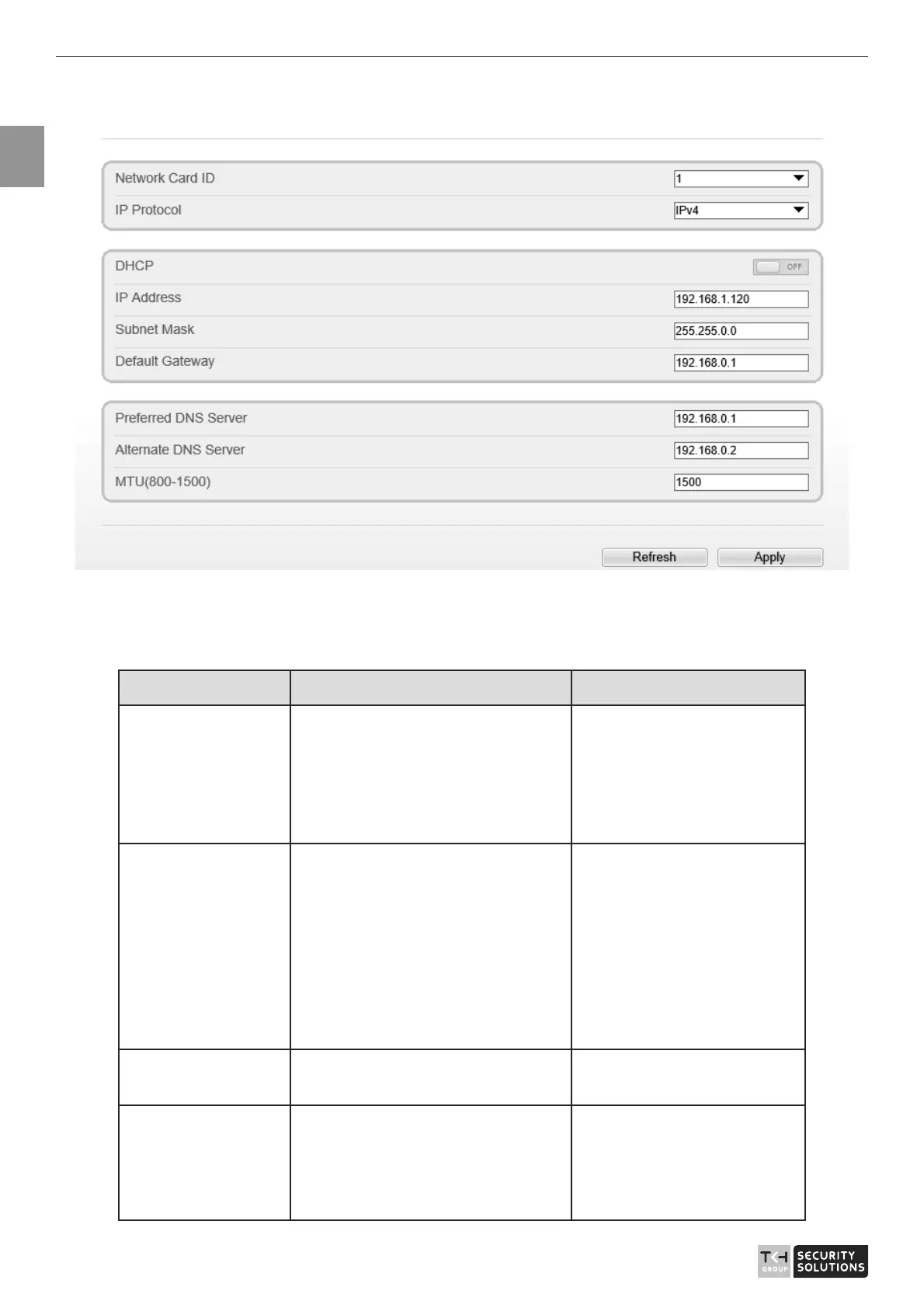
Figure 1-7 Local Network page
Step 2 Set the parameters according to Table 1-2.
Table 1-2 Local network parameters
Parameter Description Setting
IP Protocol
IPv 4 is the IP protocol that uses
an address length of 32 bits.
IPv 6 is the IP protocol that uses
an address length of 128 bits.
[Setting method]
Select a value from the
drop-down list box.
[Default value]
IPv4
DHCP The device automatically
obtains the IP address from the
DHCP server.
[Setting method]
Click the option button.
NOTE
To query the current IP
address of the device, you
must query it on the
platform based on the
device name.
DHCP IP
IP address that the DHCP server
assigned to the device.
DHCP function is
enabled.
IP Address Device IP address that can be
set as required.
[Setting method]
Enter a value manually.
[Default value]
192.168.0.120



 To Next Page